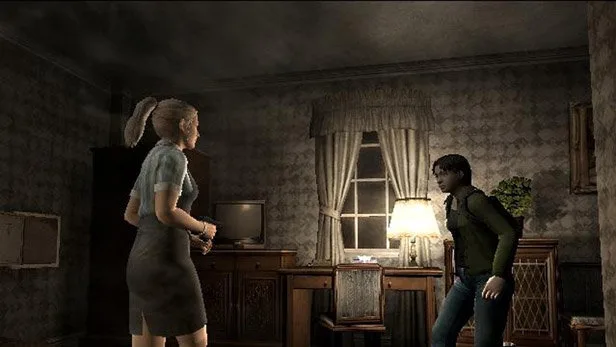
Detailed guide and walkthrough for Resident Evil Outbreak on PS2, covering controls, game modes, items, enemies, and all scenarios including Outbreak, Below Freezing Point, The Hive, Hellfire, and Decisions, Decisions.
Walkthrough
- 1Intro: Copyright information and a note about the walkthrough's originality.
- 2Version Info: Details on updates and corrections made to the guide.
- 3The Basics: Explains controls (Type A-F), difficulty settings (Easy, Normal, Hard, Very Hard, Lone Wolf, Infinity Mode), and the Electrocardiogram (health status).
- 4Characters: Information on playable characters (not detailed in source).
- 5Prologue: Story introduction (not detailed in source).
- 6Walkthrough - Outbreak: Detailed steps for completing the first scenario.
- 7Walkthrough - Below Freezing Point: Detailed steps for completing this scenario, including sub-sections for different paths (a. The Beginning, b. Via B7F, c. Via B6F, d. Path Convergence + Finish).
- 8Walkthrough - The Hive: Detailed steps for completing this scenario.
- 9Walkthrough - Hellfire: Detailed steps for completing this scenario, including sub-sections for different paths (a. The Beginning, b. Via Boiler room, c. Via Apple Inn square, d. Path Convergence + Finish).
- 10Walkthrough - Decisions, Decisions: Detailed steps for completing this scenario, including sub-sections for different paths (a. The Beginning, b. Via B2F, c. Via B4F, d. Path Convergence + Finish).
- 11Network Mode: Information on online play (not detailed in source).
- 12Enemies/Bosses: Details on enemies and boss encounters (not detailed in source).
- 13Weapons: Information on available weapons (not detailed in source).
- 14Files: Locations and content of in-game files (not detailed in source).
- 15Item Descriptions: Details on all items found in the game (not detailed in source).
- 16Key Item Locations: Specific locations for important items (not detailed in source).
- 17Special Items: Information on unique or special items (not detailed in source).
- 18Collection: Details on collectible items (not detailed in source).
- 19Glitches and Errors: Known bugs and errors in the game.
- 20Passcode Cheat Sheet: A list of passcodes for various purposes.
- 21Event Completion Lists: Checklists for completing events in each scenario.
- 22Puzzles: Solutions to in-game puzzles.
- 23Wesker's Report + Notes: Lore and story details related to Wesker.
- 24Wesker's Report 2 + Notes: Further lore and story details related to Wesker.
- 25Resident Evil Games: A list of other Resident Evil titles.
- 26Cheats and Codes: General cheats and codes for the game.
- 27Links: External links related to the game.
- 28Credits, Contact Info, and Everything Else: Author's contact details and acknowledgments.
Tips
- Controls can be customized with Types A through F, affecting button assignments for actions like running, cancelling, and attacking.
- Reloading is done by holding L1. Aiming is R1 (Auto) or R2 (Manual).
- The Right Analog Stick is used for quick chat commands (HELP!, Go!, Thanks!, Come on!, Wait!).
- The TRIANGLE button displays the map.
- Health status is indicated by an Electrocardiogram: Fine (Green), Caution (Yellow/Orange), Danger (Red). Poison and Bleed status also affect gameplay.
- Health-replenishing items include Green Herbs, Blue Herbs, Red Herbs (when combined), First Aid Sprays, and various medicine combinations that can be crafted by George.
- Combining herbs and medicine can create more potent healing items, cure poison, and act as an anti-virus.
- Using healing items while in Danger (crawling) will allow the character to stand up, even if the healing effect is disregarded, which can be a lifesaver in emergencies.
100% Human-Written. AI Fact-Checked. Community Verified. Learn how AntMag verifies content