Master Geometry Dash lingo. Learn essential terms for gameplay, level editing, community interactions, and difficulty ratings.
Geometry Dash, like any dedicated community, has developed its own unique language and set of terms. Understanding this jargon is crucial for navigating discussions, tutorials, and the game itself. Whether you're a new player trying to decipher what others are talking about or an experienced player looking to refine your vocabulary, this section will break down the essential terminology you'll encounter in the world of Geometry Dash.
From the core gameplay mechanics to the intricacies of level des and community interactions, specific words and phrases are used to describe actions, objects, and concepts. Familiarizing yourself with these terms will not only make it easier to understand guides and community content but also allow you to communicate more effectively with other players. It's the first step to truly immersing yourself in the Geometry Dash experience.
Core Gameplay Terms:
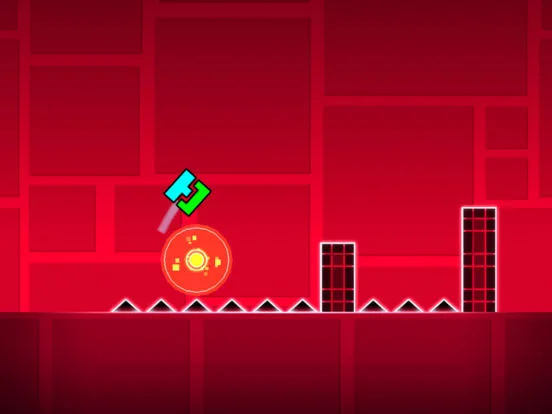
- Cube: The default and most common icon. Its primary action is a single jump when tapped.
- Jump: The action of making your icon ascend. In Cube mode, this is a tap.
- Portal: Objects that, when passed through, change your icon's mode, speed, gravity, or size. Examples include Speed Portals, Gravity Portals, and Ship Portals.
- Speed Portal: Portals that alter the player's movement speed (e.g., 2x speed, 0.5x speed).
- Gravity Portal: Portals that invert the player's controls and orientation.
- Ship/UFO/Ball/Wave/Robot/Spider: Different game modes that change how your icon moves and interacts with the environment.
- Obstacle: Spikes, blocks, and other hazards that You must avoid.
- Platform: Surfaces your icon can land on.
- Coins: Collectible items hidden within levels, often used to unlock content. There are usually three per level: one easy, one normal, and one hard coin.
- Stars: A measure of your overall progress, earned by completing levels and collecting coins.
- Practice Mode: A game mode that allows players to place unlimited checkpoints to learn levels section by section.
Level Editor & Creation Terms:
- Editor: The mode where You can create and edit levels.
- Trigger: Special objects that can alter game elements or player behavior (e.g., Move, Alpha, Spawn, Toggle).
- Group ID: A number assigned to objects to control which triggers affect them.
- Object: Any element placed in the editor, from platforms to decorative items.
- Decorations: Non-interactive objects used to enhance the visual appeal of a level.
- Gameplay: The interactive elements and challenges within a level.
- Visuals: The aesthetic des and graphical elements of a level.
- Sync: The act of synchronizing object movements and events with the music.
- Easy/Normal/Hard/Harder/Insane/Demon: Difficulty ratings assigned to levels.
- Demon: The highest difficulty rating, typically reserved for extremely challenging levels.
Community & General Terms:
- GD: Abbreviation for Geometry Dash.
- Creator: A player who dess and uploads levels.
- User-Created Level (UCL): A level made by a player, not by the game developers.
- Featured Level: A high-quality user-created level that has been recognized and highlighted by the developers.
- Hall of Fame (HOF): A section for levels that were once featured but have since been removed from the main featured list.
- Map Pack: A collection of official levels curated by the developers.
- Stars Farming: Intentionally playing easy levels repeatedly to quickly earn stars.
- Rage Quit: Quitting a level in frustration due to repeated failures.
- No-Fail Mode: A mode (often in practice or specific challenges) where failing does not reset progress.
Understanding these terms will significantly enhance your ability to engage with the Geometry Dash community and its vast content. As you play more and interact with other players, you'll naturally pick up even more nuanced jargon.
100% Human-Written. AI Fact-Checked. Community Verified. Learn how AntMag verifies content