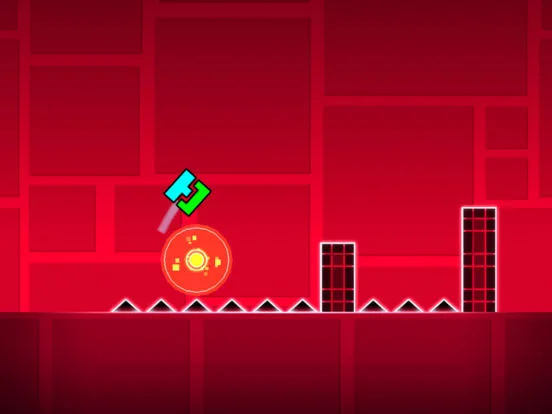
Understand Geometry Dash hitboxes and collision detection. Learn how invisible boundaries affect gameplay, player deaths, and fair level design.
Grasp the invisible boundaries that determine gameplay. This section explains hitboxes and collision detection in Geometry Dash, crucial for both players aiming for precision and creators designing fair levels.
In Geometry Dash, like in most video games, what you see isn't always exactly what the game engine registers. The concept of 'hitboxes' and 'collision detection' governs how your icon interacts with the environment and obstacles. Understanding these invisible boundaries is vital for both mastering difficult sections and for creators aiming to build fair and predictable levels. Misunderstandings here can lead to perceived unfair deaths or unpredictable gameplay.
What is a Hitbox?
A hitbox is an invisible geometric shape (usually a rectangle or square) that represents the area of an object that can collide with other objects. In Geometry Dash:
- Player Icon Hitbox: Your icon, regardless of its visual appearance (cube, ship, ball, etc.), has a consistent hitbox. While the visual representation might change, the underlying collision area remains relatively standard for each mode. For the cube, it's a square. For the ship, it's a more elongated rectangle.
- Obstacle Hitboxes: Spikes, blocks, saw blades, and other hazards also have their own hitboxes. These are typically aligned with their visible geometry.
How Collision Detection Works:
Collision detection is the process by which the game engine checks if the hitboxes of two or more objects are overlapping. When a collision is detected:
- Player Collision: If your icon's hitbox overlaps with the hitbox of a hazard (like a spike), the game registers a collision, and your icon is destroyed, leading to a death.
- Object Interaction: In some cases, collision detection might trigger other events, such as activating a portal or a trigger, though this is less common for basic gameplay and more relevant to advanced editor functions.
Key Aspects for Players:
- Precision is Paramount: Because hitboxes are precise, even a single pixel of overlap with a hazard can result in death. This is why Geometry Dash demands such high levels of accuracy.
- Anticipate the Hitbox, Not Just the Visual: Sometimes, the visual representation of an object might appear slightly larger or smaller than its actual hitbox. For example, the tip of a spike might look like the collision point, but the entire spike's hitbox is what matters. Learn to judge based on the object's base and edges.
- Understanding Mode-Specific Hitboxes: While the cube's hitbox is straightforward, the ship and wave modes have hitboxes that are more elongated. This means their 'wings' or 'tails' can also cause collisions, even if the main body of the icon is clear.
- No 'Grace Period': Geometry Dash generally does not have a significant grace period. If your hitbox touches a hazard, it's usually an instant death.
Key Aspects for Creators:
- Fair Placement: When designing levels, creators must be mindful of where they place obstacles relative to the player's path. The hitboxes of obstacles should be considered to ensure the level is beatable and feels fair.
- Visual Alment: While the game engine handles hitboxes, creators should strive to make the visual appearance of their obstacles al reasonably well with their hitboxes to avoid confusing players.
- Trigger Interactions: Advanced triggers can sometimes manipulate object hitboxes or create temporary 'safe zones,' but the fundamental collision mechanics remain.
Common Misconceptions:
- 'I was above the spike!' Often, the player's hitbox was still within the spike's hitbox, even if the visual icon appeared clear.
- 'The game is laggy/unfair!' While lag can affect collision detection, most perceived unfair deaths are due to a lack of understanding of the precise hitbox interactions.
By internalizing the concept of hitboxes and collision detection, You can approach Geometry Dash with a clearer understanding of why certain deaths occur and how to achieve pixel-perfect precision. Creators can use this knowledge to build more robust and fair levels.
100% Human-Written. AI Fact-Checked. Community Verified. Learn how AntMag verifies content