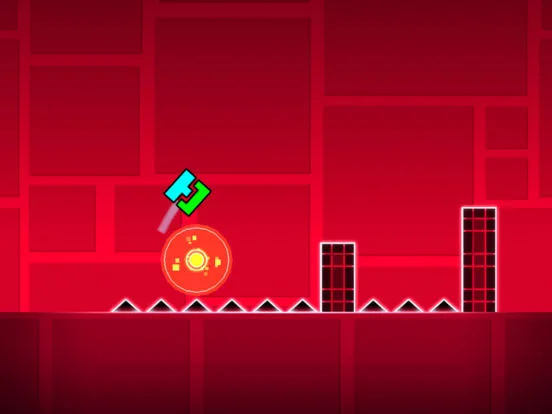
Geometry Dash Speed & Gravity Portals: Learn how X1, X2, X3, X4 speeds and inverted gravity change gameplay. Master dynamic level design.
Altering Pace and Direction: Speed and Gravity Portals
Speed and Gravity Portals are essential tools for level creators, allowing them to dramatically alter the player's experience mid-level. These portals can ramp up the intensity with increased speed or flip the world upside down with reversed gravity, adding dynamic challenges.
In the realm of Geometry Dash level creation, Speed Portals and Gravity Portals are instrumental in crafting dynamic and unpredictable gameplay. These portals serve as critical transition points, allowing creators to manipulate the player's movement speed and gravitational orientation. A Speed Portal can transform a leisurely pace into a frantic dash, while a Gravity Portal can invert the entire level, forcing players to adapt to a completely new perspective. Mastering their use is key to designing engaging and challenging levels that keep players on their toes.
Speed Portals:
- Function: Speed Portals change the player's movement speed.
- Types:
- X1 Portal: Sets the speed to normal.
- X2 Portal: Doubles the player's speed.
- X3 Portal: Triples the player's speed.
- X4 Portal: Quadruples the player's speed.
- Visual Cue: These portals are typically marked with 'X1', 'X2', 'X3', or 'X4' on them.
- Usage in Des:
- Increasing Intensity: Use faster speeds during musical drops or intense sections to heighten the challenge.
- Creating Urgency: Faster speeds can create a sense of urgency, requiring quicker reactions.
- Balancing Difficulty: Slower speeds can be used to provide a brief respite or to allow for more precise navigation through complex obstacles.
Gravity Portals:
- Function: Gravity Portals invert the player's gravity.
- Types:
- Normal Gravity Portal: Resets gravity to the standard downward pull.
- Inverted Gravity Portal: Reverses gravity, causing You to fall upwards.
- Visual Cue: These portals often have a distinct visual indicator, such as an arrow pointing up or down, or a change in the portal's color scheme.
- Usage in Des:
- Changing Perspective: Inverting gravity completely changes the player's orientation and how they perceive the level.
- Creating Unique Obstacles: Spikes and platforms that were previously on the floor might now be on the ceiling, requiring new strategies.
- Dual Mode Synergy: Gravity portals can be used in conjunction with Dual Mode to create complex challenges where one icon falls up and the other falls down.
- Visual Flair: Gravity flips can be used for dramatic effect, especially when timed with musical cues.
Combining Portals:
- Creators can combine Speed and Gravity Portals with Game Mode Portals for incredibly varied gameplay. For example, a player might enter an inverted gravity Ship section at triple speed.
- The order in which portals are placed matters. A player might pass through a Speed Portal first, then a Gravity Portal, or vice versa.
Playing with Speed and Gravity Portals:
- Adapt Quickly: Be prepared for sudden changes in speed and direction. Your reaction time is critical.
- Re-evaluate Your Controls: Understand how your inputs translate in the new speed or gravity.
- Look Ahead: Try to anticipate when you will encounter a portal and prepare for the change.
100% Human-Written. AI Fact-Checked. Community Verified. Learn how AntMag verifies content