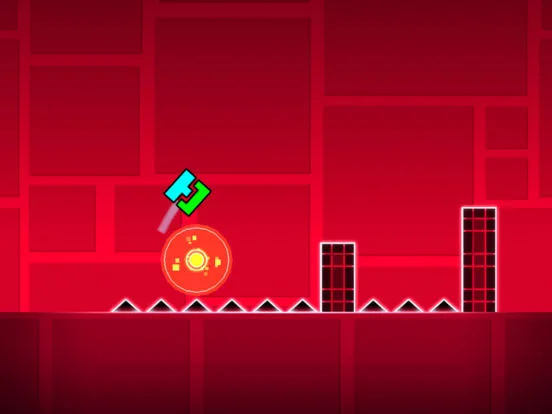
Master Geometry Dash triggers. Learn advanced combinations for dynamic effects, complex mechanics, and unique gameplay. Elevate your level design.
Elevate your level des with advanced trigger combinations. This section explores how to chain and synchronize various triggers to create dynamic effects, complex mechanics, and truly unique gameplay experiences that will challenge and amaze players.
Triggers are the backbone of advanced level des in Geometry Dash, allowing creators to manipulate gameplay elements dynamically. While basic triggers like 'Move' and 'Spawn' are essential, true mastery comes from combining them in intricate ways. This section delves into sophisticated trigger setups that can transform a static level into an interactive spectacle.
Key Advanced Trigger Concepts:
- Sequential Triggering: Triggering one trigger based on the activation of another. This is often achieved by assigning group IDs to triggers and using the 'Target Group ID' property. For example, a 'Spawn' trigger could activate a 'Move' trigger that shifts a platform into place.
- Simultaneous Triggering: Activating multiple triggers at the exact same time. This can be done by assigning the same activation time or by using a single trigger to activate multiple groups.
- Conditional Triggering (via Group IDs): Using group IDs to control which objects are affected by triggers. A single 'Toggle' trigger can turn on or off multiple objects by targeting their respective group IDs.
- Looping Effects: Creating repeating animations or movements by setting triggers to activate repeatedly or by using a 'Repeat' trigger.
Example Advanced Combinations:
- Dynamic Platforms:
- Place a series of platforms.
- Ass each platform to a unique group ID (e.g., 1, 2, 3).
- Use a 'Spawn' trigger to activate a 'Move' trigger for Group ID 1, moving it into position.
- After a short delay (using another 'Spawn' trigger with a delay), use another 'Move' trigger for Group ID 2, and so on.
- To make them disappear, use 'Toggle' triggers targeting the same group IDs, activated by a later event.
- Interactive Obstacles:
- Create a hazard (e.g., a saw blade).
- Ass it a group ID.
- Use a 'Rotate' trigger to make it spin.
- Use a 'Spawn' trigger to activate the 'Rotate' trigger when You reaches a certain point.
- To add complexity, use a 'Count' trigger to activate a 'Toggle' trigger that disables the hazard after a certain number of player interactions (if applicable in your des).
- Camera Manipulation:
- Use 'Camera' triggers to move, zoom, or shake the camera.
- Combine 'Camera' triggers with 'Move' triggers for objects to create parallax effects or guide the player's attention. For instance, a 'Camera' trigger could follow the player, while a 'Move' trigger simultaneously shifts background elements.
- Organize Group IDs: Keep a clear system for assigning group IDs to objects and triggers. Use comments in the editor if possible.
- Test Incrementally: Build and test your trigger combinations step-by-step to identify issues early.
- Understand Trigger Properties: Familiarize yourself with the duration, easing, and other properties of each trigger.
- Experiment: The best way to learn is by trying different combinations and seeing what happens.
100% Human-Written. AI Fact-Checked. Community Verified. Learn how AntMag verifies content