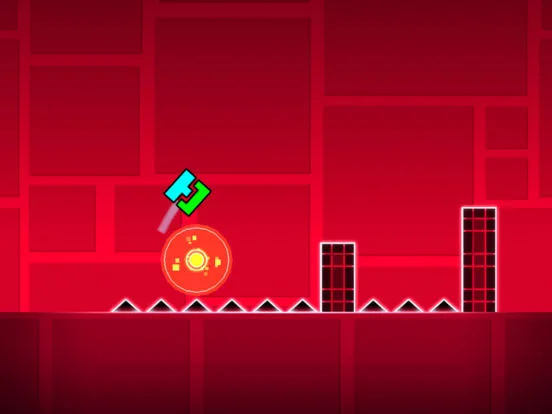
Design immersive Geometry Dash levels with backgrounds & grounds. Learn to set themes, enhance atmosphere, and create visually stunning environments.
Backgrounds and grounds are essential elements for setting the visual tone and theme of your Geometry Dash levels. The editor provides a wide variety of options, allowing creators to craft immersive environments that complement the gameplay and enhance the player's experience.
The visual presentation of a Geometry Dash level is as important as its gameplay. Backgrounds and grounds serve as the canvas upon which your level is built, providing context, atmosphere, and a sense of place. The editor's extensive library of backgrounds and ground elements allows for immense creative freedom, enabling creators to establish distinct themes and moods for their creations.
Types of Backgrounds:
- Solid Color Backgrounds: The simplest option, allowing you to choose any color from the palette. These are often used for minimalist levels or as a base for more complex dess.
- Patterned Backgrounds: These backgrounds feature repeating visual patterns, such as stars, geometric shapes, or abstract dess. They add visual interest without being overly distracting.
- Thematic Backgrounds: Many official levels and community creations feature unique, often animated, backgrounds that tie into a specific theme (e.g., space, fire, nature, abstract art). These are crucial for establishing the level's identity.
- Dynamic Backgrounds: Some backgrounds can change or animate based on triggers or gameplay events, adding a layer of interactivity and visual flair.
Types of Grounds:
- Basic Ground Blocks: These are the standard blocks used to create platforms, but they can also be used to form the "ground" layer of a level, providing a visual base.
- Decorative Ground Elements: The editor offers several decorative elements that can be placed along the bottom of the screen to create more elaborate ground dess. This includes spikes, platforms, and thematic props.
- Invisible Grounds: While not a distinct 'ground' type, creators can use invisible blocks to create platforms that serve as the player's "ground" in certain sections, allowing for more freedom in visual des.
Strategic Usage:
- Setting the Theme: The background and ground elements are your primary tools for establishing the level's theme. A fiery background with lava-like ground will immediately convey a sense of danger and heat.
- Enhancing Atmosphere: Dark, muted backgrounds can create a tense or mysterious atmosphere, while bright, vibrant backgrounds can evoke a sense of fun and energy.
- Guiding the Player: The ground can be used to subtly indicate the playable area, especially in sections where the background might be visually busy.
- Visual Depth: Layering different ground elements or using decorative blocks can add a sense of depth to the level, making it feel more expansive.
- Color Coordination: Ensure that your chosen backgrounds and grounds complement the colors of your gameplay elements (blocks, spikes, portals) to create a cohesive visual experience.
Advanced Techniques:
- Background Color Triggers: Use the 'Background Color' trigger to dynamically change the background color throughout the level, adding visual variety and synchronizing with the music.
- Layering Decorative Elements: Combine multiple ground elements and decorative blocks to create unique, multi-layered ground dess that add significant visual appeal.
- Using Invisible Blocks for Scenery: Place decorative elements on invisible blocks to create floating scenery or structures that don't interfere with gameplay.
By thoughtfully selecting and implementing backgrounds and grounds, creators can transform a simple gameplay layout into a visually captivating and memorable experience.
100% Human-Written. AI Fact-Checked. Community Verified. Learn how AntMag verifies content