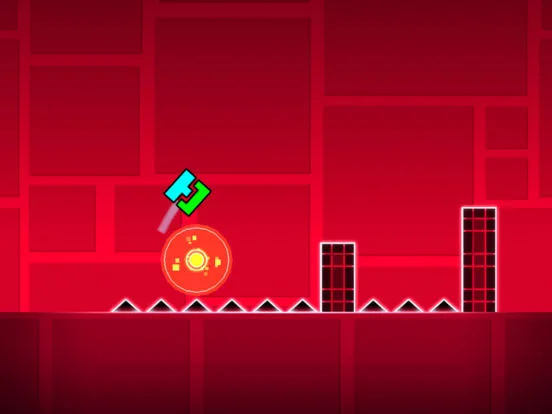
Master Geometry Dash level creation. Learn effective playtesting and debugging strategies to ensure your levels are beatable, fair, and bug-free.
Thorough playtesting and debugging are indispensable steps in the Geometry Dash level creation process. They ensure your level is not only beatable but also fair, fun, and free of unintended obstacles or glitches. This guide outlines effective strategies for testing your creations.
Once you've built a section or completed your level, the immediate next step is to test it. Playtesting involves playing through your level as a regular player would, identifying any issues with difficulty, flow, or mechanics. Debugging is the process of finding and fixing these problems.
The Importance of Playtesting:
- Difficulty Balance: You might think a section is easy, but playing it from a fresh perspective can reveal unexpected challenges.
- Flow and Rhythm: Does the level feel smooth? Do the obstacles transition well? Playtesting helps identify awkward pacing.
- Fairness: Are there any blind jumps or unfair traps that players wouldn't anticipate?
- Bug Detection: Playtesting is crucial for finding glitches, trigger errors, or objects that behave unexpectedly.
- Player Experience: Ultimately, you want players to enjoy your level. Playtesting helps you gauge their potential experience.
Effective Playtesting Strategies:
- Use Practice Mode Extensively: As a creator, you'll spend a lot of time in Practice Mode. Place checkpoints strategically after every significant section you build. This allows you to quickly jump to different parts of your level and test them repeatedly.
- Test with Different Speeds: If your level utilizes speed portals, test each speed segment thoroughly. Ensure You can react appropriately at each speed.
- Test All Game Modes: If your level incorporates multiple game modes (Ship, Ball, Wave, etc.), test each mode's section with the correct portals.
- Test Secret Coins: If you've included Secret Coins, ensure they are reachable and that the paths leading to them are fair and well-designed.
- Get Feedback from Others: The best way to find issues you might miss is to have other players test your level. They will approach it with fresh eyes and identify problems you've become accustomed to.
- Record Your Gameplay: Sometimes, watching a recording of yourself playing your level can reveal mistakes or areas where you instinctively know what to do, but a new player wouldn't.
Debugging Common Issues:
- Trigger Not Working: Double-check the Group IDs assigned to the trigger and the target objects. Ensure the trigger is placed before the objects it affects or that its activation conditions are met.
- Objects Not Moving Correctly: Verify the move trigger's duration, easing, and target coordinates. Ensure the correct Group ID is selected.
- Visual Glitches: Check object layering. Ensure foreground elements aren't obscuring important gameplay cues. Make sure objects aren't clipping through each other in unintended ways.
- Unfair Difficulty Spikes: If a particular section consistently kills players, re-evaluate its des. Is it too fast? Are the jumps too precise? Can it be made clearer?
- Lag and Performance Issues: If your level is lagging, reduce the number of moving objects, complex triggers, or excessive particle effects. Consider simplifying dess.
The Verification Process:
For user-created levels to be rated, they must be verified. This means another player must successfully beat your level from start to finish without using Practice Mode. This is the ultimate test of your level's beatability and fairness. If your level fails verification, it indicates significant issues that need to be addressed.
Consistent and rigorous playtesting, combined with diligent debugging, is the hallmark of a well-crafted Geometry Dash level. It ensures a polished and enjoyable experience for everyone who plays it.
100% Human-Written. AI Fact-Checked. Community Verified. Learn how AntMag verifies content