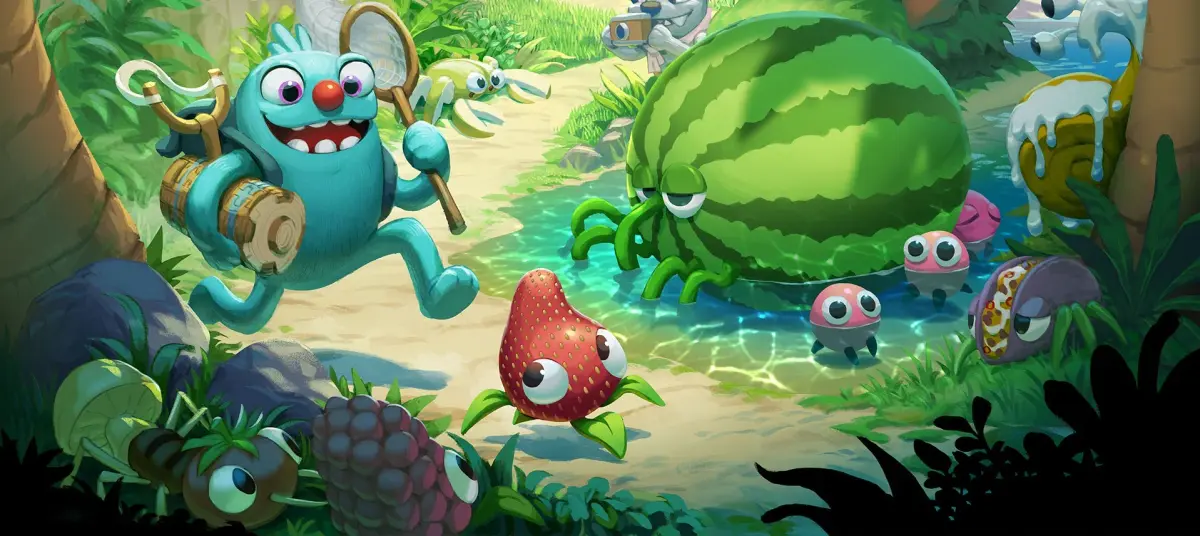
Welcome to Bugsnax, a charming action-adventure where you explore a mysterious island and capture delightful, yet dangerous, creatures. This guide boasts 69 sections, covering everything from getting started and mastering advanced catching techniques to finding all Bugsnax and tackling legendary variants. You'll discover walkthroughs for every area, strategies for tricky bosses like Mama Mewon and Daddy Cakelegs, and tips for completing all Grumpus side quests.
Guide and Walkthrough (PC) by ancez
Complete Bugsnax guide and walkthrough for PC, covering main quests, side quests, controls, tools, and more. Updated December 10, 2020.
- 1Main Quest: Detailed steps for completing all main story objectives in Bugsnax.
- 2Side Quest: Guidance on how to find and finish optional side quests throughout the world of Bugsnax.
- Familiarize yourself with the PC controls for optimal gameplay.
- Understand the function of each tool available in Bugsnax.
- Utilize the map to navigate the diverse environments and locate key areas.
- Follow clues and leads to uncover hidden secrets and progress through quests.
- Consult the trophy list to aim for specific achievements.
Controls
Learn the PC and PlayStation controls for Bugsnax, including how to move, jump, and use tools like the SnaxScope.
PC Controls:
Use the mouse to look around. Left-click to talk or perform actions, and right-click to go back or put away items. WASD keys control movement, Spacebar makes you jump, and Shift allows you to run. Press C to stand up or crouch, F to open the SnaxScope (a tool for scanning), and Q to select a tool.
PlayStation (PS4/PS5) Controls:
The left stick moves your character, while the right stick controls the camera. Press X to jump, Square to interact or talk, and Circle to crouch. Triangle is used to feed Bugsnax to Grumps. L3 makes you sprint, and R3 equips the SnaxScope. The touchpad opens your journal, and L1/R1 are used to turn pages within it. L2 is for aiming with certain equipment, and R2 is used to take a picture with the SnaxScope or use other equipment.
- Familiarize yourself with both PC and PlayStation controls to play Bugsnax on your preferred platform.
- The SnaxScope is a key tool for scanning Bugsnax and the environment.
- Experiment with different buttons to understand their functions in various situations.
Guide and Walkthrough (PC) by ancez (2)
Bugsnax takes you to Snaktooth Island to solve the mystery of the half-bug half-snack creatures. PC, PS4, PS5.
Bugsnax takes you on a whimsical adventure to Snaktooth Island, home of the legendary half-bug half-snack creatures, Bugsnax. Invited by intrepid explorer Elizabert Megafig, you arrive to discover your host nowhere to be found, her camp in shambles, and her followers scattered across the island alone... and hungry! It's up to you to solve the mysteries of Snaktooth Island: What happened to Lizbert? What are Bugsnax and where do they come from? But most of all, why do they taste SO GOOD?
Platform: PC, PS4, PS5
Genre: Adventure, 3D, First-Person
Developer/Publisher: Young Horses, Inc
Release: November 12, 2020
Mode: Single-player
- This guide was updated on 12/10/2020 to version 10.0.
- This guide may not be reproduced under any circumstances except for personal, private use.
Guide and Walkthrough (PC) by ancez (3)
Comprehensive Bugsnax guide and walkthrough for PC, updated December 10, 2020. Features controls, Grumpuses, quests, and more.
- 1Introduction to Bugsnax.
- 2Detailed explanation of controls for PC.
- 3Information on the various Grumpuses.
- 4Comprehensive walkthrough covering:
- Main Quests
- 5Side Quests
- 6Listing and details of different Bugsnax.
- 7Explanation of available tools.
- 8Map information.
- 9Guidance on clues and leads.
- 10Complete Trophy List.
- This guide was the FAQ of the Month Winner for December 2020.
- Refer to the 'Controls' section for PC-specific input details.
- The 'Table of Contents' provides a clear overview of all sections.
Similar guides you might like


100% Human-Written. AI Fact-Checked. Community Verified. Learn how AntMag verifies content