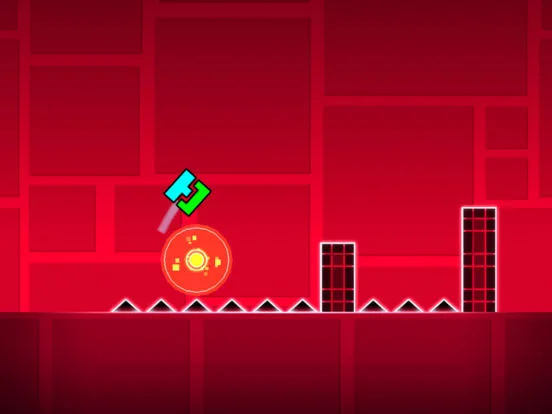
Start Geometry Dash content creation. Learn about streaming, YouTube videos, equipment, content ideas, and tips to build your audience.
Share your Geometry Dash passion with the world! This section explores how to start streaming your gameplay or creating YouTube videos, offering tips on equipment, content ideas, and building an audience.
Geometry Dash's challenging nature and vibrant community make it a fantastic game for content creation. Whether you're a skilled player looking to showcase your abilities, a creative level designer, or simply enjoy sharing your gaming experiences, streaming and YouTube offer excellent platforms. This guide provides a starting point for aspiring Geometry Dash content creators.
Getting Started: Essential Equipment
- For Streaming (e.g., Twitch, YouTube Live):
- Computer: A reasonably powerful PC capable of running Geometry Dash smoothly while simultaneously encoding a video stream.
- Internet Connection: A stable, high-speed internet connection with good upload speeds is crucial for a smooth stream.
- Streaming Software: Free software like OBS Studio or Streamlabs OBS allows you to capture your game, webcam, and audio, and broadcast it live.
- Microphone: Clear audio is vital. A decent USB microphone is a good starting point.
- Webcam (Optional): To show your face and connect with your audience more personally.
- For YouTube Videos:
- Recording Software: OBS Studio, Streamlabs OBS, or built-in tools like Windows Game Bar can record your gameplay.
- Video Editing Software: Free options like DaVinci Resolve or Shotcut, or paid software like Adobe Premiere Pro, are needed to edit your footage.
- Microphone: Essential for voiceovers and commentary.
- Webcam (Optional): For facecam segments.
Content Ideas for Geometry Dash:
- Gameplay Walkthroughs: Play through official levels or challenging user-created levels, providing commentary and strategies.
- Level Creation Tutorials: Teach viewers how to use the editor, create specific effects, or des challenging gameplay.
- Top Lists: Create videos like 'Top 10 Hardest Demons,' 'Best User-Created Levels,' or 'Most Creative Levels.'
- Challenges: Attempt self-imposed challenges (e.g., beating a level with one hand, using a specific icon).
- Reaction Videos: React to impressive plays, new updates, or community creations.
- Speedruns: If you're exceptionally skilled, speedrunning levels can be compelling content.
- Community Spotlights: Feature talented level creators or showcase impressive community achievements.
Tips for Building an Audience:
- Be Consistent: Upload videos or stream on a regular schedule so your audience knows when to expect content.
- Engage with Your Audience: Respond to comments, interact with viewers during streams, and build a community around your channel.
- Quality Over Quantity (Initially): Focus on creating well-edited, engaging content rather than just churning out videos. Good audio and clear visuals are important.
- Thumbnails and Titles: Create eye-catching thumbnails and compelling titles that accurately represent your content and encourage clicks.
- Promote Your Content: Share your videos and stream links on social media, Geometry Dash forums, and Discord servers.
- Learn SEO Basics: Use relevant keywords in your titles, descriptions, and tags to help people find your content through search.
- Collaborate: Partner with other Geometry Dash creators for joint videos or streams to cross-promote your channels.
- Be Patient: Building an audience takes time and effort. Don't get discouraged if growth is slow initially.
Content creation can be a rewarding way to engage with the Geometry Dash community on a deeper level, share your passion, and potentially even build a following.
100% Human-Written. AI Fact-Checked. Community Verified. Learn how AntMag verifies content