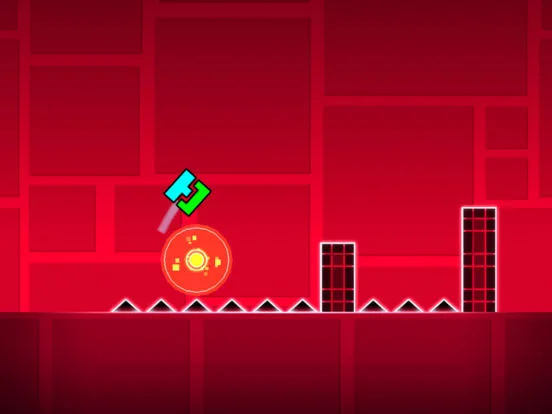
Geometry Dash portals explained. Learn how Ship, Ball, UFO, Wave, Robot, Spider, Mini, and Dual portals transform gameplay and icon mechanics.
Understand the function of each game mode portal in Geometry Dash. This guide explains how each portal transforms your icon and affects gameplay, crucial for both playing and creating levels.
Portals are fundamental elements in Geometry Dash, acting as gateways that transform your player icon and alter the gameplay mechanics. Each portal corresponds to a specific game mode or modifier, fundamentally changing how you interact with the level. Mastering the function of each portal is essential for navigating custom levels and for creators to des engaging experiences.
1. Ship Portal
Appearance: A portal with a ship icon inside.
Function: When your icon passes through this portal, it transforms into the Ship mode. You now controls the ship's ascent and descent by tapping and releasing.
Usage: Introduces aerial navigation challenges, requiring precise altitude control.
2. Ball Portal
Appearance: A portal with a ball icon inside.
Function: Transforms the icon into the Ball mode. Tapping transforms the ball into a sphere affected by gravity; releasing reverts it to ball form, which moves horizontally. This mode requires timing transformations to navigate gaps and vertical shafts.
Usage: Adds a unique transformation mechanic, demanding quick decision-making between horizontal movement and gravity-affected falling.
3. UFO Portal
Appearance: A portal with a UFO icon inside.
Function: Changes the icon to the UFO mode. Similar to the ship, tapping makes it ascend and releasing makes it descend, but the UFO typically requires more rapid tapping for sustained flight and quick ascents.
Usage: Focuses on rapid vertical control and precise hovering in tight spaces.
4. Wave Portal
Appearance: A portal with a wave icon inside.
Function: Transforms the icon into the Wave mode. This mode requires continuous, rhythmic tapping to navigate tight, undulating passages. The wave moves horizontally and is affected by gravity.
Usage: Tests rhythmic control and the ability to make micro-adjustments to maintain altitude.
5. Robot Portal
Appearance: A portal with a robot icon inside.
Function: Switches the icon to Robot mode. Each tap makes the robot dash forward and slightly upwards. This mode demands precise, timed taps to clear obstacles and gaps.
Usage: Emphasizes timing and predictive tapping for forward momentum and clearing challenges.
6. Spider Portal
Appearance: A portal with a spider icon inside.
Function: Transforms the icon into the Spider mode. The spider can attach to ceilings and floors. Tapping makes it jump and attach to the opposite surface; holding keeps it attached; releasing detaches it, causing it to fall.
Usage: Introduces surface-switching mechanics, requiring players to manage vertical movement and attachment.
7. Mini Portal
Appearance: A portal with a smaller version of the current icon inside.
Function: Shrinks the player's icon to a 'mini' version. This reduces the hitbox, making it harder to hit obstacles, but also affects jump height and momentum. This portal can be applied to any of the primary game modes (Mini Cube, Mini Ship, etc.).
Usage: Increases difficulty by reducing the player's margin for error.
8. Dual Portal
Appearance: A portal with two identical icons inside.
Function: Activates 'Dual Mode,' where You controls two icons simultaneously. Both icons move in sync or mirrored fashion, often requiring coordinated inputs. This can be applied to any combination of primary game modes (e.g., Dual Cube, Dual Ship).
Usage: Significantly increases complexity by requiring control over two entities at once.
Portal Stacking and Combinations
Creators can stack portals or place them in quick succession to create complex gameplay sequences. For example, a player might pass through a Mini Portal, then a Ship Portal, and then a Gravity Portal, all within a short span.
Editor Usage:
- Placement: Portals are placed like any other object in the editor.
- Group IDs: Portals can be assigned Group IDs to control when they activate or deactivate using triggers.
- Activation: Portals activate automatically when the player's icon touches them.
Understanding the precise function and interaction of each portal is crucial for both players aiming to complete challenging levels and creators designing them.
100% Human-Written. AI Fact-Checked. Community Verified. Learn how AntMag verifies content