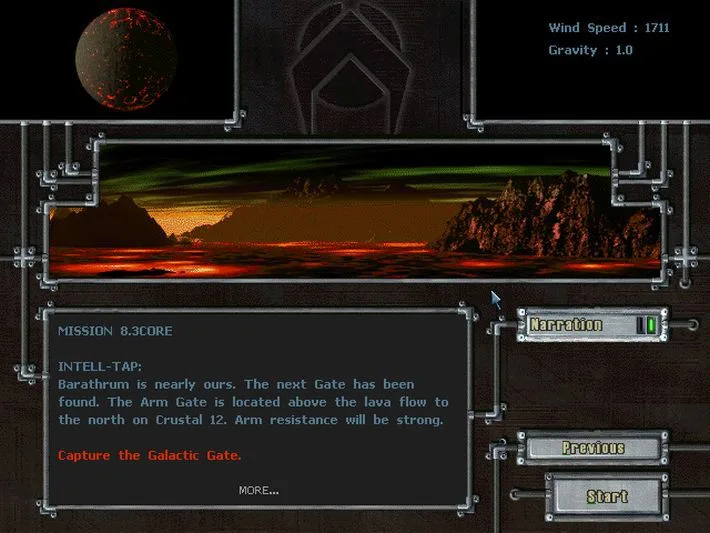
Total Annihilation throws you into a massive, intergalactic war across hundreds of planets, commanding vast armies of futuristic units. Developed by Cavedog Entertainment in 1997, this classic real-time strategy game is all about building your base, managing resources, and crushing your enemies with overwhelming force. Whether you're playing as the militaristic Arm or the technologically advanced Core, you'll be constantly expanding your territory, researching new units, and executing complex tactical maneuvers to achieve victory.
This guide dives deep into the core mechanics of Total Annihilation, helping you master everything from initial base setup and unit production to advanced micro-management. We'll cover faction-specific tactics, provide walkthroughs for the campaign missions, and offer expert advice to help you conquer the battlefield, whether you're a newcomer or a seasoned commander looking to refine your strategy.
*1-1* Foreword and Introduction
Total Annihilation Strategy FAQ version 2.02 details new units and buildings released up to February 22, 1998. Learn about unit statistics.
This is version 2.02 of the Unofficial Total Annihilation Strategy FAQ. This update includes statistics for all new units and buildings released as of February 22, 1998.
The author thanks contributors for their additions and well wishes and encourages readers to share their thoughts and submit additions via email.
- Check the FAQ for the latest unit statistics.
- Email the author with your additions and feedback.
[1-2] About the Unofficial TA Strategy FAQ
Learn about the unofficial Total Annihilation Strategy FAQ, offering mission walkthroughs and multiplayer strategies. Not supported by Cavedog Entertainment.
This FAQ is meant to help you with the game Total Annihilation, both through walkthroughs for specific missions, and general discussion of strategies that you can use in multiplayer games.
This work is not associated with the recently released Strategy Guide, and is not meant to compete with it.
Notice the word 'unofficial' in the title? That means that this FAQ is not supported by Cavedog Entertainment.
FAQ stands for Frequently Asked Questions.
[1-3-1] Usenet
Find out where the Total Annihilation FAQ is posted on Usenet newsgroups and how often it is updated.
- 1For each major update to the FAQ, it will be posted in its entirety to the
comp.sys.ibm.pc.games.strategicnewsgroup. - 2For each minor update to the FAQ, a pointer to the webpage will be posted in the same newsgroup instead of the entire FAQ.
- 3A pointer to the FAQ will be posted in the
comp.sys.ibm.pc.games.strategicnewsgroup on the first of every month.
- Check the
comp.sys.ibm.pc.games.strategicnewsgroup regularly for the latest FAQ updates. - Major updates contain the full FAQ, while minor updates provide a link to the webpage.
[1-3-2] WWW
Navigate the intricacies of Total Annihilation's WWW guide. Learn about battle breakdowns, unit construction, and essential game mechanics to dominate the battlefield.
Hey there! So, you're diving into Total Annihilation and want to get a handle on things, huh? This section is all about breaking down the game's interface and how you'll be building your forces. Think of it as your quick-start guide to understanding what's what on your screen.
Battle Breakdown:
When you're in a game, you'll see a bunch of stuff on your screen. Let's go through it:
- Map and Radar/Sonar: This is your eyes on the battlefield. You can set it to 'Mapped' mode, which shows you the terrain in black and white. If you combine that with 'Permanent line of sight,' you get a full-color map where you can see everything, even enemy units, making radar and sonar less critical. If you go with 'Unmapped,' you start with a black map that fills in as you explore. Radar and sonar show up in your team's color (blue for you, red for the enemy) and are crucial for spotting units, especially with Radar Towers and Sonar Stations. Some units, like your Commander and Advanced Aircraft Plants, have built-in radar. Remember, campaign missions usually start 'Unmapped' with 'True' line of sight, meaning elevation affects what you can see.
- Metal Gauge: This bar shows how much metal you have. To the right, you'll see a green number (how much metal you're gaining) and a red number (how much you're spending). Keep that green number higher than the red one to avoid running out of metal!
- Energy Gauge: Similar to the metal gauge, this shows your energy reserves. The green number is your energy production, and the red number is your consumption. Make sure production outpaces consumption to keep your factories and defenses running.
- Unit Construction Choice/Commands: This is where you'll actually pick and tell your units what to do. We'll get into the specifics of how to build and command your army in a bit, but this is your main control panel for your forces.
- Always keep an eye on your metal and energy production. Running out of either can halt your entire operation.
- Experiment with the map settings to find what works best for you – full visibility can be powerful, but sometimes a bit of fog of war adds to the challenge.
- Familiarize yourself with the radar and sonar's capabilities; they're vital for early warning and strategic positioning.
Similar guides you might like




100% Human-Written. AI Fact-Checked. Community Verified. Learn how AntMag verifies content