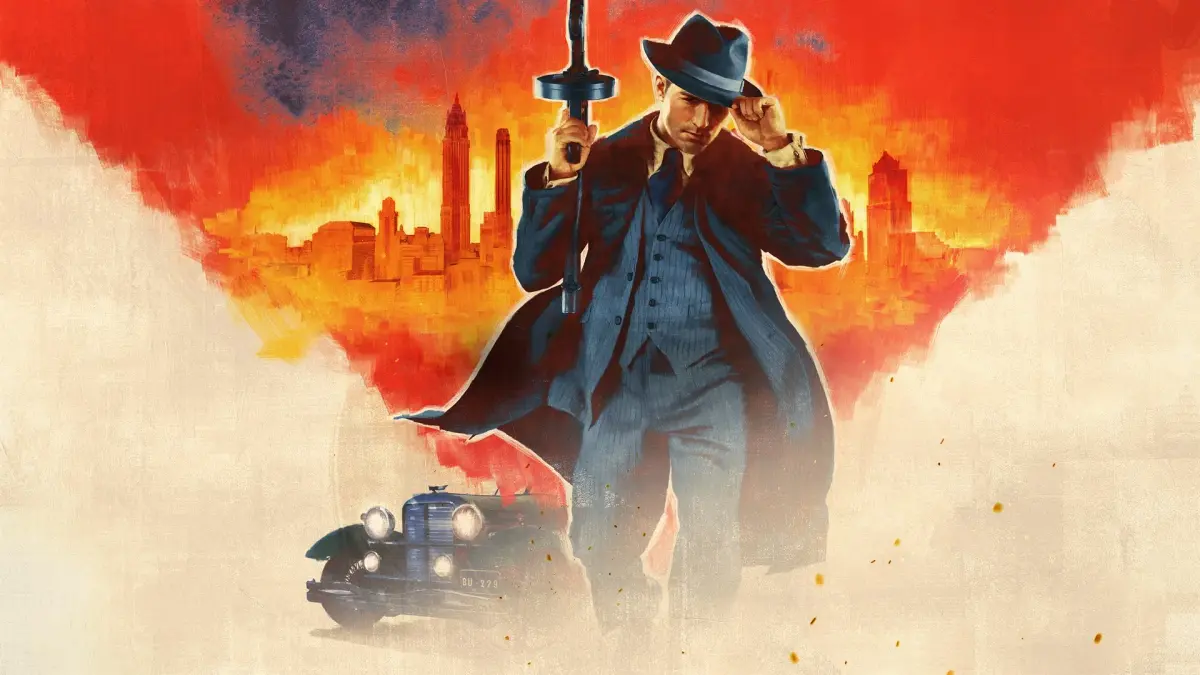
Step into the shoes of Tommy Angelo, a cab driver thrust into the dangerous world of the Salieri crime family in 1930s Lost Heaven. Mafia: Definitive Edition is a gripping, story-rich, open-world third-person shooter that immerses you in a classic Prohibition-era gangster saga. You'll navigate treacherous narrative paths, engage in challenging shootouts, and experience the rise and fall of a mobster.
This guide helps you conquer every aspect of the game, from mastering the challenging combat sequences and navigating the story missions to finding every hidden collectible scattered throughout the atmospheric city. We'll also cover strategies for achieving Gold Medals on missions and unlocking all Steam Achievements, ensuring you experience everything this iconic crime saga has to offer.
Part 1
Complete walkthrough for Part 1 of Mafia: Definitive Edition, covering the Tutorial and the mission 'An Offer You Can't Refuse'. Includes tips and strategies for success.
- 1Tutorial: Familiarize yourself with the game's basic controls and mechanics.
- 2Intro: Experience the game's opening narrative sequences.
- 3Prologue: Continue through the introductory story elements.
- 41 An Offer You Can't Refuse: Begin your journey in the city of Lost Heaven by accepting a pivotal offer.
- Pay close attention to the tutorial prompts to master movement, combat, and driving.
- The early missions are designed to introduce you to the game's world and characters; take your time to explore and understand the environment.
- Listen carefully to dialogue as it often provides crucial information for objectives.
Part 2
Mafia: Definitive Edition Part 2 covers missions like The Running Man, Molotov Party, Ordinary Routine, Fairplay, and more. Learn about the American Mafia families.
- 101 An Offer You Can't Refuse
- 202 The Running Man
- 02-01 The Running Man-Taxi Rank
- 302-01 The Running Man-Passenger 2
- 402-01 The Running Man-Passenger 3
- 502-01 The Running Man-Passenger 4
- 602-01 The Running Man-Passenger 5
- 702-02 The Running Man-Coffee Break
- 803 Molotov Party
- 03-01 Molotov Party-Salieri Bar
- 903-02 Molotov Party-City
- 1003-03 Molotov Party-Morello's Bar
- 1104 Ordinary Routine
- 04-01 Ordinary Routine-Salieri Bar
- 1204-02 Ordinary Routine-After the Briefing
- 1304-03 Ordinary Routine-Clark's Motel
- 1404-04 Ordinary Routine-Get Him!
- 15Intermezzo 1
- 1605 Fairplay
- 05-01 Fairplay-Salieri Bar
- 1705-02 Fairplay-City
- 1805-03 Fairplay-The Racing Circuit
- 1905-04 Fairplay-Lucas Bertone
- 2005-05 Fairplay-Return to Salieri's Bar
- 2106 Fairplay (Part 2)
- 06-01 Fairplay-Salieri Bar
- 2206-02 Fairplay-City
- 2306-03 Fairplay-Before the race
- 2406-04 Fairplay-Victory
- 2506-05 Fairplay-Lucas Bertone
- 2607a Sarah
- 07-01 Sarah-Salieri Bar
- 2707-02 Sarah-Moonlight Stroll
- 2807-03 Sarah-Surprise
- 2907b Better Get Used to It
- 07-04 Better Get Used To It-Salieri Bar
- 3007-05 Better Get Used To It-City
- 3107-06 Better Get Used To It-Service Station
- 3207-07 Better Get Used To It-Chase
- 3308a The Whore
- 08-01 The Whore-Talk With Frank
- 3408-02 The Whore-Hotel Corleone
- 3508-03 The Whore-Rooftops
- 3608b The Priest
- 08-04 The Priest-Surprise
- 3708-05 The Priest-Escape
- 38Intermezzo 2
- 3909 A Trip to the Country
- 09-01 A Trip To The Country-Salieri Bar
- 4009-02 A Trip To The Country-City
- 4109-03 A Trip To The Country-The Farm
- 4209-04 A Trip To The Country-Saving Sam
- 4309-05 A Trip To The Country-Return Journey
- 4409-06 A Trip To The Country-The Warehouse
- 4509-07 A Trip To The Country-Lucas Bertone
- 4609-08 A Trip To The Country-Lucas Bertone 2
- 4710 Omerta
- 10-01 Omerta-Salieri Bar
- 4810-02 Omerta-City
- 4910-03 Omerta-City 2
- 5010-04 Omerta-The Airport
- 5110-05 Omerta-Frank
- 5210-06 Omerta-An Act Of Grace
- 5310-07 Omerta-Lucas Bertone
- 5410-08 Omerta-Lucas Bertone 2
- 5511 Visiting Rich People
- 11-01 Visiting Rich People-Salieri Bar
- 5611-02 Visiting Rich People-City
- 5711-03 Visiting Rich People-The Villa
- 5811-04 Visiting Rich People-The Safe
- 5911-05 Visiting Rich People-Escape
- 6012 A Great Deal!
- 12-01 A Great Deal!-Salieri Bar
- 6112-02 A Great Deal!-The Parking Lot
- 6212-03 A Great Deal!-Car Chase
- 6312-04 A Great Deal!-Back At The Bar
- 64Intermezzo 3
- 6513 Bon Appetit!
- 13-01 Bon Appetit!-City
- 6613-02 Bon Appetit!-Pepe's Restaurant
- 6713-03 Bon Appetit!-After The Attack
- 6813-04 Bon Appetit!-Carlo
- 6914 Happy Birthday!
- 14-01 Happy Birthday!-Vincenzo's Workshop
- 7014-02 Happy Birthday!-City
- 7114-03 Happy Birthday!-At The Party
- 7215 You Lucky Bastard!
- 15-01 You Lucky Bastard!-Salieri Bar
- 7315-02 You Lucky Bastard!-The Phone Booth
- 7415-03 You Lucky Bastard!-Vincenzo
- 7515-04 You Lucky Bastard!-Fireworks
- 7615-05 You Lucky Bastard!-Rainbow Garden
- 7715-06 You Lucky Bastard!-Escape
- 7815-07 You Lucky Bastard!-Railway Crossing
- 7915-08 You Lucky Bastard!-The Harbor
- 8015-09 You Lucky Bastard!-Sergio
- 8115-10 You Lucky Bastard!-Return To The Bar
- 8215-11 You Lucky Bastard!-Lucas Bertone
- 8315-12 You Lucky Bastard!-Lucas Bertone 2
- 8416 Creme de la Creme
- 16-01 Creme De La Creme-Salieri Bar
- 8516-02 Creme De La Creme-City
- 8616-03 Creme De La Creme-Manhunt
- 8716-04 Creme De La Creme-The Airport
- 8816-05 Creme De La Creme-Back To The Bar
- 8916-06 Creme De La Creme-Lucas Bertone
- 9016-07 Creme De La Creme-Lucas Bertone 2
- 91Intermezzo 4
- 9217 Election Campaign
- 17-01 Election Campaign-Salieri Bar
- 9317-02 Election Campaign-City
- 9417-03 Election Campaign-Old Prison
- 9517-04 Election Campaign-Prison Tower
- 9617-05 Election Campaign-Return To The Bar
- 9717-06 Election Campaign-Lucas Bertone
Lore:
- The American Mafia families are detailed.
- The positions of Salieri and Frank in the chain of command are explained: Boss, Consigliere.
- The word "Don" is defined.
- To obtain the Lassiter V16 Police car, follow specific steps during "A Trip to the Country" (Mission 09). The guide details both the mission as it's normally done and the mission done with a Lassiter V16 Police car, noting the end of the mission is the same either way.
Part 3
Navigate Part 3 of Mafia: Definitive Edition with this detailed walkthrough. Discover mission breakdowns, controls, and system requirements to help you progress through the game.
Alright, let's dive into Part 3 of Mafia: Definitive Edition. This section is a bit of a mixed bag, covering some mission names, system requirements, and controls. Think of it as getting your rig ready and understanding the basic moves before we get into the thick of it.
Missions Ahead:
As you progress, you'll encounter a series of missions that build the story. Here's a peek at what's coming up:
- Election Campaign (Lucas Bertone 2)
- Just for Relaxation (with several sub-parts: Salieri Bar, City, Transport Required, The Harbor, The Trap)
- Moonlighting (covering Paulie's Flat, On the Way to the Bank, Reconnaissance, Going Shopping, Lucas Bertone, Lucas Bertone 2, The Bank Heist, and Escape)
- The Death of Art (including Paulie's Flat, City, Lucas Bertone, Lucas Bertone 2, Grand Finale, and Sam)
There's also an Epilogue and mentions of Bonuses, Mods, Mafia II, and Mafia III, which are for later or other contexts.
System Requirements:
Before you even think about starting, let's make sure your computer is up to snuff. Mafia: Definitive Edition isn't the most demanding game, but it does have its minimums and recommendations:
- DirectX: Requires DirectX 8.1 (you'll be prompted to install it).
- Operating System: Windows 98, 98 Second Edition, Millennium, 2000 (Workstation), XP (Home and Professional). It does NOT support Windows 95 or NT.
- Disc Drive: You'll need the MAFIA DISC 1 CD in your drive to run the game.
Minimum Hardware Requirements:
- Processor: 500 MHz Pentium III or AMD Athlon
- RAM: 96 MB
- Hard Drive Space: 1.8 GB free
- Video Card: 32 MB with DirectX 8.1 compatible drivers
- Sound Card: DirectX 8.1 compatible
- Input: Microsoft compatible keyboard and mouse
Recommended Hardware Requirements:
- Processor: 700+ MHz Pentium III or AMD Athlon
- RAM: 128+ MB
- Hard Drive Space: 1.8 GB free
- Video Card: 64 MB with DirectX 8.1 compatible drivers
- Sound Card: DirectX 8.1 compatible with surround sound support
- Input: Microsoft compatible keyboard and mouse
Running on Vista:
If you're running the game on Windows Vista, you might run into some issues with save games and configuration files not showing up where you expect them. Microsoft has a guide on 'File and folder Virtualization' that can help. Essentially, you might need to adjust security settings on the game's folder to allow your user account full permissions (Modify, Read & Execute, List Folder Contents, Read, Write). Some players have also found success by running the game in compatibility mode for 'Windows XP (Service Pack 2)' via the game's desktop shortcut properties.
Controls:
Let's get you familiar with how Tommy moves and interacts with the world. Getting these down early will make things much smoother.
Default Controls:
- Skip cutscene: Enter
- Pause menu: Esc
Player Movement & Actions:
- Forward: Cursor Up (Walk or run, depending on your 'Toggle Run/Walk' setting)
- Backward: Cursor Down
- Left: Cursor Left (Walk or run. Tap twice for a side roll left)
- Right: Cursor Right (Walk or run. Tap twice for a side roll right)
- Walk/Run Toggle: Right Shift (Changes between walking and running when combined with directional keys. Also makes Tommy whistle.)
- Toggle Run/Walk: Caps Lock (Sets the default speed for Forward, Left, Right to walk or run.)
- Aim: Mouse Axis X and Y
- Jump/Climb: Num Pad 0
- Action: Right Mouse Button (RMB)
- Fire: Left Mouse Button (LMB) (A brief press can be used for quick shots.)
Make sure you've got these controls down. Knowing how to move, aim, and interact will be crucial as we get into the more intense parts of the game.
Part 4
Master Mafia: Definitive Edition controls, from shooting and driving to reloading and camera angles. Learn keybinds for PC.
Player Controls:
Movement:
- Forward: W (Walk or run depending on toggle run/walk setting)
- Backward: S
- Left: A (Walk or run left. Tap twice for a side roll left.)
- Right: D (Walk or run right. Tap twice for a side roll right.)
- Toggle Run/Walk: Shift + W
Actions:
- Crouch: Right Ctrl
- Cycle Weapon Up: Mouse Wheel Scroll (Mouse Axis Z)
- Cycle Weapon Down: Mouse Wheel Scroll (Mouse Axis Z)
- Hide Weapon: H
- Drop Weapon: Backspace
- Reload: L (Tommy loses bullets of rejected cylinder/magazine/cartridge. Perform a quick reload by doing a side roll after starting to reload. Reloads automatically if the last bullet is fired and an unused cylinder/magazine/cartridge is available.)
- Sniper Mode: S
- Inventory: I
- Objectives: F1
- City Map: Tab
- Skip cutscene (a non-interactive cinematic the game plays automatically): Enter
- Pause menu: Esc
- Punch/Throw: Left Mouse Button (LMB)
Shooting Mechanics:
- Hold LMB to have Tommy aim for a few seconds before firing. He will continue firing, reloading if possible, until LMB is released or ammo is depleted.
- Quick Shots (e.g., Shotgun): Hold Backward key, then hold Fire key while simultaneously pressing Jump key. Fire rate depends on how fast you tap the Jump key.
Car Controls:
- Accelerate: Cursor Up (Can also be used to start ignition)
- Brake/Reverse: Cursor Down
- Steer Left: Cursor Left
- Steer Right: Cursor Right
- Handbrake: Space
- Horn: K (Peds and vehicles move out of the way. Affects police if speeding.)
- Look Left: ,
- Look Right: .
- Speed Limiter: F5 (Limits car to 40 mph until main story completion, then 60 mph. Helps avoid police trouble for speeding.)
- Manual/Automatic Gears: M (Indicated by M or A on a disk in the bottom right of the screen. Manual allows faster acceleration.)
- Use Clutch (Manual Transmission): X (Press while using manual transmission and changing gears.)
- Change Gears Up: A
- Change Gears Down: Z
- Replace Race Car (Fairplay race): Numpad 0 (Uprights Tommy's car.)
- Change Camera: C (Cycles through six forward-aimed camera positions: above/behind, farther back, even farther back, front fender, in front of windshield, beside back of left front fender. Can be combined with Q and/or E.)
- City Map: Tab
- The horn (K) can be used to make pedestrians and vehicles move out of your way, especially useful when speeding.
- Using the Speed Limiter (F5) to stay under 40 mph (or 60 mph after the main story) can help avoid unwanted attention from the police for speeding.
- Experiment with manual transmission (M) for potentially faster acceleration, using the clutch (X) when changing gears.
- The camera options (C) offer various perspectives, which can be combined with Q and E for different views while driving.
- Quick shooting with shotguns can be achieved by combining backward movement, firing, and jumping.
Similar guides you might like






100% Human-Written. AI Fact-Checked. Community Verified. Learn how AntMag verifies content