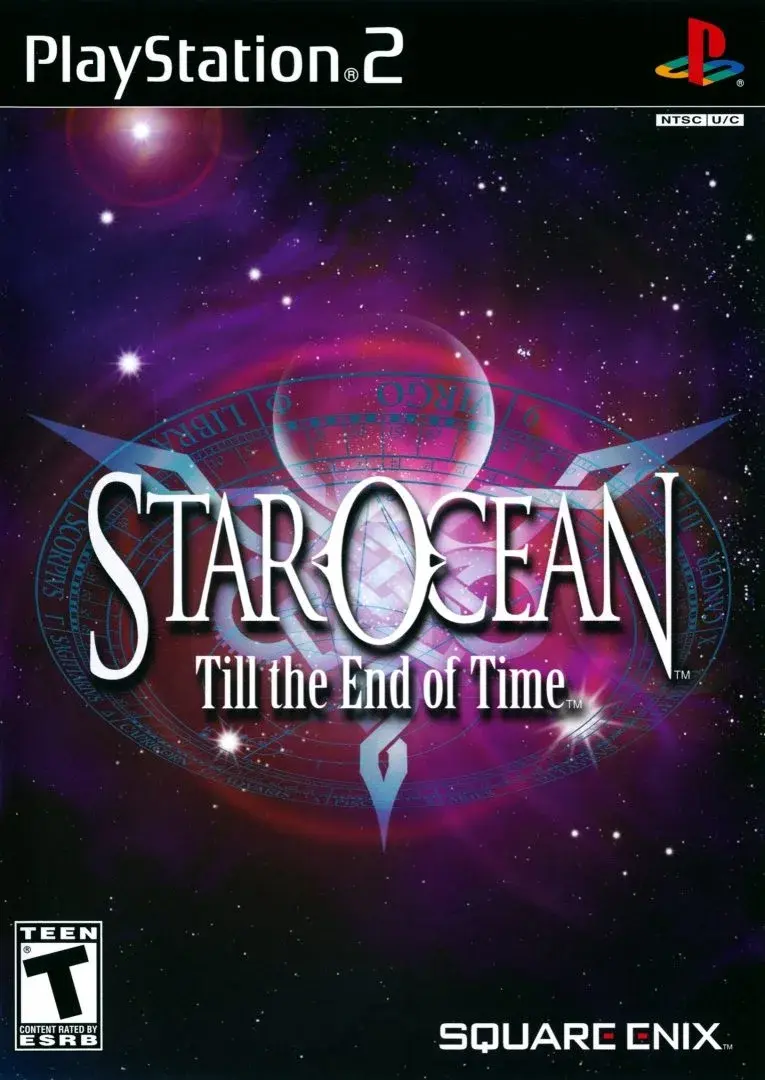
Welcome to Star Ocean: Till the End of Time, a PlayStation 2 action RPG from Square Enix. You'll step into the shoes of Fayt Leingod, navigating a universe filled with epic quests and secrets. Master the game's combat system, delve into the intricacies of item creation, and progress through the early game with confidence. This is a game for those who enjoy a deep narrative and engaging real-time combat.
This guide is your companion to mastering the universe of Till the End of Time. We'll cover essential strategies for weapons and item creation, provide insights into early game progression, and help you uncover the secrets that lie within Fayt's journey. Prepare to dominate combat and experience everything this expansive action RPG has to offer.
Part 1
Embark on your journey through Star Ocean: Till the End of Time with Part 1 of our comprehensive guide. Covers initial areas, mechanics, and essential tips for a smooth start.
- 1Disc 1 Areas: The walkthrough begins with areas such as Grantier, Helre, Vanguard III, Pesotto Forest, Whipple, Ruins of Coffir, and progresses through Elicoor II, covering locations like Airyglyph Aqueducts, Airyglyph, Kirlsa, Kirlsa Caverns, Bequerel Mountain Path, Arias, Aire Hills, Kirlsa Hills, Granah Hills, Kirlsa Training Facility, Peterny (IC), Duggus Forest, Aquios, Castle Aquaria, Bequerel Mine, Abandoned Refinery, Sealed Cavern, Shrine of Kaddan, Aquatic Garden, Ruins of Mosel, Mosel Dunes, Mountains of Barr, Barr Caves, and Ruins of Barr, Urssa Lava Caves.
- 2Disc 2 Areas: Continues with Moonbase, Styx, The 4th Dimension (Arkives, Gemity, Sphere), Elicoor II, and Firewall/Spiral Tower.
- 3Post-Game Areas: Includes Elicoor II (Maze of Tribulations, Urssa Cave Temple) and The 4th Dimension (Sphere).
- General Notes: Save frequently, be mindful of memory card usage, and get used to the slow text scrolling. Inventory is auto-sorted. Selling price is 20%. Item Creation is covered when it becomes available in Peterny.
- Combat: Do not rely solely on Fayt; control other characters. Attack and Defense skills affect AI behavior, not stats. Private Actions (PAs) are present and noted in the walkthrough.
- Essential Optimizations: Utilize Cancel Chains, learn effective waza (Air Raid, Mirror Slice, Infinity Kick, Kaboom, Raging Helmet, Hand of Doom), use quick cancel fodder, and learn to delay chains to avoid wasted hits on downed enemies. Avoid indiscriminate use of elemental weapons/skills.
- PS4 Emulation Notes: Be aware of potential crashing, especially when changing map size. Save often. Some visual effects may not be emulated correctly (e.g., enemy aura for unblockables). The PAL version allows for skip-canceling and has a correct aspect ratio.
- Exploration: Examine objects in towns for flavor text and potential references to previous tri-Ace games.
Part 2
Master combat in Star Ocean: Till the End of Time with a deep dive into Normal Attacks, Fury, Targeting, Skill Setup, and more.
- Use No Guard.
- Use Auto targeting.
- Use the Homing counter aura.
- Don't let the AI cast any spells.
- Don't use attack magic (except Thunder Flare).
- Expect characters casting magic to be targeted by any nearby enemies and make sure they don't get interrupted.
- Get Regeneration Symbols for all three characters.
- Use SP to increase the MP skill to Lv5 for Fayt, Cliff, Roger and Albel. Put the rest of your SP into HP, and possibly Attack if the character is in AI control (the Attack and Defense skills do *not* increase attack power or defense power). Keep Defense at Lv1 to avoid enabling self-preservation, which does more harm than good.
- Get familiar with enemy attacks, their timing, duration, area of effect, whether you can block them or not. Use this knowledge to create opportunities to punish the enemy (whiff punish, block punish, evade punish, distract punish).
- Get accessories that block status ailments (Amulet of Freedom, Anti-Freezing Amulet).
- On Disc 2, customize your weapons with Blue Talismans, Red Talismans and Rings of Mental Power.
- Equip Bunny Shoes or Rings of Haste to increase movement speed (or customize your weapons with RoH if you don't mind farming some money).
- Minimize Sophia's (or Adray's) casting time with Quick Symbol and a Star Necklace.
- Create a bunch of Healing Devices, especially if you don't have Sophia or Adray in your active party.
Battle System & Mechanics
The game features a substantial margin of error, meaning you don't need to be intimately familiar with its systems to progress, but doing so can enhance your enjoyment. It is recommended to at least review the AI sections to understand concepts like self-preservation, stealth, and magic attract.
Contents
- Normal Attacks
- Parrying
- Fury
- Frame Advantage
- Targeting
- Damage Calculation
- Skill Setup
- Death
- Canceling / Chaining
- Healing
- Skip-Canceling
- Status Ailments
- Blocking
- Characters
- Sidestepping
- Battle Bonus
- Magic
- Battle Trophies
- AI
- Difficulty Levels
- Enemy AI
- Bugs
- Hitstun
Normal Attacks
There are two attack buttons: Confirm (Minor/weak) and Cancel (Major/strong). Attacks vary based on distance to the enemy, with some characters having aerial attacks. Confirm attacks are fast but blockable, often with a 1.0 base damage multiplier (ATP minus DFP). Cancel attacks are stronger and unblockable but slower.
Fury
All actions consume Fury, with a maximum of 100 that cannot be increased. Fury recovers at 100 per second when resting (standing still). Guard breaks incur a two-second delay before recharge. Flinching allows slow Fury recovery (about 10 per second). Killing an enemy grants 30 Fury. Enemies have a minimum Fury value of approximately 10, allowing them to always perform certain attacks. While moving, max Fury is 99. Enemies do not always recover Fury when standing still. Many attacks deal Fury damage; enemy Fury damage is always 50. The enemy's Fury is indicated by a green bar on the HUD (Heads-Up Display), and it's beneficial to acknowledge when it's full.
Targeting
Auto targeting selects the closest enemy automatically. Manual targeting requires pressing the Disintegration button to switch targets, which does not pause the action. It is strongly advised to use Auto targeting unless employing ranged attacks that don't hit multiple enemies easily, or when needing to focus on a specific enemy in a multi-enemy boss fight. You can press and hold the Disintegration button while the battle menu is open to check targets.
Skill Setup
You have four battle skill slots (SR Confirm, LR Confirm, SR Cancel, LR Cancel) and two support skill slots. Activated skills are initiated by holding the corresponding button for about 0.2 seconds. Confirm skills can be blocked, while Cancel skills cannot. Battle skills, especially those using MP, require mindful management. Skill power and activation rate increase with use, with Lv10 multipliers being 1.5 times base Lv0 values. Most skills require 1674 uses to reach Lv10, which can take 2-3 hours of grinding.
- To minimize Sophia's (or Adray's) casting time, use Quick Symbol and a Star Necklace.
- Create numerous Healing Devices, particularly if Sophia or Adray are not in your active party.
- Customize weapons on Disc 2 with Blue Talismans, Red Talismans, and Rings of Mental Power.
- Equip Bunny Shoes or Rings of Haste to boost movement speed, or customize weapons with RoH if you are willing to farm money.
- Focus on increasing the MP skill to Lv5 for Fayt, Cliff, Roger, and Albel using SP. Allocate remaining SP to HP and potentially Attack for AI-controlled characters. Keep Defense at Lv1 to prevent self-preservation from activating, which can be detrimental.
- Familiarize yourself with enemy attack patterns, timing, duration, and area of effect to identify opportunities for punishment (whiff, block, evade, or distract punishes).
- Equip accessories like the Amulet of Freedom and Anti-Freezing Amulet to block status ailments.
Part 3
Learn how to master battle skills, chaining, and tactical skills in Star Ocean: Till the End of Time. Optimize your character's performance and unleash devastating combos.
- 1Battle Skills:
- All battle skills consume CP, which maxes out at 15 and cannot be increased.
- 2Some skills have range restrictions (SR only): Charge, Aerial, Lightning Blast, Earth Glaive, Efreet, and Southern Cross.
- 3Experiment with different battle skills and characters to find your favorites, ensuring your setup allows for proper chaining.
- 4SP Allocation:
- SP is used for four status skills: HP, MP, Attack, and Defense.
- 5Attack and Defense skills do not directly increase ATP or DFP; they influence AI character behavior.
- 6HP is the highest priority, followed by MP (raised to Lv5 for most fighters before HP). After HP and MP are maxed, focus on Attack. Keep Defense at Lv1 to avoid AI self-preservation.
- 7SP gain per level is approximately (Level + 1~3) until Lv39, then about 0.55 times the character's level.
- 8Max HP and MP skill levels can be reached around Lv45 (HP at Lv31-32). Total boost: 6850 HP and 1260 MP.
- 9HP, MP, and Attack can be maxed by Lv70+, all four status skills by Lv87+.
- 10Tactical Skills:
- These can be customized mid-battle. Examples include Anti-Attack Aura and Berserk.
- 11Berserk, learned by all characters, significantly boosts offense at the cost of a DFP penalty, which is minor until post-game weapon customization. It's crucial for AI character chaining.
- 12Scan Enemy and Taunt are used via the Tactical Skills menu during battle.
- 13Canceling / Chaining:
- Activate battle skills in succession to increase damage via the cancel chain multiplier by inputting the next move's command during the current move. A specific pattern must be followed.
- 14A chain must start with a Confirm attack (normal or battle skill). Subsequent moves alternate between Confirm and Cancel.
- 15Battle skills and blockable normal attacks have cancel windows and cancel queue windows. The cancel queue window allows command input before the actual cancel window, during which the next move initiates.
- 16Inputting a waza command takes about 0.2 seconds.
- 17NTSC-versions lack a cancel queue window for attacks; the button must be held during the cancel window. This makes manual control of multiple characters harder.
- 18Delay canceling if moves cause knockdown to avoid losing hits due to knockdown invincibility.
- 19Chaining stops once the target is dead.
- 20Chaining reduces recovery time and is more cost-efficient (same resource consumption for more damage).
- 21Prefer quick, minimalistic blockable battle skills with low CP/Fury costs and no knockdown for 'cancel fodder'.
- 22A typical chain uses the 'heavy hitter' (Cancel move) twice (200%, then 300%). 'Triple chains' are possible but may require Fury use -2 or -3 factors.
- 23Fury use -x stacks up to -4. The maximum from a single factor is -3.
- 24Skip-Canceling:
- This exploits a cancel window bug present primarily in the PAL-version.
- 25Requirements: Input commands for the next two moves during the current move's cancel queue window. The Cancel button must be held.
- Charge and Aerial skills do not increase in power as they level up.
- Many of the best moves cause knockdown; adjust canceling timing to avoid losing hits.
- Blockable attacks are a liability; choose quick, low-cost, non-knockdown battle skills for 'cancel fodder'.
- Fury use -x factors can stack up to -4, with -3 being the maximum from a single factor.
- Skip-Canceling is a PAL-version specific technique.
Part 4
Master skip canceling and blocking mechanics in Star Ocean: Till the End of Time. Learn about counter auras, heavy skipping, and sidestepping.
- To perform a skip cancel, you must be in optimal range for the next move in the chain at the end of the cancel queue window.
- The cancel queue window for the current move must end before the cancel queue window for the next move begins.
- 1To perform a skip cancel, meet the two prerequisites. This allows you to skip the initial move in a chain, consuming HP/MP and Fury but increasing the cancel multiplier and proficiency. The skipped move initiates and ends very quickly.
- 2For normal attacks, skip canceling can be tricky due to small cancel queue windows. Adjust your button settings; using Square for Confirm and X for Cancel is suggested. Hold both buttons, and release Confirm when the normal attack begins. Alternatively, hold Confirm and use a wavy thumb motion.
- 3'Heavy skipping' involves skipping the first heavy hitter instead of cancel fodder. This can potentially yield higher DPS but is harder to execute. Having No Guard active can help.
- 4If you switch characters after queuing a skip cancel, the skip will not occur.
- 5Charge and Aerial attacks cannot be skipped, but the same method can be used to trigger the Charge bug.
Blocking & Counter Auras
Blocking occurs when a character with 100% Fury is hit by a blockable attack. Each blocked hit reduces the attacker's Fury by 30. Unblockable attacks are indicated by a purple aura around the enemy.
Blocking prevents damage and can trigger a counter aura (also known as Anti-Attack Aura / AAA). There are 7 types of counter auras, most learned from Textbooks, with one requiring an accessory. Selling a Textbook prevents future characters from learning that aura but does not remove learned ones.
The most common enemy counter aura causes a stun for 4 seconds or until a physical hit. Enemies with damaging counter auras like Homing and Wide Area Homing become more frequent after Disc 1. Sidestepping can help avoid damage from these if you regain control of your character before they hit.
The first counter aura learned is a basic stun. Be aware that Force resistance still applies to tougher enemies even when stunned. The Homing counter aura is recommended as it reflects half of the damage you would have received and floats the enemy, leaving them vulnerable.
Some attacks are not interrupted when blocked. Magic and counter auras cannot be blocked. If a character with 100% Fury is hit by an unblockable attack, their guard is broken, and they lose 50% Fury.
You can use a party character (PC) as a 'shield' by setting them to Manual and having them stand near an enemy while you attack. A blockable attack can break a subject's guard if they are afflicted with a special stun, like a grapple or the spinning effect of Whirling Heat.
When an elemental attack is blocked and the blocker would have fully absorbed the damage, the counter aura deals no damage. Counter auras are always non-elemental, regardless of the blocked attack's element.
Sidestepping
Sidestepping grants invulnerability to physical attacks and counter auras for a very short period (about 0.25 seconds) at the beginning of the move, lasting about 0.65 seconds total. It's a useful tool to avoid damage when timed correctly, though less effective against multi-hit moves.
While sidestepping doesn't protect against magical damage, it prevents flinching from it, helping to avoid guard breaks from spells like Fire Bolt or mitigating damage from Lightning Strike.
By default, sidestepping requires holding L2 and moving the analog stick. It is recommended to rebind this to the d-pad.
Magic
Spells can be set as battle skills for Sophia and, to a limited extent, Adray, allowing them to be cast without a casting time, though with a slight 1.5-second delay. Spells have a Major multiplier of 1.3 and cannot be blocked, even when set to Confirm. Magic is generally not a good source of damage except for Sophia and Adray. It is advised to disable offensive spells for other characters in the Symbology menu to prevent the AI from casting them.
- Experiment with button configurations for skip canceling to find what works best for your timing.
- Be mindful of enemy counter auras, especially after Disc 1, and use sidestepping to avoid devastating self-inflicted damage.
- Consider the Homing counter aura for its defensive and offensive capabilities.
- Rebind sidestepping to the d-pad for easier execution.
- Disable offensive magic for most characters to optimize AI behavior.
Similar guides you might like




100% Human-Written. AI Fact-Checked. Community Verified. Learn how AntMag verifies content