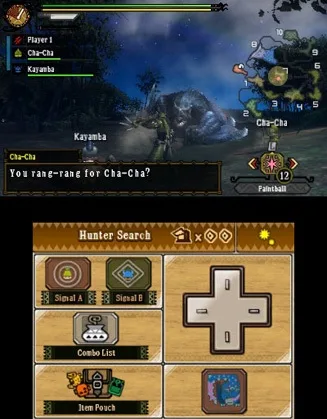
Welcome to Monster Hunter 3 Ultimate! This guide covers the foreword and essential controls, including 3DS specific inputs and Target Cam. Get ready for your adventure!
Foreword
Hey there, hunter! Welcome to Monster Hunter 3 Ultimate. We're Master Ceadeus 27 and Xconduitx14, and we're super excited you're using this guide we put together. We really hope it helps you on your journey as you take on all the monsters and challenges ahead. We wish you the best of luck in all your hunts and crafting endeavors!
Controls
NOTE: THIS SECTION REQUIRES SCREENSHOTS
The very first thing you'll want to do is get comfortable with the controls. This is crucial for survival!
3DS
Your primary movement will be handled by the Circle Pad. It's a unique input for Monster Hunter, so before you head out on any hunts, make sure it's working perfectly.
- (For 3DS players, you have the option of using the Circle Pad Pro accessory. This adds a second Circle Pad for better camera control, plus extra shoulder buttons like ZR and ZL.)
The Left button has a few functions. When using Target Cam, it'll lock onto your monster. If you're not using Target Cam, a double-tap will center the camera on where you're facing. Holding this button will bring up your item menu, and then you can use Y/A to select your items.
The Right button is also quite versatile. Think of it as the Z button from MH3. When your weapon is sheathed, holding it makes you run. When your weapon is drawn, its function changes depending on your weapon type:
- For weapons with a guard ability, it's your shield.
- For the Hunting Horn, it plays your score.
- For the Hammer, it charges your wind-up smash.
- For Dual Blades, it activates Demonization Mode.
- For the Long Sword, it likely activates Spirit Mode.
100% Human-Written. AI Fact-Checked. Community Verified. Learn how AntMag verifies content