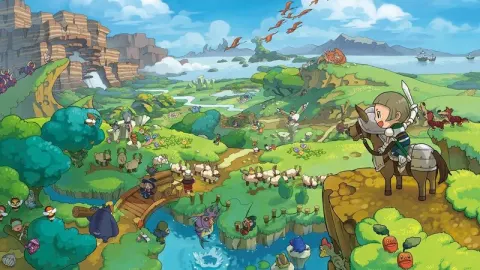
Learn how to set up and enjoy Fantasy Life's multiplayer, whether local or online. Explore Reveria with friends and share loot!
Hey there! So, you're ready to dive into the multiplayer world of Fantasy Life? Awesome! Playing with friends or even folks online can really amp up the fun, especially when you need a hand with a tough boss or a rare material. Let's get you set up so you can start adventuring together!
Setting up Multiplayer
First things first, you'll need to head to the Castele Guild Office. Once you're there, find the Multiplayer Clerk tucked away in the back, over to the right. They're your go-to person for all things multiplayer.
The clerk will ask if you want to connect via Local Wireless (if your friends are nearby) or through the Internet (which requires connecting your 3DS to your home Wi-Fi). Choose whichever suits your situation!
Next up, you'll decide whether you want to Visit someone else's game or Invite others to join yours. If you've got the DLC installed, remember that you can only play with others who also have it. It's a bit of a bummer, but that's how it works.
When you're ready to leave the multiplayer session, just chat with the Multiplayer Clerk again and select the option to quit. Just a heads-up, if you're hosting and people are still in your game, you won't be able to quit until they leave or you close the portal to stop new players from joining.
The Can and Cants of Multiplayer
Once you're all connected, you and your pals can explore the entire world of Reveria together! You can team up to fight monsters and discover new areas just like you would solo. However, there are a few things to keep in mind:
- You won't be able to change your Life, take on new Requests, or progress the main story while playing together.
- Quick Travel might be limited to certain spots.
- The in-game clock won't advance.
- You can't bring NPC allies along, but honestly, playing with other humans is way more fun anyway!
The cool part is that you can Quick Travel to another player's location, which is super handy for regrouping. You'll also find a Chat function on the bottom screen to send messages, though the in-game keyboard is pretty rough. You might want to use another device for easier communication.
Items during Multiplayer
Worried about accidentally snagging loot someone else wanted? Don't be! Everyone gets their own individual loot drops, so you don't have to fight over items. When it comes to Bounties, though, it's one Bounty for the whole party, and only three can be active at once. The awesome thing is, whoever cashes in a Bounty gets a copy of the reward item for *each* player in the party, so you can easily share them around.
Need to trade items? Head back to the Castele Guild Office and use the Exchange Box. You can pop up to 8 items in or take them out at a time. Just remember to hit the Confirm button on the bottom screen after you're done, or your items won't transfer! And be careful – any items left in the Exchange Box will vanish if you quit the multiplayer session.
100% Human-Written. AI Fact-Checked. Community Verified. Learn how AntMag verifies content