
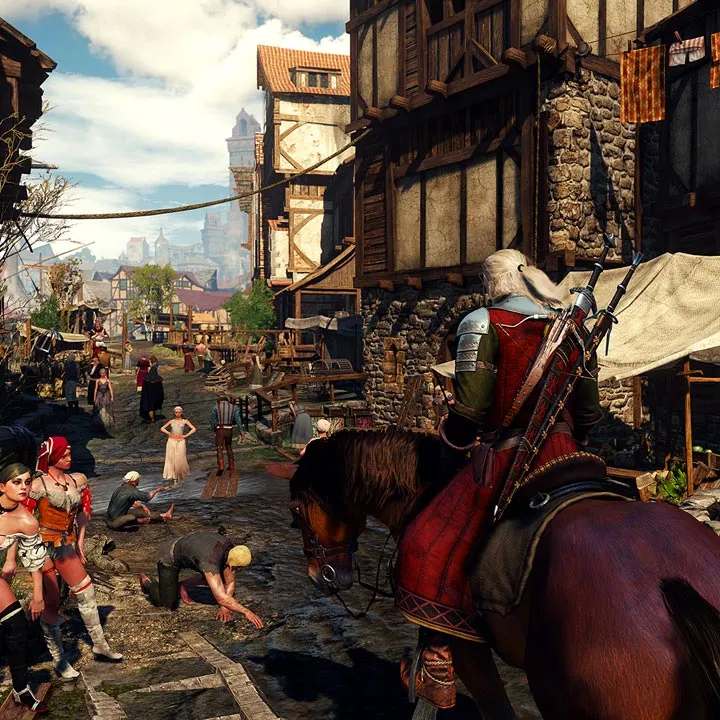
Learn The Witcher 3: Wild Hunt basics in this tutorial. Understand movement, Signs, and combat fundamentals crucial for your journey starting in Kaer Morhen.
Welcome, Witcher! This section will guide you through the initial steps of your journey, starting with the very first moments in Kaer Morhen, Geralt's ancestral home. The prologue serves as an essential introduction to the core mechanics of The Witcher 3: Wild Hunt, covering movement, combat, Signs, and basic inventory management. Pay close attention, as these fundamentals will be crucial throughout your adventures across the Northern Realms.
Quieter Times in Kaer Morhen
Your journey begins with a dream sequence, placing you in the familiar halls of Kaer Morhen. This initial segment is designed to gently introduce you to Geralt's capabilities and the game's control scheme. You'll primarily control Geralt during a training session with Ciri and Yennefer, offering a glimpse into their past and the bond they share.
Basic Movement and Interaction
- Walking/Running: Use the left analog stick (controller) or W/A/S/D keys (PC) to move Geralt. Pressing the sprint button (Left Shift on PC, Left Stick click on controller) will make Geralt run faster.
- Jumping: Press the jump button (Spacebar on PC, A/X on controller) to clear small obstacles.
- Climbing: Approach ledges or climbable surfaces, and Geralt will automatically climb or prompt you to do so.
- Interacting: The interaction button (E on PC, A/X on controller) is used for opening doors, picking up items, talking to NPCs, and activating objects. Look for the glowing outline to indicate interactable elements.
- Camera Control: Use the right analog stick (controller) or mouse (PC) to control the camera and look around.
Combat Fundamentals: Training with Ciri
The training yard sequence with Ciri is your first taste of The Witcher 3's combat system. While it's a simulated fight, the mechanics are identical to real combat encounters.
- Fast Attack: Use the light attack button (Left Mouse Button on PC, X/Square on controller) for quick, less damaging strikes. Ideal for faster enemies or chaining combos.
- Strong Attack: Use the heavy attack button (Shift + Left Mouse Button on PC, Y/Triangle on controller) for slower, more powerful blows. Effective against armored foes or to break defenses.
- Dodging: Press the dodge button (Alt on PC, B/Circle on controller) to quickly step out of an enemy's attack range. This is a short, quick movement.
- Rolling: Hold the dodge button (Alt on PC, B/Circle on controller) to perform a longer, more evasive roll. Useful for creating distance or avoiding wide-area attacks.
- Blocking/Parrying: Hold the block button (Right Mouse Button on PC, L2/LT on controller) to guard against incoming attacks. A well-timed block (just before an attack lands) can result in a parry, staggering the enemy and opening them up for a counter-attack.
- Target Lock: Press the target lock button (Z on PC, Right Stick click on controller) to lock onto a specific enemy. This helps maintain focus during chaotic fights.
Introduction to Witcher Signs
Witcher Signs are magical abilities that Geralt can cast, offering tactical advantages in combat and utility outside of it. During the tutorial, you'll practice using a few key Signs.
- Sign Selection: Hold the Sign selection button (Tab on PC, L1/LB on controller) to bring up the Sign radial menu. Use the mouse or right analog stick to select your desired Sign, then release the button.
- Casting Signs: Once a Sign is selected, press the Sign cast button (Q on PC, R2/RT on controller) to cast it.
- Aard: A telekinetic blast that can stun enemies, push them back, and even knock them off their feet. Useful for crowd control or creating openings.
- Igni: A burst of fire that can burn enemies, dealing damage over time and causing them to panic. Effective against flammable foes.
- Quen: A protective shield that absorbs a single incoming attack. Essential for mitigating damage, especially against powerful enemies.
Inventory and Alchemy Basics
While brief, the tutorial also introduces you to managing your inventory and the basics of alchemy, crucial for preparing for challenging encounters.
- Accessing Inventory: Open your inventory menu (I on PC, Touchpad/View button on controller) to view your equipped gear, items, and crafting components.
- Equipping Gear: In the inventory, select a gear slot (e.g., sword, armor) and choose an item to equip it. Pay attention to item stats and bonuses.
- Alchemy: The alchemy tab allows you to craft potions, oils, and bombs using collected ingredients. During the tutorial, you'll be prompted to prepare a Swallow potion.
- Swallow Potion: This potion regenerates Geralt's health over time. It's a staple for any Witcher and should be prepared and consumed before difficult fights. Once crafted, Swallow automatically replenishes itself after meditating, provided you have a strong alcohol base in your inventory.
Key Moments and Tips in Kaer Morhen
- Follow the Prompts: The game will provide on-screen prompts for each new mechanic. Pay attention to these.
- Explore (Briefly): Even in the dream sequence, take a moment to look around Kaer Morhen. It sets the atmosphere and introduces you to important characters like Vesemir.
- Don't Rush: The tutorial is designed for learning. Take your time to get a feel for the controls and combat flow. There are no real consequences for mistakes here.
- Dialogue Choices: While the tutorial's dialogue choices are mostly flavor, they introduce you to the game's branching narrative system.
Upon completing the dream sequence, you'll awaken to the harsh realities of the Northern Realms, but with the foundational knowledge gained in Kaer Morhen, you'll be better prepared for the challenges ahead.
100% Human-Written. AI Fact-Checked. Community Verified. Learn how AntMag verifies content