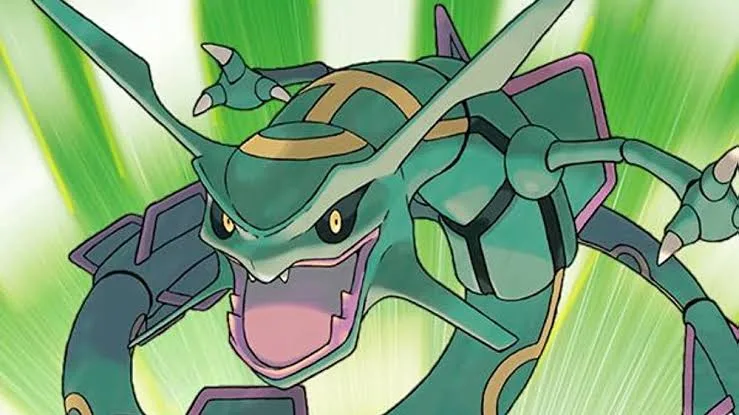
Welcome to the Hoenn region! In Pokémon Ruby and Sapphire, you'll embark on an epic journey across a vast land, collecting powerful Pokémon, challenging Gym Leaders, and thwarting the schemes of the nefarious Team Aqua and Team Magma. It's a grand adventure filled with exploration, strategic battles, and the thrill of discovering new Pokémon.
This guide is your essential companion for conquering Hoenn. We'll help you navigate every step, from your first encounter with Torchic in Littleroot Town to dominating the Elite Four. Get ready to master Gym Leader battles, solve tricky puzzles on your path, and conquer the challenging Victory Road.
1. Version History
Follow the evolution of the Pokémon Ruby and Sapphire walkthrough guide, from its initial release to the final updates, including major milestones and content additions.
Hey there! So you're diving into Pokémon Ruby and Sapphire, huh? Awesome! Every great adventure has its own story, and this guide is no different. Think of this section as looking back at how this very walkthrough came to be, kind of like checking the game's own little history book. It’s not about in-game events, but how the guide itself was built, version by version.
- 1Version .62 (September 3, 2006): This is where it all began! The guide was first released with 5 badges completed and other sections already finished. The author was looking for feedback, so if you ever felt something was missing, this is when they were asking for it!
- 2Version .75 (September 7, 2006): Just a few days later, the author pushed forward to Fortree City, getting up to the 6th badge. Progress was quick!
- 3Version .87 (September 18, 2006): Making solid headway, the guide reached the 7th badge in Mossdeep City, and the Space Center was also fully documented.
- 4Version .95 (October 10, 2006): After about a month, the guide covered all 8 badges. The plan was to tackle a side quest before heading into the Elite Four, with the post-game content and Elite Four itself planned for the next big update.
- 5Version .97 (December 11, 2006): A bit of a gap here, but the author returned having completed the Elite Four. However, the walkthrough wasn't quite done – there were still side quests and post-Elite Four activities to cover.
- 6Version .99 (January 31, 2007): Motivation might have been low, but a lot of side quests were completed after beating the Elite Four. The main remaining piece was the Battle Frontier and anything else that might have been missed.
- 7Version .99a (February 1, 2007): The Battle Frontier was added, including its general rules, but the individual battle sites were still a work in progress.
- 8Version 1.00 (February 4, 2007): And here it is – the main walkthrough was finally completed! After about 8 months of work, the guide was officially finished.
- 9Version 1.25 (July 11, 2007): Updates continued, adding a section on legendary Pokémon (found within the side quests after the Elite Four) and the TM/HM list to the item section.
- 10Version 1.30 (October 10, 2016): The final update tidied up the Types chart at the end of the guide, bringing this long journey to a close.
- Think of this history like a developer's log – it shows how much effort and time goes into making a comprehensive guide.
- It's pretty cool to see how the guide grew alongside the author's own progress in the game!
2. Controls
Learn the controls for Pokémon Ruby and Sapphire, including D-Pad, A, B, Start, R, and L buttons. Understand how to move and select.
- 1D-Pad: Use the D-Pad to move your character around the game world or to select options with a cursor in menus.
- 2A Button: Press the A button to confirm selections or to choose an attack during battle.
- 3B Button: Use the B button to cancel actions or to go back to the previous screen in menus.
- 4Start Button: Press the Start button to pause the game and bring up the main menu.
- 5Select Button: The Select button has no use in the game.
- 6R and L Buttons: If enabled, use the R and L buttons to scroll back and forth between your Pokémon boxes.
- Familiarize yourself with the D-Pad for precise character movement.
- The A button is your primary confirmation and attack selection tool.
- Use the B button to easily backtrack through menus.
- The Start button is essential for accessing the game's menu at any time.
- The R and L buttons are specifically for navigating Pokémon boxes.
3. Emerald Changes
Explore the significant changes in Pokémon Emerald compared to Ruby and Sapphire, including new characters, Pokémon, locations, and gameplay features.
Several changes have happened in Pokemon Emerald. Many are for the good, little are for the bad. But almost all of the changes have eliminated everything that was wrong about the Ruby and Sapphire versions.
Key Changes:
- Both main characters now have different clothing (both have green).
- You can catch both Groudon and Kyogre.
- After beating the Elite Four, you can choose which Lati you want to catch. The other one will appear in southern island, which can only be accessed by getting the Eon Ticket.
- If you complete your Hoenn Pokedex, Professor Birch will reward you by letting you pick a Gold/Silver/Crystal starter of your choice.
- Some Pokemon from Ruby and Sapphire cannot be found in Emerald. These include: Meditite/Medicham, Surskit/Masquerain (obtainable via mixing records or Surskit swarm TV reports), Roselia, Zangoose, and Lunatone.
- There is a new champion, Wallace (formerly the 8th gym leader in R/S). The old champion, Steve, can be battled in Meteor Falls. The new gym leader for Sootopolis City is Juan.
- Some gym leaders have altered, changed, or added Pokemon in their roster.
- After beating the Elite Four, you can go to the Battle Frontier, which is larger and better than the Battle Tower. Here you can earn symbols, battle points, and use them to buy dolls or tutor moves for your Pokemon.
- You fight both Team Aqua and Team Magma.
- You can now get to Navel Rock and Birth Island using a Mystic Ticket and an Aurora Ticket, which were only available at Nintendo Events.
- Faraway Island has been added, accessible with the Old Sea Chart from Nintendo events, where you can trap a wild Mew.
- The match call feature allows rematches with certain trainers and all gym leaders, with their Pokemon becoming stronger or changing over time (e.g., Norman's Blissey and Slaking).
- A new Deoxys form, the speed form, has been added with incredible speed and balanced stats.
- Double team battles are now possible; if two trainers spot you, they will initiate a battle where you send out two Pokemon and they send out one at a time.
- Some natures have added effects in Emerald. For example, the "Hustle" ability not only affects Attack and Accuracy but also increases the chance of meeting higher-level Pokemon if the Pokemon with "Hustle" is in the lead.
4. Game Basics
New to Pokémon Ruby and Sapphire? This guide covers the very basics: starting a new game, choosing your character, and meeting Professor Birch. Let's begin!
Similar guides you might like

100% Human-Written. AI Fact-Checked. Community Verified. Learn how AntMag verifies content