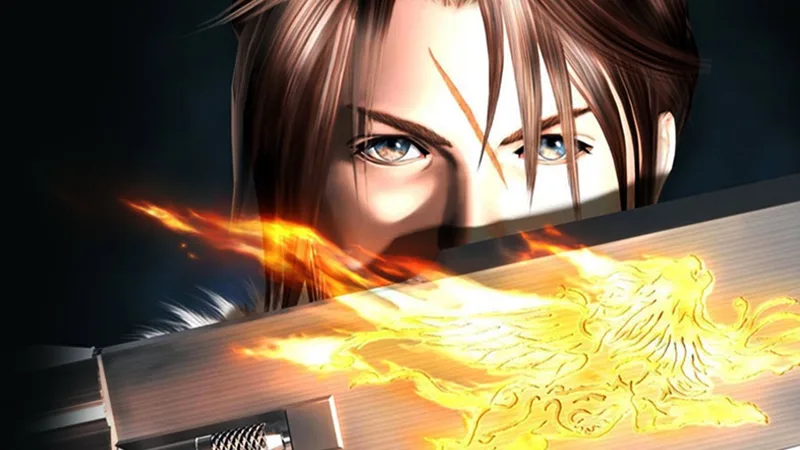
Learn how to unlock and play Chocobo World in Final Fantasy VIII Remastered. Discover how to transfer items and level up Boko for powerful advantages.
Chocobo World was a minigame for Final Fantasy VIII released on the PocketStation, and while Chocobo World can be played as a stand-alone, its intended purpose was to serve as a companion app for Final Fantasy VIII. In it you’ll take control of a Chocobo (default name Boko) who travels about to find events, which can include meeting characters or random battles. Winning battles will level Boko up, and items can be obtained in Chocobo World which can then be transferred to your main Final Fantasy VIII game… and some of these items can be quite potent for the time when you get them. Or just in general. In fact, some items in Chocobo World can only be obtained via this mini-game.
First, to play Chocobo World you might as well unlock it in the main game, otherwise there’s little incentive to play through it. To do this you’ll need to complete your first Chocobo Forest (see the “ Chocobo Forests“ section of the guide) and attempt to mount the chocobo you find. This will cause a character named Chocoboy to give you a chicobo (baby chocobo - default name Boko) which in turns allows you to play Chocobo World. Interact with this minigame via the “Save” menu, which you should now find a “Chocobo World” slot.
Here you’ll have four options: “World”, “Home”, “Do over” and “How to Play”. “World” sends Boko out into Chocobo World (otherwise he’ll follow you around whenever you ride a chocobo in Final Fantasy VIII), and “Home” will bring Boko back from Chocobo World to Final Fantasy VIII… and any items he may have found there. “Do over” will reset your progress in Chocobo World - Boko will restart at LV1 and will lose whatever HP he gained by leveling up and whatever weapons (WPN) he found. You’ll keep any imported items, and can continue to accrue more by sending Boko back out into Chocobo World. Finally, “How to Play” contains a bunch of useful information about Chocobo World.
In Chocobo World you’ll take control over… well, a Tamagotchi-quality rendering of Boko the chocobo, who roams over a non-descript plain. Since the PC is the only viable way of playing Chocobo World right now, those controls are the ones which will be discussed, and fortunately with a game this complex there are only a few controls worth mentioning. Boko can move up, down, left and right by pressing the corresponding button; [UP], [DOWN], [LEFT] and [RIGHT]. Your goal is to wander until you encounter an event, which can be either a battle with a random foe, or a random encounter with one of a narrow variety of characters.
More on those in a bit, just know that pressing [CTRL] while Boko travels will bring up a map/menu with black dots marking event locations. Move Boko toward these dots to start these events, or let Boko roam on his own - he’ll usually do a good enough job getting to event locations on his own, meaning a great deal of this minigame is Boko walking about on his own, only rarely requiring your attention and input. Just be aware that Boko isn’t a perfect agent, as he’ll sometimes stop to rest or play (especially if his HP aren’t maxed). When he does this press [CTRL] to interrupt him and get him back to work. Pressing [CTRL] also starts events when they pop up.
While in the map/menu screen (press [CTRL] while Boko is walking about) you can press [UP] or [DOWN} to set the direction Boko will walk (as indicated by an arrow to the right of the map). If you press [LEFT] or [RIGHT] you’ll go into other menu screens, where you can see your WPN, LV and HP, check how many of each grade of treasure you currently possess, toggle the Event Wait option on or off or set MiniMog to Standby or Sleep, if you have him.
Aside from checking you treasure, it’s advised you use the Event Wait option sparingly - normally you must press [CTRL] to advance events (which is fine, because your input makes battles easier) but if you want to passively play (“play” being used very loosely here) you’ll want this option set to “OFF”. If you do this, you may miss some events, namely the encounter with Koko at LV50, so if you’re near that level, you’ll need to manually play a bit until it has passed. The game will also automatically make choices for you while Event Wait is set to “ON”, like picking WPNs when Moomba arrives - something you’d probably rather do yourself. If you really can’t be bothered to even pay a little attention to Chocobo World, however, set Event Wait to “OFF” and just collect your loot every once in a while.
Battles are by far the most common events you’ll come across as Boko explores Chocobo World, and when they start you’ll find yourself facing off against an enemy - usually Creeps at first, but there will be more variety as you level up. Battles are simple affairs - at the bottom of the screen you’ll see four numbers, from the left-most being your foe’s HP, the center-left and center-right being your foe’s ATB and Boko’s ATB, respectively, and the right-most being Boko’s HP.
As the battle ensues, both Boko’s ATB an the foe’s ATB numbers will count down, and whichever side reaches 0 first gets to attack. Seems simple enough, but keep in mind that the slower side will not get to attack that round - only the side that reaches 0 first attacks, after which both combatants have their ATB numbers reset. The starting numbers are RNG-based, but they’re not exactly set in stone, as you can speed up the rate at which Boko’s ATB ticks down by mashing the [LEFT] and [RIGHT] buttons on your keyboard. This is really the only performative aspect of battles that you control, but it also means that, for the most part, you can button mash your way to victory, as all but the worst
100% Human-Written. AI Fact-Checked. Community Verified. Learn how AntMag verifies content