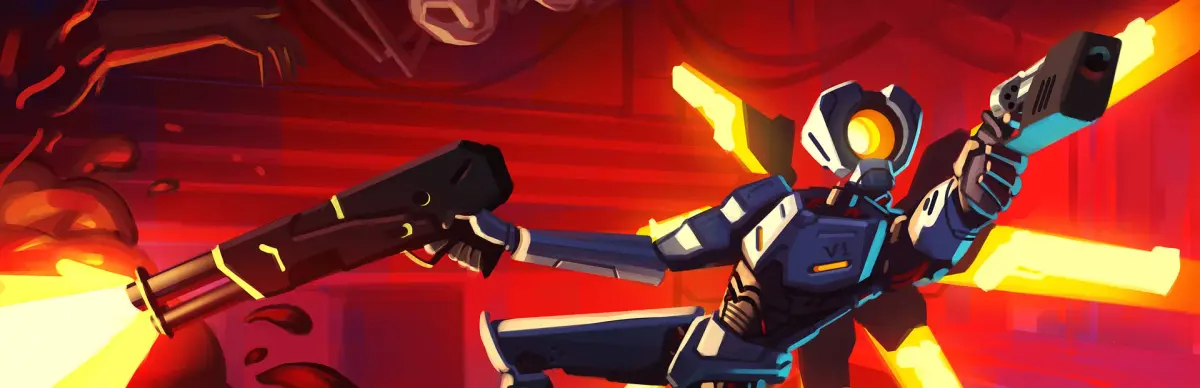
MANKIND IS DEAD. BLOOD IS FUEL. HELL IS FULL. In ULTRAKILL, you play as a blood-starved machine racing against the clock in a world where humanity's gone extinct. This is a fast-paced, ultraviolent FPS that blends the classic feel of Quake with the modern intensity of Doom (2016) and the stylish combat of character action games. You'll be chaining together insane combos, parrying bullets, and sliding through arenas filled with hellish abominations.
This guide is here to help you conquer every challenge ULTRAKILL throws at you. We'll cover finding all the hidden collectibles like Soul Orbs and Red Soul Orbs scattered across levels like the Garden of Forking Paths and the Halls of Sacred Remains. Plus, we'll break down how to defeat tough enemies and minibosses, including the Hideous Mass, and how to achieve those coveted Gold Medals.
System Requirements
Check the ULTRAKILL system requirements to ensure smooth, high-octane gameplay. Verify your hardware can handle the game's fast-paced, visceral combat and impr.
To experience the visceral, high-octane combat of ULTRAKILL without a hitch, ensuring your system meets the game's requirements is paramount. While ULTRAKILL is known for its efficient optimization, pushing the graphical settings to their limits or running other demanding applications simultaneously can still strain your hardware. Here's a breakdown of what you'll generally need to keep the blood flowing and the frame rates high.
Minimum Requirements:
- Operating System: Windows 7 or later (64-bit recommended for smoother performance).
- Processor: A dual-core processor with at least 2.0 GHz is a good starting point. Think Intel Core i3 or AMD equivalent.
- Memory: 4 GB of RAM is the baseline. If you plan on multitasking or running other background applications, 8 GB will provide a much more comfortable experience.
- Graphics Card: A dedicated graphics card with at least 1 GB of VRAM is recommended. NVIDIA GeForce GTX 460 or AMD Radeon HD 5870 are examples of cards that should meet this.
- DirectX: Version 11 is required.
- Storage: A modest amount of free space, typically under 10 GB, is sufficient.
Recommended Requirements:
For the best visual fidelity and consistent frame rates, especially during intense boss fights or when utilizing particle effects, consider these recommendations:
- Processor: A quad-core processor, such as an Intel Core i5 or AMD Ryzen 5, will ensure smooth gameplay and faster loading times.
- Memory: 8 GB of RAM is ideal. This allows for more headroom and prevents stuttering during demanding sequences.
- Graphics Card: A graphics card with 2 GB or more of VRAM is highly recommended. NVIDIA GeForce GTX 970 or AMD Radeon R9 290 are good examples. This will allow for higher texture settings and more complex visual effects.
- Storage: While not a bottleneck for performance, having ample SSD storage will significantly reduce loading times between levels and restarts.
Always ensure your graphics drivers are up to date, as this can often resolve performance issues and introduce optimizations for newer games like ULTRAKILL. Checking the game's store page or official forums can provide the most current and precise system requirements.
Initial Settings Optimization
Optimize your initial ULTRAKILL settings for maximum performance and responsiveness. Dial in your display and graphics to ensure fluid frame rates during inten.
Initial Settings Optimization
Optimize your initial ULTRAKILL settings for maximum performance and responsiveness. Dial in your display and graphics to ensure fluid frame rates during inten.
Controls and Keybindings
Master ULTRAKILL's controls and keybindings. Learn essential actions, movement, and combat commands to dominate the battlefield and achieve high scores in this fast-paced shooter.
This section details the controls and keybindings for ULTRAKILL. Understanding these is crucial for effective gameplay and mastering the game's mechanics.
| Action | Default Keybinding |
|---|---|
| Move Forward | W |
| Move Backward | S |
| Move Left | A |
| Move Right | D |
| Jump | Spacebar |
| Crouch | Left Ctrl |
| Sprint | Left Shift |
| Primary Fire | Left Mouse Button |
| Secondary Fire | Right Mouse Button |
| Melee Attack | V |
| Weapon Switch (Next) | Mouse Wheel Up / 1 |
| Weapon Switch (Previous) | Mouse Wheel Down / 2 |
| Weapon Slot 3 | 3 |
| Weapon Slot 4 | 4 |
| Weapon Slot 5 | 5 |
| Weapon Slot 6 | 6 |
| Weapon Slot 7 | 7 |
| Weapon Slot 8 | 8 |
| Weapon Slot 9 | 9 |
| Weapon Slot 0 | 0 |
| Reload | R |
| Interact | E |
| Dash | Q |
| Slide | C |
| Parry | Middle Mouse Button / F |
| Grapple Hook | G |
| Slam | T |
| Coin Toss | X |
| Vision Mode Toggle | Tab |
| Pause Menu | Escape |
| Map | M |
| Scoreboard | Tab |
Controller & Keybinds
Master ULTRAKILL's controls and keybinds with our comprehensive guide. Learn essential actions, movement, and combat commands to dominate your enemies.
This section provides a detailed breakdown of the controller and keybind options available in ULTRAKILL. Understanding these controls is crucial for effective gameplay and mastering the game's fast-paced combat.
| Action | Default Keybind (Keyboard/Mouse) | Default Button (Gamepad) |
|---|---|---|
| Movement (Forward/Backward/Left/Right) | W/S/A/D | Left Stick |
| Jump | Spacebar | A (Xbox) / X (PlayStation) |
| Crouch | Left Ctrl | B (Xbox) / Circle (PlayStation) |
| Sprint | Left Shift | L3 (Click Left Stick) |
| Primary Fire | Left Mouse Button | RT (Xbox) / R2 (PlayStation) |
| Secondary Fire | Right Mouse Button | LT (Xbox) / L2 (PlayStation) |
| Melee Attack | F | RB (Xbox) / R1 (PlayStation) |
| Weapon Switch (Next/Previous) | Mouse Wheel Up/Down | D-Pad Up/Down |
| Weapon 1-4 | 1, 2, 3, 4 | D-Pad Left/Right (or specific buttons) |
| Grapple | Q | LB (Xbox) / L1 (PlayStation) |
| Dash | E | Y (Xbox) / Triangle (PlayStation) |
| Slide | C | B (Xbox) / Circle (PlayStation) (Hold) |
| Parry | Middle Mouse Button | RT (Xbox) / R2 (PlayStation) (Timing Dependent) |
| Interact | F | X (Xbox) / Square (PlayStation) |
| Open Map | M | View Button (Xbox) / Touchpad (PlayStation) |
| Pause Menu | Escape | Start Button |
| Look Up/Down/Left/Right | Mouse Movement | Right Stick |
Players can customize these keybinds and button layouts in the game's settings menu to suit their preferences.
100% Human-Written. AI Fact-Checked. Community Verified. Learn how AntMag verifies content