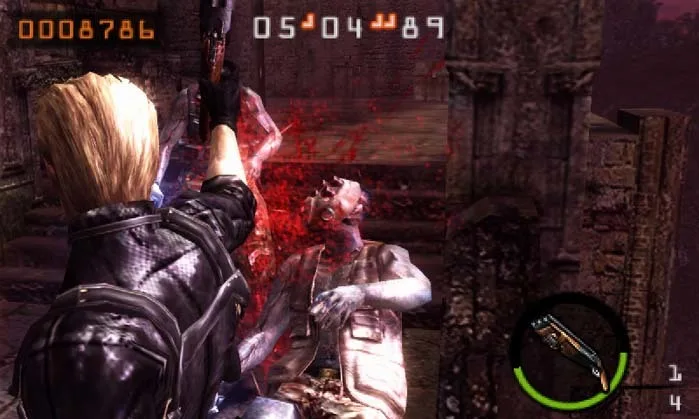
Detailed breakdown of all control schemes (Type A, B, C, D) for Resident Evil: The Mercenaries 3D, including button mappings, partner commands, and movement options.
Resident Evil: The Mercenaries 3D offers four distinct control schemes (Type A, B, C, and D) to suit various player preferences, from classic RE-style movement to more modern first-person shooter layouts. Each type offers unique ways to move, aim, shoot, and interact with your partner.
Below is a detailed breakdown of each control type:
Type A Controls
Similar to classic Resident Evil controls, but running is simplified. Pressing the Circle Pad fully forward initiates a run, while a lighter touch results in walking.
| Action | Button |
|---|---|
| Strafe/Move while aiming | L |
| Aim weapon | R |
| Emotions/Taunt/Partner commands* | X |
| Action | Y |
| Use Herb | A |
| Hold to walk | B |
| Quick turn | Back + B |
| Shoot | R + Y |
| Reload | R + B |
| Strafe | L + Circle Pad |
| Walk/Run (Hold lightly to walk) | Circle Pad Up |
| Rotate | Circle Pad Right/Left |
| Change weapons | Control Pad Up/Down |
| Display pause menu | Start |
Partner Command controls:
- Go! Hold X + Up
- Thanks! Hold X + Left
- Wait! Hold X + Down
- Come on! Hold X + Right
Type B Controls
This setup allows for automatic strafing by pressing left or right on the Circle Pad. Turning requires holding the B button and then pressing left or right on the Circle Pad. It's similar to RE5's Type D, but requires holding a button to turn.
| Action | Button |
|---|---|
| Strafe | Circle Pad Left/Right |
| Aim weapon | R |
| Emotions/Taunt/Partner commands* | X |
| Action | Y |
| Use Herb | A |
| Hold to walk | B |
| Quick turn | Back + B |
| Shoot | R + Y |
| Reload | R + B |
| Move while aiming | R + L + Circle Pad |
| Walk/Run (Hold lightly to walk) | Circle Pad Up |
| Rotate | B + Circle Pad Right/Left |
| Change weapons | Control Pad Up/Down |
| Display pause menu | Start |
Partner Command controls:
- Go! Hold X + Up
- Thanks! Hold X + Left
- Wait! Hold X + Down
- Come on! Hold X + Right
Type C Controls
This control type resembles a first-person shooter. The face buttons (X, Y, A, B) act as a right analog stick for character rotation. While aiming with L, the character can move freely in any direction using the Circle Pad. Movement while aiming is enabled by pushing the Circle Pad in a direction.
| Action | Button |
|---|---|
| Aim weapon | L |
| Emotions/Taunt/Partner commands* | Control Pad Down |
| Action | R |
| Use Herb | Touch Herb Icon |
| Quick turn | Control Pad Up |
| Shoot | L + R |
| Reload | Control Pad Left |
| Move while aiming | L + Circle Pad |
| Walk/Run (Hold lightly to walk) | Circle Pad Up |
| Rotate | A, B, X, Y |
| Change weapons | Control Pad Up/Down |
| Display pause menu | Start |
Partner Command controls:
- Go! Control Pad Down + X
- Thanks! Control Pad Down + Y
- Wait! Control Pad Down + B
- Come on! Control Pad Down + A
Type D Controls
This is the classic control setup from the original Resident Evil games. It's nearly identical to Type A, but running requires holding the B button and then holding up on the Circle Pad. Normal upward movement on the Circle Pad results in walking.
| Action | Button |
|---|---|
| Strafe/Move while aiming | L |
| Aim weapon | R |
| Emotions/Taunt/Partner commands* | X |
| Action | Y |
| Use Herb | A |
| Hold to walk | B |
| Quick turn | Back + B |
| Shoot | R + Y |
| Reload | R + B |
| Strafe | L + Circle Pad |
| Walk | Circle Pad Up |
| Run | B + Circle Pad Up |
| Rotate | Circle Pad Right/Left |
| Change weapons | Control Pad Up/Down |
| Display pause menu | Start |
Partner Command controls:
- Go! Hold X + Up
- Thanks! Hold X + Left
- Wait! Hold X + Down
- Come on! Hold X + Right
100% Human-Written. AI Fact-Checked. Community Verified. Learn how AntMag verifies content