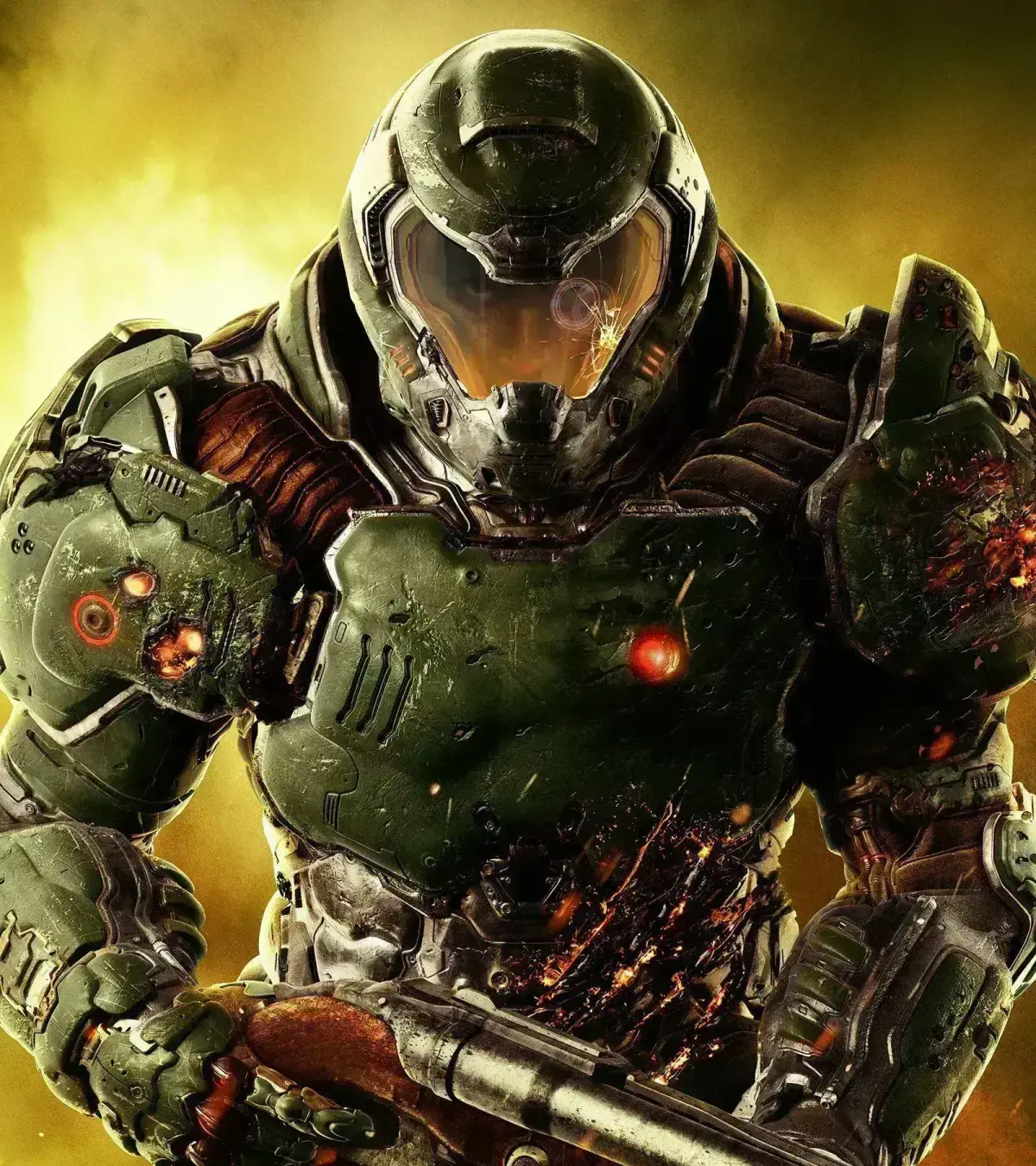
Welcome, Slayer. You’ve just stepped into DOOM (2016), a blistering first-person shooter that drops you onto Mars and into Hell itself. Your mission: rip and tear through hordes of demons, armed with an arsenal of brutal weapons and a relentless need for speed. Moment to moment, you’ll be chain-sawing imps, glory-killing Mancubi, and dodging hellfire, all while navigating the UAC facility and beyond.
This guide is your lifeline through the chaos. We’ll help you conquer every mission, from the initial UAC facility to the fiery depths of Hell on Mars. Stuck on a tough boss like the Gladiator, or can’t find that last collectible in Argent Tower? We’ve got you covered with detailed walkthroughs and strategies to help you master the game’s intense combat and emerge victorious.
1. Version History
Explore the version history of the Doom (1993) walkthrough guide, detailing updates from May 2005 to February 2015, including map completions and section revisions.
This section details the version history of the Doom (1993) walkthrough guide, tracking updates and content additions from its initial upload to its most recent revisions.
- Version .37 (May 3, 2005): First FAQ upload. Included 17 Ultimate Doom maps and 5 Doom II maps.
- Version .42 (May 4, 2005): Added 3 Ultimate Doom maps (Hell Gate, Hell Keep, Pandemonium). 25 out of 59 levels completed.
- Version .47 (May 5, 2005): Added 3 Ultimate Doom maps (House of Pain, Unholy Cathedral, Mt. Erebus). 28 out of 59 levels completed.
- Version .52 (May 7, 2005): Added 3 Ultimate Doom maps (Limbo, Tower of Babel, Hell Beneath). 31 out of 59 levels completed.
- Version .61 (May 8, 2005): Added 3 Doom II maps (The Crusher, Dead Simple, Tricks and Traps) and 2 Ultimate Doom maps (Perfect Hatred, Sever the Wicked). 36 out of 59 maps completed.
- Version .66 (May 11, 2005): Added 3 Ultimate Doom maps (Unruly Evil, Unto the Cruel, Twilight Descends). 39 out of 59 maps completed.
- Version .69 (May 12, 2005): Completed the last 2 Ultimate Doom maps (The Marshes, Threshold of Pain). All Ultimate Doom maps are now done.
- Version .72 (May 13, 2005): Added 2 Doom II maps (The Pit, Refueling Base). 43 out of 59 levels completed.
- Version .77 (May 14, 2005): Added 3 Doom II maps (O of Destruction!, The Factory, Inmost Dens). 46 out of 59 levels completed.
- Version .79 (May 16, 2005): Added 1 Doom II map (Suburbs). 47 out of 59 maps completed. The Mansion walkthrough was available but not yet complete.
- Version .83 (May 17, 2005): Added 2 Doom II maps (Mansion, Club Doom). 49 out of 59 maps completed.
- Version .84 (May 19, 2005): Added 1 Doom II map (Tenements). 50 out of 59 maps completed.
- Version 1.00 (May 20, 2005): Completed the final 9 Doom II maps, from Courtyard to Redemption Denied. All 59 maps are now complete.
- Version 1.50 (May 22, 2005): Added a Codes section and an obstacles and tips section.
- Version 1.55 (May 23, 2005): Updated the weapons and enemies section, including the first level appearance for each in Doom II.
- Version 2.00 (September 25, 2005): Overhauled the Weapons, Enemies, and Items sections for more detailed descriptions.
- Version 2.05 (July 15, 2013): Added a section on armor mechanics and improved descriptions for Light Amplification Goggles, Health Bonuses, and Armor Bonuses (corrected to 2% increase).
- Version 2.10 (February 26, 2015): Rewrote the weapons section and fixed spelling/grammar errors with assistance from Travis Combs.
2. Controls
Navigate the hellish landscapes of DOOM with ease! This guide breaks down all the essential controls and actions you need to master to survive.
Alright, so you've booted up DOOM and you're ready to rip and tear, but how do you actually, you know, do that? This section is all about getting you comfortable with the controls. Think of it as your cheat sheet for not getting yourself immediately flattened by a Pinky or a Mancubus. We'll go over the basics so you can focus on the demon-slaying action, not fumbling with your buttons.
This guide is designed to be a quick reference, so you can jump right back into the action. We're not going to get bogged down in mission specifics here, just the core actions you'll be performing throughout the game. Mastering these will make a huge difference in how you play.
Note: The original source text for this guide was primarily Steam community page metadata and navigation links, not specific control mappings. Therefore, this section focuses on the *intent* of a controls guide within the context of DOOM, assuming standard FPS controls. For exact button prompts on PC or console, you'd typically find those in the game's options menu or a dedicated in-game tutorial.
Basic Movement:
- Movement: Use the W, A, S, D keys on your keyboard (or the left analog stick on a controller) to move your Doom Slayer around. WASD lets you move forward, backward, strafe left, and strafe right.
- Look/Aim: The mouse (or the right analog stick on a controller) controls where you're looking and aiming. Keep your eyes peeled for demons and objectives!
- Jump: Press the Spacebar (or your controller's jump button, often A/X) to leap. Sometimes a well-timed jump can save your skin.
- Crouch: Hit the Ctrl key (or your controller's crouch button, often B/Circle) to duck. This can help you dodge attacks or get into cover.
Combat Controls:
- Fire Weapon: The left mouse button (or your controller's primary fire button, often RT/R2) is your main attack. Point and shoot!
- Switch Weapons: Use the number keys (1-9) on your keyboard or the mouse wheel to cycle through your arsenal. On a controller, you'll likely use the D-pad or shoulder buttons to select different weapons. Find the right tool for the job – shotguns for close range, rockets for groups!
- Melee Attack: Press the V key (or your controller's melee button, often F or a shoulder button) for a quick, brutal close-quarters attack. Great for finishing off weakened enemies or when you're out of ammo.
- Grenades: Usually mapped to a dedicated button (like G on keyboard or a shoulder button on controller), grenades are fantastic for flushing out enemies or dealing area damage.
Advanced Actions:
- Dash/Dodge: Many DOOM games feature a dash or dodge move (often double-tapping WASD or a specific button). This is crucial for evading powerful attacks. Practice this one – it's a lifesaver!
- Glory Kills: When an enemy is staggered and glowing blue, get close and press your melee button to perform a brutal Glory Kill. Not only does it look awesome, but it often drops health or ammo pickups. Don't miss these opportunities!
- Weapon Mods/Alt Fire: Some weapons have alternate fire modes or special mods you can activate (often with the right mouse button or a controller trigger). Experiment with these to find devastating new ways to dispatch demons.
General Tips:
- Don't be afraid to experiment with different weapons and their alternate fire modes. What works on one demon might not work on another.
- Pay attention to on-screen prompts, especially for Glory Kills and environmental interactions.
- The best way to learn the controls is to play! Jump into the game and get a feel for everything. You'll be a demon-slaying pro in no time.
During Gameplay:
Master Doom controls: Learn what each button does, from firing weapons with Triangle to viewing the automap with Select.
Controls:
- Triangle: Fire Weapon.
- Circle: Open Doors, Activate Switches, etc.
- Square (held, while moving): Run.
- X (held, while moving): Strafe Run (move sideways while running).
- Up: Move Up.
- Down: Move Down.
- Left: Move Left.
- Right: Move Right.
- L1: Strafe Left (move sideways).
- R1: Strafe Right (move sideways).
- R2: Switch Weapon Forward.
- L2: Switch Weapon Backward.
- Pause: Pauses Game.
- Select: Views Automap (minimap (the small circular map in the bottom-left corner of your screen)). Press Select again to return to First Person mode.
- Holding Square or X while moving allows for faster traversal and evasion.
- Use L1 and R1 for precise sideways movement, essential for dodging attacks.
- Familiarize yourself with R2 and L2 for quick weapon switching during intense combat.
- The Select button is crucial for navigation, allowing you to view the automap (minimap) at any time.
In the Automap:
Complete DOOM walkthrough detailing the locations of all secrets and Doomguy collectibles on every mission. Includes missable items and helpful tips.
This guide is a written walkthrough for finding all secrets and Doomguy locations throughout the DOOM campaign. It serves as an alternative to the author's video guide and focuses specifically on secrets and Doomguy collectibles, not elite guards, drones, or data logs.
- 1The UAC: Secret 1, Secret 3 (Doomguy)
- 2Resource Operations: Secret 7, Secret 8 (Doomguy)
- 3Foundry: Secret 2, Secret 4 (Doomguy)
- 4Argent Facility: Secret 2, Secret 3 (Doomguy)
- 5Argent Energy Tower: Secret 4, Secret 5 (Doomguy)
- 6Kadingir Sanctum: Secret 2, Secret 5 (Doomguy)
- 7Argent Facility (Destroyed): Secret 1/2, Secret 6 (Doomguy)
- 8Advanced Research Complex: Secret 5, Secret 9 (Doomguy)
- 9Lazarus Labs: Secret 5, Secret 6 (Doomguy)
- 10Titan's Realm: Secret 3, Secret 4 (Doomguy)
- 11The Necropolis: Secret 2, Secret 3 (Doomguy)
- 12Vega Central Processing: Secret 1, Secret 4 (Doomguy)
- 13Argent D'Nur: Secret 4 (Doomguy)
- 14Argent D'Nur: Kill the final boss.
- This guide is image-heavy.
- This guide contains missable secrets.
- Refer to the author's video guide for visual assistance, with time links available in the description.
- Constructive feedback and corrections are welcome to improve the guide.
- If you get stuck, leave a comment on the guide or check the video guide.
Similar guides you might like



100% Human-Written. AI Fact-Checked. Community Verified. Learn how AntMag verifies content