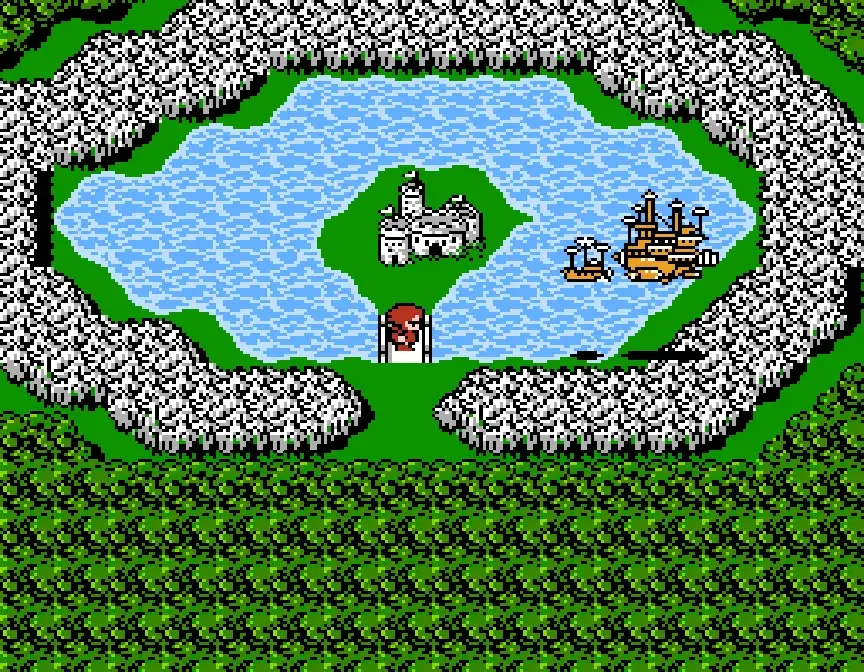
Welcome to Final Fantasy II, a classic RPG where you play as Firion, a warrior leading a rebellion against the tyrannical Palamecian Empire. You'll explore a fantasy world, conquer challenging dungeons, and manage your party's growth through a unique stat-based leveling system. It's a story-rich adventure that rewards strategic thinking and careful resource management.
This guide is here to help you navigate the complexities of Final Fantasy II. We'll cover efficient stat grinding to make your characters powerful, provide detailed walkthroughs for key locations like the Dreadnought and Castle Palamecia, and offer tips on item management to ensure you're always prepared for the Empire's forces.
Overworld / Town / Dungeon
Learn Final Fantasy II controls: D-Pad moves, A button examines/talks, B cancels/runs, and Start opens the Status Screen.
- 1Use the D-Pad to move around the environment.
- 2Press the A button to examine objects, talk to non-player characters (NPCs), or confirm choices.
- 3Hold the B button to move faster; this function does not work on the overworld map. The B button also cancels choices.
- 4The Start button brings up the Status Screen.
- 5Press B and Select simultaneously to activate the map, but only after you have acquired the RING item.
- The L and R buttons are not used in Final Fantasy II.
- Remember to hold the B button for faster movement outside of the overworld.
Menu / Battle
Learn the essential button commands for combat and menu navigation in Final Fantasy II Pixel Remaster. Master your controls to dominate every battle!
Alright, let's get you squared away with the controls for Final Fantasy II. Knowing these inside and out will make navigating menus and especially winning battles a breeze. Think of this as your quick-reference guide so you don't have to guess what button does what.
Here's the rundown:
- D-Pad: This is how you'll move your cursor around menus or select targets in battle. Simple enough, right?
- A Button: Your go-to for confirming choices. Pick an action, select a spell, or finalize an item use – press A.
- B Button: Use this to back out of menus or cancel a selection. It's your 'undo' button for most menu actions.
- L Button: In menus, this cycles through your characters to the left. In battle, this is a super handy shortcut – it tells the selected character to attack all enemies currently on screen.
- R Button: Similar to the L button, but it cycles characters to the right in menus. In battle, it also triggers an 'attack all' command for the selected character.
- Start Button: Not used in this game, so don't worry about it.
- Select Button: Also not used, so you can ignore this one too.
Important Note: All the strategies and tips in this guide assume you're using the default controls. If you've gone in and remapped buttons, things might work a bit differently, so keep that in mind!
Overworld / Town / Dungeon (2)
Learn Final Fantasy II button controls for movement, talking, menus, and map access. Discover what each button does.
- 1Use the D Buttons to move your character around the environment.
- 2Press the X button to examine objects, talk to Non-Player Characters (NPCs), or confirm choices in menus.
- 3Press the O button to cancel choices or hold it to move faster. Note that holding O to move faster does not work on the overworld map.
- 4Press the Triangle button to bring up the Status Screen, which displays your character's information.
- 5Press the Square button to bring up the Bestiary, a record of monsters you have encountered.
- 6The L and R buttons are not used in Final Fantasy II.
- 7To activate the map, press the O button and the SELECT button simultaneously. This function is only available after you have obtained the RING item.
- Remember that the faster movement option with the O button is disabled on the overworld.
- Ensure you have the RING item before attempting to open the map.
Menu / Battle (2)
Learn how to navigate the battle screen in Final Fantasy II Pixel Remaster! Understand commands like Attack, Magic, Items, and Flee, and how to manage your party's HP and MP.
Alright, so you've gotten into your first battle in Final Fantasy II, and the music is kicking in! Before you start mashing buttons, let's take a look at what's actually going on the screen. It might look a little busy at first, but it's pretty straightforward once you know what everything means.
Think of the battle screen like this: at the very top, you've got the Battle Message area [1]. This is where the game will give you little hints or tell you what's happening, like if someone's about to get hit or if an attack missed. Below that is just the Background [2] – nothing to worry about there, it's just scenery.
Then you've got the stars of the show: the Bad Guys [3]! These are the enemies you need to defeat. The game will show you their names and how many of them there are in the Enemy Names section [4]. On the flip side, you have your own crew, the Teammates [5]. This is where you'll see your party members, and you'll use them to take down those baddies.
Underneath your party members, you'll see some key stats: Current HP [6] shows how much health each character has right now. Max HP [7] is their total health, so you know how much damage they can take. And Current MP [8] is your magic points, which you'll need to cast spells. Keep an eye on these numbers, especially HP, so you know when to heal up!
Now for the important part: what can you actually *do* in battle? You've got a few main options:
- Attack [9]: This is your basic physical attack using your character's current weapon. Simple and effective!
- Magic [10]: If you've learned any spells, this is where you'll use them. Magic can be super helpful for dealing damage, healing your party, or even debuffing enemies.
- Items [11]: Need to use a potion or a status-healing item? This is your go-to option.
- Flee [12]: Sometimes, you just gotta know when to run! This is your escape option. Be warned, though – you don't always get away, and sometimes it's better to stand and fight.
Oh, and you might notice a little Pac-Man chomping away at the bottom [13]. Don't worry about him too much; he's just a fun little Easter egg. Focus on those commands and your party's stats, and you'll be racking up victories in no time!
Quick Controls Reminder:
- D-Pad: Moves the cursor around menus and battle commands.
- A button: Confirms your choice.
- B button: Cancels your choice or moves back one screen.
- L/R buttons: Switch characters in menus or use
Similar guides you might like

100% Human-Written. AI Fact-Checked. Community Verified. Learn how AntMag verifies content