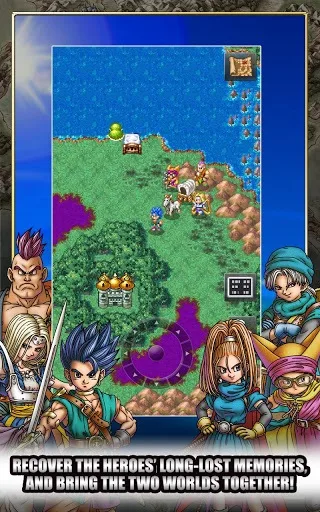
Learn about Dragon Quest VI's main menu options: Talk, Magic, Items, Examine, Attributes, and Miscellaneous. Access it by pressing X.
Walkthrough
- 1Press the X button to open the main menu. Press B to cancel.
- 2Talk: Use this command to speak with Non-Player Characters (NPCs) or party members. If other characters are in your party, they will offer comments related to the current situation. Use the B button to activate "Party Chat" for these comments.
- 3Magic: This option displays your current party, including those in the wagon. Use the directional buttons to view each individual's current Magic Points (MP) on the bottom screen and all spells usable in the Field on the top screen. Press A to select spells.
- 4Items: Similar to Magic, this shows your current party. Use the directional buttons to view each individual's items, including equipment. Select the Bag to view all held items and press A to choose one. Within the Item Menu, you can:
- Use: Select to use the item.
- 5Transfer: Select to move the item elsewhere.
- 6Discard: Throw away the item, with a chance to change your mind.
- 7Equip: Equip weapons, armor, or accessories.
- 8Peep*: Get additional information about any item, its uses, who can equip it, and its selling price. Note: The "Peep" option is learned as a spell by the Hero early on and can reveal the contents of treasure chests.
- 9Nothing: Close the menu.
- 10Examine: If standing in a location, you will examine the ground. If next to an object, you will get information about it.
- 11Attributes: This shows all current party members and the wagon on the bottom screen, with their attributes and equipment on the top screen. Scroll with the directional buttons to change the selection. Press A to see current Field Magic and Battle Abilities. The attributes are explained as follows:
- HP: Hit Points.
- 12MP: Magic Points, required to cast spells.
- 13Strength: Determines attack power when combined with a weapon.
- 14Agility: Determines how fast a character acts in battle.
- 15Resilience: Determines overall defense when combined with armor, reducing physical damage but not spell damage.
- 16Wisdom: Determines resistance to status effect attacks. Equipment can lessen some magic damage.
- 17Style: Acts as a charm, deterring monsters from attacking.
- 18Attack: Physical attack power, calculated by adding Strength to the equipped weapon's attack value.
- 19Defence: Ability to withstand physical attacks, calculated by adding Resilience to the defense values of all equipped armor.
- 20Casino Tokens: Bought or won at casinos.
- 21Mini Medals: Found during travels and exchangeable for valuable items.
- 22Gold Carried: The amount of gold you are currently carrying.
- 23Gold Banked: Gold deposited in the bank.
- 24Time Spent Adventuring: Overall play-time.
- 25Miscellaneous: This menu contains several useful options:
- Heal All: Heals everyone using current spells and party members.
- 26Equip: Check, change, or remove party members' equipment. To remove an item, highlight it and select "Remove". Press A to scroll through equipment pages.
- 27Line-Up: Available in some dungeons or on the world map. Shows each party member's battle magic. Select four members for your active party and confirm with the large arrow.
- 28Tactics: Displays current tactics for everyone. Change tactics for each member individually.
- 29Organise Items: Place all non-equipped items into the bag. You can do this for everyone at once by choosing the Wagon.
- 30Sort Bag: Sort items by Type or Alphabetical Order.
- 31Settings: Adjust Battle Message Speed, BGM, and SE volume. Default settings are 3. Setting Battle Message Speed to 1 (FAST) speeds up battles.
- 32Quick Save: Save your game progress when not near a church. You can then turn off the game and choose "Continue a Suspended Adventure" upon reloading.
Tips
- Use "Party Chat" to get insights from your companions about the current situation.
- The "Peep" spell, learned by the Hero, is essential for identifying treasure chest contents and item details.
- Setting "Battle Message Speed" to 1 (FAST) can significantly shorten battle times.
- "Quick Save" is invaluable for saving progress when away from a church, allowing you to stop playing and resume later.
100% Human-Written. AI Fact-Checked. Community Verified. Learn how AntMag verifies content