Master Pokémon Crystal controls and field mechanics, from finding items to trainer battles and town resources.
Walkthrough
- 1Use the D-Pad to move your character in the field and navigate menus.
- 2Press the A Button to confirm choices, examine objects in front of you, and advance text.
- 3Press the B Button to cancel some decisions.
- 4Press the Start Button to bring up the main menu.
Tips
- Items can be found in the field as Pokéball icons; examine them by facing them and pressing A. Be aware that some Pokéball icons may actually be Voltorb or Electrode.
- Hidden items are invisible and require you to face the tile they are on and press A to find them. Look for contextual clues like empty grass patches or standalone trees, and later use the Itemfinder to detect them.
- Some NPCs will give you items directly when you speak to them, sometimes requiring a specific task or time of day.
- Berries and Apricorns can be found in trees.
- Wild Pokémon can be encountered by walking in tall grass, in caverns, or by using moves like Headbutt, Surf, or Fishing Rods.
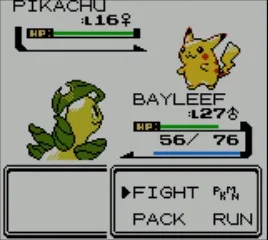
- Trainer Battles occur when you enter a trainer's line of sight. You will battle 1 to 6 Pokémon and gain money and experience.
- Hidden Machines (HMs) teach moves that overcome field obstacles like rocks, trees, or darkness, and are necessary for progression. You typically receive an HM after defeating the appropriate Gym Leader.
- In towns, visit Pokémon Centers to heal your Pokémon's HP, PP, and status conditions for free. Use the PC to store Pokémon (you can only carry six at a time), store items, and get your Pokédex evaluated. The second floor of Pokémon Centers allows trading and battling with other players via a Game Link cable (Game Boy Color) or infrared ports (Nintendo 3DS VC). The Time Capsule allows trading with Pokémon Red, Blue, Green, and Yellow Versions.
- Visit Poké Marts to buy items like Pokéballs, medicine, and other useful resources.
100% Human-Written. AI Fact-Checked. Community Verified. Learn how AntMag verifies content