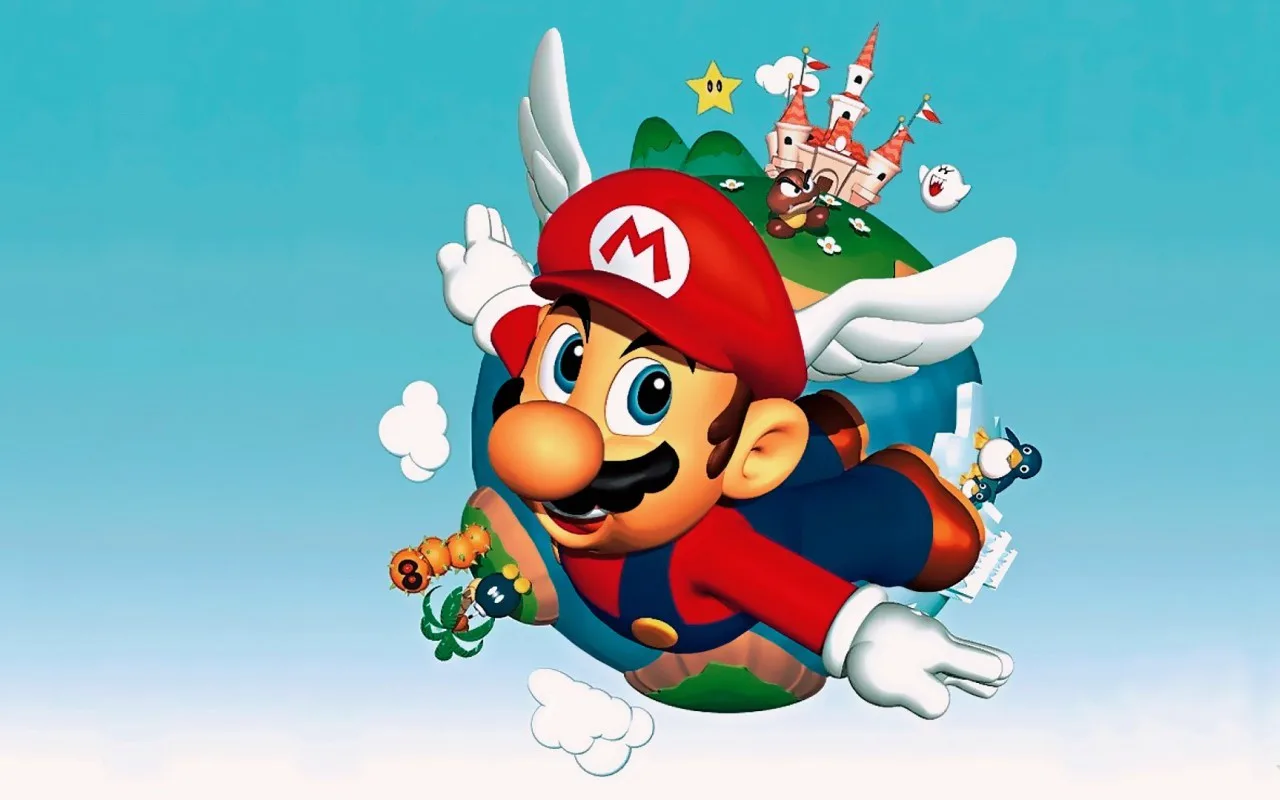
Welcome to Super Mario 64, the groundbreaking 1996 Nintendo 64 title that redefined 3D platforming. As Mario, you'll leap, dive, and wall-kick your way through a vast castle filled with magical paintings that transport you to diverse worlds. Your mission: collect Power Stars to rescue Princess Peach from the clutches of Bowser. Each world presents unique challenges, from navigating the watery depths of Jolly Roger Bay to mastering tricky platforming sections.
This guide is your ultimate companion for uncovering every secret within Peach's Castle. We'll walk you through obtaining all 120 Power Stars, detailing how to complete secret objectives and challenging races. Whether you're aiming to master Mario's basic controls, find every collectible, or simply beat Bowser, this guide has you covered.
Nick Intro
Discover the legendary status of Super Mario 64, a groundbreaking Nintendo 64 launch title that defined a generation and remains addictive even today.
It’s hard to believe, but Super Mario 64 was one of the very first games released for the Nintendo 64 back in 1996. For many of us, it was our first taste of 3D gaming, and what a taste it was! Even though the graphics might seem a bit dated now, the magic of Super Mario 64 is still there, making it just as fun to play today as it was over 20 years ago.
This game was a true system-seller for the N64. While other launch titles like Pilotwings 64 existed, Super Mario 64 was the one that truly showcased the console's power and set the standard for 3D platformers. It’s one of those rare games that just sticks with you, the kind you can’t put down until you’ve seen everything it has to offer.
So, as you jump into the Mushroom Kingdom, remember you're playing a piece of gaming history. Super Mario 64 isn't just a game; it's a legend that has stayed popular for decades, and it’s still an absolute blast to play.
Ryan Intro
Embark on an epic journey in Super Mario 64! Discover the story, learn about the game's classic status, and get ready for an unforgettable adventure. Let's-a go!
Hey there! So, you're about to dive into Super Mario 64? Awesome choice! This game isn't just *a* 3D platformer; it's THE one that basically invented the genre. When it first dropped with the Nintendo 64 back in '97 (a bit after the US, but totally worth the wait!), it completely changed how we thought about 3D games. You'll get to use some cool new moves, find new enemies and items, but don't worry, it still feels like classic Mario through and through. It’s a must-have for any N64 owner, and I'm super excited to guide you through it!
The Story So Far:
So, Princess Toadstool sends Mario an invitation to her castle, promising cake. Sounds sweet, right? Mario, all excited, heads over, but when he arrives, the place is eerily quiet. He hears a voice – Bowser's! – boasting that he's taken over the castle, locked away the Princess and her Toads, and stolen all the Power Stars. These stars are what keep the castle safe, and Bowser's using them to turn the castle's residents into monsters for his own army. Mario can't let that happen! He's got to jump into the giant paintings scattered around the castle, find all the stolen Power Stars, and save the day. It's a huge adventure, and Mario's the only one who can do it!
Basic Controls
Master Super Mario 64 basic controls: learn how to move Mario, jump, punch, and control the camera with this guide.
Controls:
- Control Stick: Use to move Mario in the corresponding direction, side step against walls, and direct Mario's swimming path.
- Start: Press to pause or unpause the game.
- A Button: Press to jump, swim, or perform a wall kick.
- B Button: Press to punch, kick, talk to people, read signs, pick up certain enemies, or throw certain enemies.
- C-Down: Press to zoom the camera angle out.
- C-Left: Press to rotate the camera angle to the left.
- C-Right: Press to rotate the camera angle to the right.
- C-Up: Press to zoom the camera angle in.
- R Button: Press to change the camera mode.
- Z Button: Press to crawl, crouch, or slide if you are running.
- Experiment with the Control Stick to get a feel for Mario's movement and swimming.
- The B button has multiple uses, including interacting with the environment and enemies.
- Utilize the C buttons to adjust your view for better situational awareness.
Advanced Controls
Learn advanced moves like the Triple Jump, Side Somersault, Long Jump, and Ground Pound in Super Mario 64. Master every button combination for ultimate gameplay.
This guide details the advanced control techniques available in Super Mario 64 DS. Mastering these moves is key to navigating levels efficiently and discovering all secrets.
Controls:
| Action | Button/Control Stick Input |
|---|---|
| Walk | Slightly tilt the Control Stick in any direction. |
| Run | Harshly tilt the Control Stick in any direction. |
| Side Step | When leaning against a wall, slowly move left or right. Useful for narrow ledges. |
| Read Signs/Talk | Press the B button. |
| Swim | While underwater, press the A Button. Move in the direction of the Control Stick. |
| Breast Stroke | While underwater, tap the A button repeatedly. |
| Flutter Kick | While underwater, hold the A button. |
| Water Jump | While on the surface of the water, press down on the Control Stick and A Button simultaneously. |
| Crouch | While stationary, press the Z Button. |
| Crouch & Slide | Press the Z Button while running. |
| Crawl | Crouch, then move the Control Stick in your desired direction. |
| Jump | Press the A button while on solid ground. |
| Double Jump | Jump once, then press the A Button again as you land. |
| Triple Jump | Get a running start, perform a double jump, then press the A Button again as you land. |
| Side Somersault | While running, change direction by 180 degrees, then press A to jump. |
| Wall Kick | Jump into a wall, then press A as you hit the wall. |
| Backward Somersault | Press Z to crouch, then press A Button. |
| Long Jump | Get a running start, press Z, then press A. Mario says "Yahoo!" |
| Cannon Shot | While in a cannon, aim, then press A Button. |
| Swing/Climb Ledge | Grab a ledge, tilt Control Stick in the direction you are facing to climb. Tilt opposite to drop off. |
| Hang on Poles/Trees | Tilt the Control Stick left or right to spin around the pole/tree. |
| Climb Poles/Trees | Tilt the Control Stick up or down to climb or descend. Tilt up at the top for a handstand. |
| Hang from Wire Net | Jump and grab a wire net by holding A. Tilt Control Stick to move. Works on similar objects. |
| Punch | Press the B Button. Used to attack or pick up enemies. |
| Kick | Press the B Button repeatedly 3 times. On the third press, you will jump. |
| Jump Kick | Press A to jump, then press B while in the air. |
| Hold & Throw | Press B to grab an enemy or object, press B again to throw. |
| Swing Bowser | Grab Bowser's tail by pressing B. Rotate Control Stick to swing. Press B to throw. |
| Slide Attack | Run fast, then press the B Button once. |
| Ground Pound (Butt Slam) | Jump (A), then press Z while in the air. |
| Trip | Press Z to crouch, then press B. |
| Slide Kick | Run, press Z to slide. As sliding begins, press B. |
Similar guides you might like

100% Human-Written. AI Fact-Checked. Community Verified. Learn how AntMag verifies content