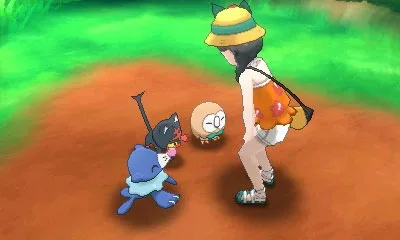
Welcome to Alola! In Pokémon Ultra Sun and Ultra Moon, you'll embark on an epic RPG adventure across a vibrant region, mastering battle mechanics and uncovering secrets. This is your chance to become a true Pokémon Master as you navigate the islands and challenge your rivals.
This guide is here to help you conquer every aspect of your journey. We'll cover everything from the basics of controlling your character and preparing for your adventure to navigating the main walkthrough. Whether you're aiming to catch 'em all or just want to ensure you don't miss any crucial steps, we've got you covered.
Guide and Walkthrough (3DS) by RedIsPoetic
Complete Pokémon Ultra Sun and Ultra Moon walkthrough covering the main story, post-game, mini-games, and all areas. Updated 06/05/2018.
- 1Begin with the Introduction and Basics, including Controls.
- 2Proceed through the Main Walkthrough, starting with Preparing For Your Adventure and continuing through Route 1, Mahalo Trail, Iki Town, Hau'oli City (Beachfront, Shopping District, Marina), Route 2, Hau'oli Cemetery, Big Wave Beach, Berry Fields, Verdant Cave, Route 3, Melemele Meadow, Seaward Cave, Melemele Island Grand Trial, Ten Carat Hill, and heading to Akala Island.
- 3Continue on Akala Island through Heahea Beach, Heahea City, Route 4, Pikachu Valley, Paniola Town, Paniola Ranch, Route 5, Brooklet Hill, Route 6, Royal Avenue, Route 7, Wela Volcano Park, Route 8, Lush Jungle, and revisited areas of Route 5 and Heahea City.
- 4Progress through Diglett's Tunnel, Route 9, Konikoni City, Memorial Hill, Akala Outskirts, Ruins of Life, Hano Beach, Aether Paradise (First Visit), Malie City (Garden, Outer Cape), Route 10, Mount Hokulani, Hokulani Observatory, and further sections of Mount Hokulani and Malie City.
- 5Continue on to Route 11, Route 12, Blush Mountain, Ula'ula Beach, Route 13, Tapu Village, Route 15, Route 14, Thrifty Megamart, Route 15 Continued, Route 16, Ula'ula Meadow, Route 17, Po Town, Shady House, Aether Paradise (Revisited), Seafolk Village, Poni Wilds, Ancient Poni Path, Poni Breaker Coast, Ruins of Hope, Exeggutor Island, Vast Poni Canyon, Altar of the Sunne/Moone, Ultra Megalopolis, Megalo Tower, Mina's Trial, and finally the Pokémon League.
- 6After completing the main story, engage with the Post-Game Walkthrough, which includes Finishing Things Off, Team Rainbow Rocket, Team Rocket's Castle (West Wing, East Wing, Upper West Wing, Upper East Wing), catching Solgaleo or Lunala, acquiring Cosmog, catching the Island Guardians, and catching Zygarde.
- 7Explore the Post-Game Areas: Poni Grove, Poni Plains, Poni Meadow, Resolution Cave, Poni Coast, Poni Gauntlet, and the Battle Tree.
- 8Engage in Mini-Games such as Mantine Surf and Ultra Warp Ride.
- 9Discover Other Areas including Tauros-Required Areas and Haina Desert.
- 10Consult the Appendices for detailed information on Features, Totem Sticker Rewards, Trainer Passport Stamp Lists, Type Vs. Type Charts, and comprehensive Item Lists (General, Medicine, Berries, TMs, Z Crystals, Mega Stones, Key Items), as well as Move Lists and Ability Lists.
- 11Refer to the Version History, Legal Notice, Contact Me, Credits, and Final Word sections for additional information.
- The walkthrough is updated as of 06/05/2018.
- This guide covers the entire game from start to post-game.
- Pay attention to the order of sections for a smooth progression.
Main Walkthrough
Your essential guide to Pokémon Ultra Sun and Ultra Moon! Get step-by-step instructions and tips for the main walkthrough, covering everything you need to know to progress.
Hey there! Welcome to the main walkthrough for Pokémon Ultra Sun and Ultra Moon. This guide is designed to help you through the game, assuming you've got a handle on the basics like healing and catching Pokémon. Think of me as your experienced friend guiding you through Alola.
A couple of quick notes before we dive in: This guide uses internal hyperlinks – if you see something in blue, click it for more info and hit Backspace to return here. I played the Moon version with Rowlet as my starter, so some Sun version or different starter details might be a bit sparse, but the core info should be solid. Also, we'll use '$' for currency. One more thing: the camera can be a bit wild, so when I say 'east' or 'west,' I mean relative to where the camera is looking, as if it were always facing north. Let's get started!
This section covers the core progression of your adventure. We'll be moving through the islands, facing challenges, and uncovering the story of Alola.
- 1Beginning Your Journey on Melemele Island: You'll start your adventure in your house in Hau'oli City. After the initial scenes and meeting your Mom, head outside. Your first task is to meet your rival, Hau, and Professor Kukui. Follow the on-screen prompts to head towards Iki Town.
- 2The First Trial: Upon arriving in Iki Town, you'll participate in your first Pokémon battle. This is a great chance to get a feel for combat. After the battle, you'll receive your starter Pokémon and the Z-Ring.
- 3Route 2 and Verdant Cavern: From Iki Town, you'll head south onto Route 2. Your goal here is to reach Verdant Cavern for your first official Island Trial. You'll encounter wild Pokémon and trainers along the way, so be sure to level up your team.
- 4The Grand Trial: After completing the trials on each island, you'll face a Grand Trial. These are tougher battles against the Island Kahunas. Prepare your team well for these!
- 5Journeying Through Alola: The walkthrough will guide you through each island – Melemele, Akala, Ula'ula, and Poni – detailing the main story beats, important trainer battles, and key locations.
- Always keep a balanced team with different types to handle various opponents.
- Don't forget to explore! There are often hidden items and side quests that can help you out.
- Talk to NPCs – they often give hints or useful items.
- Pay attention to the move descriptions and Pokémon stats to make strategic decisions in battle.
Completing the main walkthrough will allow you to experience the full story of Pokémon Ultra Sun and Ultra Moon, unlock post-game content, and become the Champion of the Alola region!
Guide and Walkthrough (3DS) by RedIsPoetic (2)
Navigate Pokémon Ultra Sun and Ultra Moon with this comprehensive guide. Find walkthroughs, tips, and details on all major areas and post-game content.
This guide covers the entirety of Pokémon Ultra Sun and Ultra Moon, offering a detailed walkthrough for the main story, post-game content, and various mini-games. It's structured to help you through every step of your Alolan adventure.
- 1Preparing For Your Adventure
- 2Route 1 - Hau'oli Outskirts
- 3Route 1
- 4Mahalo Trail
- 5Route 1 - Revisited
- 6Iki Town
- 7Route 1 - Hau'oli Outskirts Revisited
- 8Route 1 - Trainers' School
- 9Hau'oli City - Beachfront
- 10Hau'oli City - Shopping District
- 11Hau'oli City Marina
- 12Route 2
- 13Hau'oli Cemetery
- 14Big Wave Beach
- 15Berry Fields
- 16Verdant Cave
- 17Route 3
- 18Melemele Meadow
- 19Seaward Cave
- 20Route 3 Continued
- 21Melemele Island Grand Trial
- 22Ten Carat Hill
- 23Off To Akala Island
- 24Heahea Beach
- 25Heahea City
- 26Route 4
- 27Pikachu Valley
- 28Route 4 - Continued
- 29Paniola Town
- 30Paniola Ranch
- 31Route 5
- 32Brooklet Hill
- 33Route 6
- 34Royal Avenue
- 35Route 7
- 36Wela Volcano Park
- 37Route 8
- 38Lush Jungle
- 39Route 5 - Revisited
- 40Heahea City - Revisited
- 41Diglett's Tunnel
- 42Route 9
- 43Konikoni City
- 44Memorial Hill
- 45Akala Outskirts
- 46Ruins of Life
- 47Hano Beach
- 48Aether Paradise - First Visit
- 49Malie City
- 50Malie Garden
- 51Malie City - Continued
- 52Malie City - Outer Cape
- 53Route 10
- 54Mount Hokulani
- 55Hokulani Observatory
- 56Mount Hokulani and Malie City Continued
- 57Route 11
- 58Route 12
- 59Blush Mountain
- 60Ula'ula Beach
- 61Route 13
- 62Tapu Village
- 63Route 15
- 64Route 14
- 65Thrifty Megamart
- 66Route 15 Continued
- 67Route 16
- 68Ula'ula Meadow
- 69Route 17
- 70Po Town
- 71Shady House
- 72Aether Paradise - Revisited
- 73Seafolk Village
- 74Poni Wilds
- 75Ancient Poni Path
- 76Poni Breaker Coast
- 77Ruins of Hope
- 78Exeggutor Island
- 79Vast Poni Canyon
- 80Altar of the Sunne/Moone
- 81Ultra Megalopolis
- 82Megalo Tower
- 83Mina's Trial
- 84Mount Lanakila
- 85Pokemon League
Post-Game Walkthrough:
- Finishing Things Off
- Team Rainbow Rocket
- Team Rocket's Castle
- Team Rocket's Castle - West Wing
- Team Rocket's Castle - East Wing
- Team Rocket's Castle - Upper West Wing
- Team Rocket's Castle - Upper East Wing
- Catching Solgaleo or Lunala
- Acquiring Cosmog
- Catching the Island Guardians
- Catching Zygarde
Post-Game Areas:
- Poni Grove
- Poni Plains
- Poni Meadow
- Resolution Cave
- Poni Coast
- Poni Gauntlet
- Battle Tree
Mini-Games:
- Mantine Surf
- Ultra Warp Ride
Other Areas:
- Tauros-Required Areas
- Haina Desert
Appendices:
- Explanation of Features
- Totem Sticker Rewards
- Trainer Passport Stamp List
- Type Vs. Type Chart
- Item List - General
- Item List - Medicine
- Item List - Berries
- Item List - TMs
- Item List - Z Crystals
- Item List - Mega Stones
- Item List - Key Items
- Move List
- Ability List
- This guide is based on the Official GameFAQs Guide by RedIsPoetic.
- The guide is updated to version 1.10 as of June 5, 2018.
- It includes sections on controls, main story walkthrough, post-game content, and various appendices.
Controls
Navigate the world of Pokémon Ultra Sun and Ultra Moon with ease! This guide breaks down every control for overworld, menus, bag, Poke Ride, and Poke Finder.
Alright, let's get you up to speed on how to actually play Pokémon Ultra Sun and Ultra Moon! It might seem like a lot at first, but once you know what button does what, you'll be zipping around Alola like a pro. We'll cover the main ways you'll be interacting with the game: when you're just walking around, when you're digging through menus, and when you're using special features like Poke Ride.
Here's a breakdown of the controls for each situation:
Overworld Controls
| Control | Function |
| A | Use/Interact |
| B | Cancel/Hold and use Circle Pad to run |
| X | Opens/Closes Main Menu |
| Y | Opens Poke Ride Menu |
| Start | No Use |
| Select | No Use |
| Up | Ride a Pokemon Registered to this button (use the Poke Ride menu to do so) |
| Down | Ride a Pokemon Registered to this button (use the Poke Ride menu to do so) |
| Left | Ride a Pokemon Registered to this button (use the Poke Ride menu to do so) |
| Right | Ride a Pokemon Registered to this button (use the Poke Ride menu to do so) |
| Circle Pad | Move character |
| L | No Use |
| R | Open Poke Finder (where applicable) |
| Touch Screen | Select pressed option |
Main Menu Controls
When you press X to open the Main Menu, you'll see a few different options. Here's how to navigate them:
| Control | Function |
| A | Select |
| B | Cancel |
| X | Opens/Closes Main Menu |
| Y | No Use |
| Start | No Use |
| Select | No Use |
| Up | Move up through options |
| Down | Move down through options |
| Left | Move left through options |
| Right | Move right through options |
| Circle Pad | Acts as a substitute for the Up, Down, Left and Right buttons. |
| L | No Use |
| R | No Use |
| Touch Screen | Select pressed option |
Pokemon Menu Options
This is where you'll manage your party. It's pretty straightforward:
| Control | Function |
| A | Select |
| B | Cancel |
| X | Enable moving items (shortcut) |
| Y | Enable moving Pokemon (shortcut) |
| Start | No Use |
| Select | No Use |
| Up | Move up through options |
| Down | Move down through options |
| Left | Move left through options |
| Right | Move right through options |
| Circle Pad | Acts as a substitute for the Up, Down, Left and Right buttons. |
| L | No Use |
| R | No Use |
| Touch Screen | Select pressed option/Pokemon |
Bag Menu Controls
Got a lot of items? The Bag menu is your best friend. Here’s how to sort through it:
| Control | Function |
| A | Select |
| B | Cancel |
| X | Enable sorting of items (shortcut) |
| Y | Enable moving of item (shortcut) |
| Start | No Use |
| Select | No Use |
| Up | Move up through options |
| Down | Move down through options |
| Left | Move left through options |
| Right | Move right through options |
| Circle Pad | Acts as a substitute for the Up, Down, Left and Right buttons. |
| L | No Use |
| R | No Use |
| Touch Screen | Select pressed option |
Poke Ride Menu
Need to get around faster or reach new areas? Poke Ride is key. Here’s how to use it:
| Control | Function |
| A | Select Pokemon (or Unselect Pokemon if currently riding the selected Pokemon) |
| B | Cancel |
| X | Provide explanation of each Poke Ride option |
| Y | Select Pokemon (or Unselect Pokemon if currently riding the selected Pokemon) |
| Start | No Use |
| Select | No Use |
| Up | Move up through options |
| Down | Move down through options |
| Left | No Use |
| Right | No Use |
| Circle Pad | Acts as a substitute for the Up and Down buttons. |
| L | No Use |
| R | No Use |
| Touch Screen | Select pressed option/Pokemon |
Poke Finder Controls
Want to capture some great moments? The Poke Finder lets you snap pics of your Pokémon buddies. Here’s how to get the shot:
| Control | Function |
| A | Take photo |
| B | Cancel |
| X | No Use |
| Y | No Use |
| Start | No Use |
| Select | No Use |
| Up | No Use |
| Down | No Use |
| Left | No Use |
| Right | No Use |
| Circle Pad | Move camera around |
| L | No Use |
| R | Take photo |
| Touch Screen | Select pressed option |
| Moving 3DS | Move camera around (as per the way you move the 3DS) |
That covers all the essential controls you'll need to get around Alola and manage your Pokémon. Don't worry if you forget a few; you can always check back here or experiment in-game. Happy adventuring!
Similar guides you might like





100% Human-Written. AI Fact-Checked. Community Verified. Learn how AntMag verifies content