Learn the basics of Dwarf Fortress, from world generation and embark location to managing your first expedition and understanding the ASCII interface. Start your fortress today!
This guide is designed to be as quick and effective as possible for new Dwarf Fortress players.
Dwarf Fortress is a deep sandbox simulation game where you lead a colony of dwarves to build a fortress. While it features complex systems, the initial focus is on survival, especially through the first winter. The game uses ASCII graphics, which are more accessible than they appear, with on-screen menus and a graphical representation for characters.
Creating Your World:
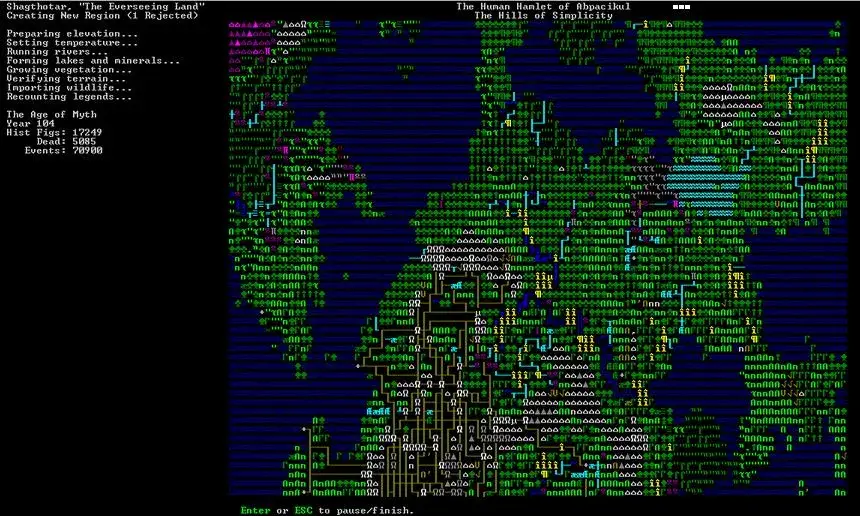
- From the start menu, select "Create New World." The world is procedurally generated, making each playthrough unique. Press [Enter] to begin generation, which may take a few minutes.
- After generation, press [Enter] to continue or [p] to export an ASCII map of your world. This map can be converted to a graphical representation later via "Start Playing" -> "Legends" -> [d] for detailed map.
Embarking:
- Select "Dwarf Fortress" from the start menu.
- Choose your embark location using three zoom-level windows. Key considerations include:
- Source of a stream (water).
- Sufficient trees.
- A mountain face (less crucial with new digging mechanics).
- Temperate climate to mitigate harsh winters.
- Calm surroundings to avoid early threats.
- Use arrow keys to navigate and [Tab] to cycle through information screens. The biomes provide environmental details. The local window's box defines your explorable area.
- Ensure your chosen location has necessary resources (trees, water). Be mindful that your expedition may appear in a different area than visualized, so choose carefully. Press [e]mbark.
Expedition Setup:
- You can use a default expedition or customize your own by pressing [Space].
- Use [Tab] to switch between dwarf and inventory screens.
- Dwarf Screen: Cycle through dwarves with up/down keys and columns with left/right keys. You have 200 points to allocate skills and inventory. Focus on essential roles like miner, carpenter, axedwarf, grower, brewer, and herbalist. Roles can be changed later.
- Inventory Screen: By default, you start with some items. Consider bringing two dogs (for early defense) and two cats (for happiness and breeding). Add items by pressing [n]ew. Ensure you have at least two axes for a woodcutter and hunter. Spend points on your ranger's skills and ensure they have a weapon. Press [e]mbark when ready.
In-Game Controls and Concepts:
- After the intro screen, press [Space] to pause the game. The screen shows your dwarves, the default menu, and the local map with a cursor.
- Use [Tab] to cycle through screens. Arrow keys move the local view. Press [F1] to center on your dwarves.
- Z-Axis Movement: Use [Shift+<] to move up a level and [Shift+>] to move down. Small dots indicate a lower level; gaps between planes show
100% Human-Written. AI Fact-Checked. Community Verified. Learn how AntMag verifies content