Learn how to create a new world, embark on your first expedition, and manage your initial dwarf team in Dwarf Fortress with this comprehensive beginner's guide.
Dwarf Fortress is a complex sandbox simulation game where you guide a group of dwarves to build a thriving fortress in a procedurally generated world. This guide focuses on the initial steps to get you started, from world creation to embarking and managing your first expedition.
Walkthrough
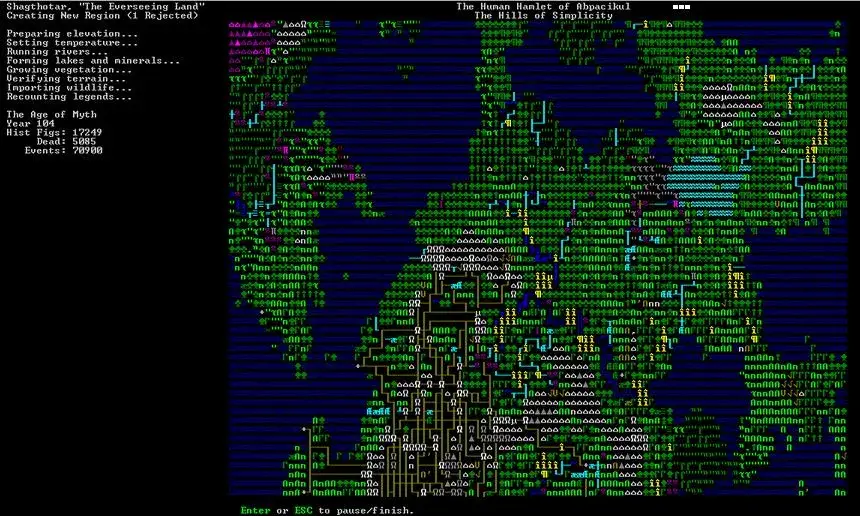
- 1Create New World: From the start menu, select "Create New World." This process is automatic and generates a unique world. You can press Enter to wait or browse the wiki. Note the option to press 'p' to export an ASCII map of the world, which can be useful for later graphical representation.
- 2Graphical Map (Optional): If you want a graphical representation of your world, select "Start Playing" then "Legends," press 'd' for a detailed map. This can take up to 50MB of space.
- 3Select Starting Location: Choose "Dwarf Fortress" from the start menu. Use the arrow keys to navigate the world map and Tab to cycle through information screens. Aim for a location with a water source, trees, and a mountain face (or plains for digging downwards). A temperate climate is recommended. The size of the selection box determines your explorable area. Press 'e' to embark.
- 4Organize Expedition: After embarking, press Space. Use Tab to switch between dwarf and inventory screens. In the dwarf screen, use arrow keys to select dwarves and buy skills using 200 available points. Suggested initial professions include miner/mason/engraver/mechanic, carpenter/woodcutter/building designer, and ambusher/axedwarf. Distribute remaining points for roles like fisherman, grower, cooker, brewer, herbalist, and butcher.
- 5Manage Inventory: In the inventory screen, consider bringing two dogs (for early defense) and two cats (for happiness and breeding). Add items like axes for your woodcutter and hunter. Ensure your ranger has a weapon. Press 'e' to embark once ready.
- 6In-Game Controls: After the introductory screen, use Space to pause/unpause. Arrow keys pan the view. F1 centers on your dwarfs. Shift + < moves up a z-level, Shift + > moves down. Use 'k' to look around and place an 'X' cursor to identify objects on the right panel. Use 'v' to view nearby units. Press Space to exit most screens.
- 7Basic Concepts: Dwarves are autonomous; you set jobs, and they complete them based on priority and skills. Ensure they have food, drink, beds, tables, and chairs. Monitor their needs and happiness. Use the 'j' key to view the job list and dwarf activities.
Tips
- Don't be intimidated by the ASCII graphics; they become readable with time, and on-screen menus make commands accessible.
- The initial skill and inventory choices are not permanent; dwarves can learn any job over time.
- Choosing a good starting location is crucial for survival, influencing resource availability and potential threats.
- Experiment with z-level movement (Shift + < and Shift + >) to understand the game's verticality.
- Use the 'k' command frequently to identify objects and creatures in your environment.
- Ensure your dwarves have access to booze or water to prevent dehydration.
100% Human-Written. AI Fact-Checked. Community Verified. Learn how AntMag verifies content