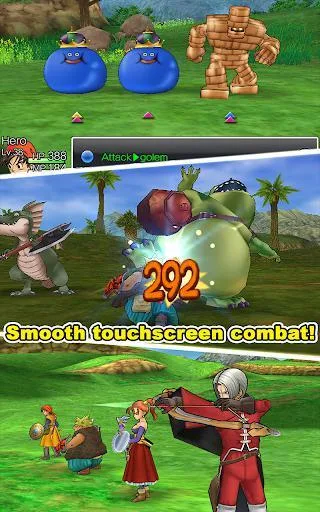
Learn about the Main Menu and Battle Menu in Dragon Quest VIII, including item management, tactics, and battle records.
The Main Menu can be accessed from towns, dungeons, or the overworld (the main map of the game world).
Main Menu Options:
- Talk: Allows you to speak with an adjacent non-player character (NPC (non-player character — anyone the game controls, not you)). This is usually redundant as the "A" Action Button performs the same function.
- Items: View and manage inventories for each character and the shared bag. Items can be moved between inventories and the bag, Used, Discarded, or Equipped. The "Organise Items" command moves unequipped items to the bag, and "Sort Bag's Contents" sorts by Type or A-to-Z.
- Item Commands:
- Use: Activates a usable item, most of which are single-use.
- Transfer: Moves items between inventories and bags.
- Equip (Remove): Equips or unequips gear for a party member.
- Discard: Permanently removes an item. Warning: The item will be lost forever.
- Attributes: View each character's Character Sheet, showing their Name, Attributes, Equipment, and known Spells and Abilities.
- Equip: Equips or unequips gear for a character, provided the item is in their inventory. The Item Menu is also suitable for equipping party members.
- Magic: Cast Spells or Abilities for the party. This menu displays descriptions and MP costs. It does not include battle-only skills.
- Consult: Speak with party members to get their thoughts on the current situation and receive hints.
- Misc: Contains several sub-menus:
- Heal All: Fully heals the party and removes status effects using available Healing Spells.
- Tactics: Adjust party AI behavior in combat. Options include:
- Show No Mercy: Prioritizes powerful attacks, ignoring MP and healing needs.
- Fight Wisely: Balances offense and defense.
- Focus On Healing: Prioritizes healing, even for minor damage.
- Don't Use Magic: Only uses physical attacks or non-MP consuming abilities.
- Get Psyched Up: Focuses on building tension before attacking.
- Follow Orders: Allows manual control of the party, highly recommended for boss battles.
- Skill Points: View and allocate Skill Points within each character's Skill Trees.
- Line-Up: Change the party order. The first four characters participate in combat, with those at the front being more likely targets. The Hero must always be in the active party. The party leader appears on the world map.
- Settings: Adjust game options including Music, Sound Effects, Voices volume, and invert or restore L/R Button and D-Pad controls.
- Photo Album: View taken photos (limit of 100, oldest deleted first) and edit them.
- Street Pass 'Hot Shots': Manage StreetPass settings and view collected data.
- Cameron's Codex: View the Codex Menu for available, complete, and incomplete entries.
- Download Bonus Items: Connect to the internet to receive bonus items.
- Alchemy Pot: Access the Alchemy Pot to view recipes and craft items.
- Monster Team: Set up Monster Teams for Morrie's Monster Arena or open combat.
- Quick Save: Save the game at the current point.
- Battle Records: View game statistics.
- Battle Log: Details combat and adventure performance.
- Defeated Monster List: View Monster Cards for defeated monsters.
- Collected Item List: Lists all acquired items and equipment by type.
- Alchemy Recipe Book: Shows all known Alchemy Recipes.
- Casino Chronicles: Displays statistics for casino games.
Battle Menu Options:
This menu appears during combat and includes Battle Commands and Party Member Status (Health, MP, Tactics). Combat can conclude in three ways.
100% Human-Written. AI Fact-Checked. Community Verified. Learn how AntMag verifies content