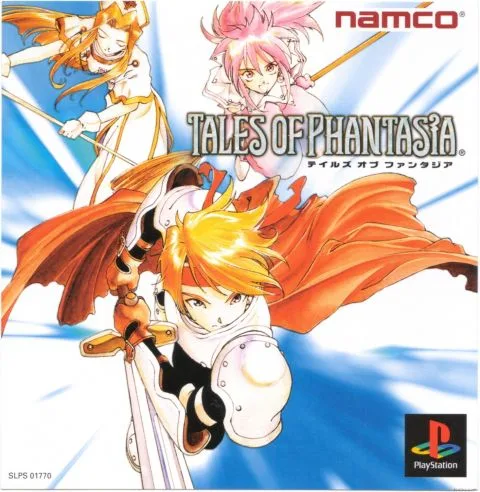
Tales of Phantasia is a classic single-player JRPG where you play as Cress Albane, a young hero who must embark on an epic journey to save the world from the Demon Beast Dhaos. You'll explore a vast world, battle monsters in real-time combat, and uncover a deep story spanning across time.
This guide will help you navigate Cress's adventure across all platforms, from the SNES original to the GBA and PlayStation versions. We cover everything from basic controls and early progression to finding optimal grinding spots and strategies for tough boss encounters, ensuring your journey through Phantasia is as smooth as possible.
```
Master Tales of Phantasia with our comprehensive guide. Find walkthroughs, FAQs, item lists, and strategies for the PlayStation version.
Walkthrough: The guide is structured into several parts, accessible via CTRL+F commands for easy navigation. It covers the entire game, from the beginning to the end, and includes detailed sections for walkthrough parts 1, 2, and 3.
- To use Manual control mode, equip the Technical Ring or Combo Command accessory and change the control mode in the Abilities menu or press Select during battle. The Technical Ring is found in Moria Mine, and the Combo Command costs 400,000 Gald.
- For multiplayer, equip a Channeling Ring on a character in the 2-4P slots, set them to Semi-Auto/Manual, and use a second controller. A PlayStation multitap allows for up to four players. Channeling Rings can be obtained from Ami, after Mint joins, from Mirald after Klarth joins, from Bart after Arche joins, and from Ranzo after Suzu joins.
- Set shortcuts for party members' skills by going to the Ability menu during battle, selecting a skill, and pressing R2 or L2.
- Stat herbs (Sage, Savory, etc.) should be transformed into their Red versions using Rune Bottles and fed to Cless, as he often fights alone and needs to be the party's tank.
- The crab in Alvanista is difficult to move. Walking away and talking to it may change its direction. The chest initially contains a Lavendar and later a Star Cloak, but these items are plentiful elsewhere.
- Valuables like Pelt, Coral, and Cordyceps cannot be used directly; they are meant to be sold for extra cash at the best possible price in different towns.
- Chester's Bow can be fixed into the Elven Bow by paying 20,000 Gald at the Elven Village bowyer after Chester rejoins. A further upgrade is available later.
- To clear the Cave of Darkness, you need the Green Torch, Blue Candle, and Red Lantern from Graham's Treasure Hunt and Moria Mine, and the Amethyst Pact Ring from the Cave of Spirits to form a pact with Shadow. Puzzles involve using the Sorcerer's Ring to match shadow positions and standing on specific tiles.
- Pluto is found on floor 21 of Moria Mine and requires the Emerald Pact Ring from the Cave of Darkness. This necessitates traversing Moria twice.
- Sephira/Blue Sephira and Dark/Demon's Seal accessories increase Gald and EXP by 1.5x and 2x respectively.
Walkthrough
Learn how to play Tales of Phantasia with this guide covering exploring and battling formats.
Tales of Phantasia features two primary formats for gameplay: Exploring and Battling. This guide aims to help fans of the series, especially those new to the very first Tales of game, understand these core mechanics.
- Familiarize yourself with both the Exploring and Battling formats to get the most out of your experience in Tales of Phantasia.
- This guide is written with general knowledge of the "Tales of" series and some Japanese knowledge to assist players.
Exploring
Learn Tales of Phantasia button controls, including D-Pad movement, A button interactions, and B button running with Jet Boots.
D-Pad: Use the D-Pad to move your character, Cress Alvein, up, down, left, or right.
A Button: This is your action button. You can interact with objects and people by talking to them, activating switches, reading, firing the Sorcerer's Ring, or grabbing an object and moving it with the D-Pad.
B Button: Use the B button for canceling actions. When you have the Jet Boots equipped, keep the B button pressed to run. This is crucial for the Alvanista race.
X Button: Press the X button to bring up the Menu.
Start, Select, Y, L & R Buttons: These buttons currently do nothing.
Menu
Learn about the Menu options in Tales of Phantasia, including Tech, Equipment, Items, Strategy, Formation, Status, Custom, and Save.
Tech: This menu is exclusive to Cress. It features two slots for Close Combat techniques, one activated by pressing B and another by pressing B + D-Pad Up. Additionally, there are two slots for Long Range Combat techniques, triggered by the same inputs.
Equipment: Here you can manage items that each character can equip. These slots include Weapon, Armor, Shield, Head, Arm, and two Accessory slots.
Items: This section lists all items you have acquired. You can sort them by the latest acquired, alphabetically, or by category: weapons, armor, shields, accessories, food, and consumables.
Strategy: Within this menu, you can adjust combat strategies. Options range from 'attack with all your might' to 'don't use skills'.
Formation: Use this to determine the starting positions of each character in a battle. It is also where you can swap out party members who are not currently active.
Status: This screen displays detailed information for every character. This includes Level, HP (Hit Points), TP (Technical Points), equipped items, STR (Strength), CON (Constitution), AGL (Agility), LUC (Luck), which Techs are equipped on Cress, and the number of Green Stars he possesses. Refer to section 4.0 Cress Status Screen Stars for more details.
Custom: This menu allows you to modify various game settings, such as Message Speed, button assignments for actions, and Voice ON/OFF.
Save: You can save your progress exclusively at designated Memory Circle spots or anywhere on the world map.
Similar guides you might like






100% Human-Written. AI Fact-Checked. Community Verified. Learn how AntMag verifies content