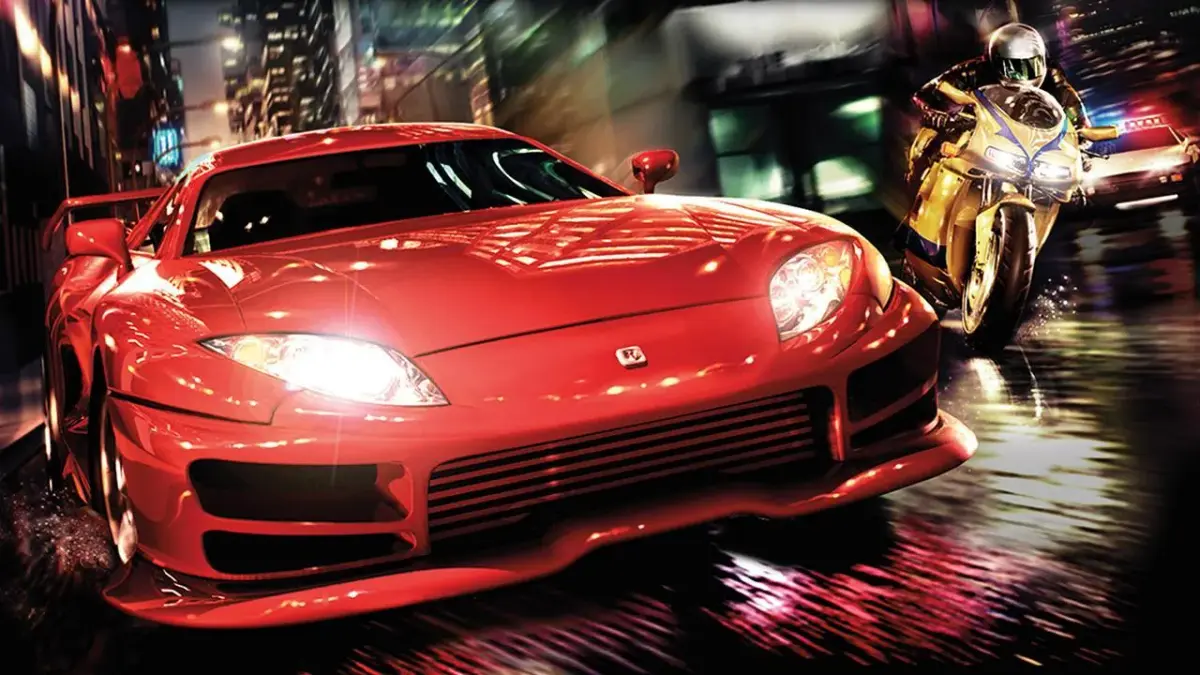
Welcome to Midnight Club II, a classic open-world racer where you dominate the streets of Los Angeles and Tokyo. You’ll be weaving through traffic, mastering tight turns, and outmaneuvering rivals in a variety of licensed vehicles. It’s all about raw speed and precise control, pushing your chosen ride to its absolute limit.
This guide is your essential companion to conquering Midnight Club II across all platforms. We’ll cover everything from mastering the initial challenges and understanding vehicle handling to advanced techniques for taking on the toughest races. Get ready to achieve those Gold Medals and truly own the asphalt.
BASIC CONTROLS
Master Midnight Club II controls: learn steering, acceleration, braking, handbrake, nitro, and camera functions.
Controls:
- LEFT STICK - Steer
- RIGHT STICK - Accelerate/brake/reverse
- LEFT/RIGHT D PAD - Change music
- UP D PAD - Display large map
- DOWN D PAD - Zoom in on mini-map (minimap (the small circular map in the bottom-left corner of your screen))
- X BUTTON - Accelerate
- CIRCLE BUTTON - Handbrake
- TRIANGLE BUTTON - Change camera view
- SQUARE BUTTON - Brake/reverse
- R1 BUTTON - Handbrake
- R2 BUTTON - Nitro (must be unlocked)
- L1 BUTTON - Weight transfer (must be unlocked)
- L2 BUTTON - Look behind you
- R3 BUTTON - High beams/use powerup
- L3 BUTTON - Horn
ADVANCED CONTROLS
Learn advanced driving techniques in Midnight Club II! Master Burnout, In-Air Controls, Slip-Stream Turbo, and Two-Wheel Driving to dominate the competition.
Alright, so you've gotten the hang of the basics in Midnight Club II, but there's a whole other level of driving you can unlock. These advanced techniques are what separate the good drivers from the legends. Let's break 'em down so you can start pulling off some serious moves.
Burnout: This is your secret weapon for getting a killer start. When your car is stopped, hold down the handbrake and then hit the accelerator. You'll see your tires start smoking, and a meter on the right side of your screen will fill up. Once that meter is full, just release the handbrake and BAM! You'll launch forward like a rocket. Seriously, make it a habit to use this at the start of every race, especially after you unlock it.
In-Air Controls: Ever find yourself flying through the air and landing a bit wonky? This is how you fix it. While you're airborne, hold down the L1 button. Then, use your left stick to tilt your car in the direction you want. It's super handy for leveling yourself out before you touch down, making your landings smoother and keeping your momentum.
Slip-Stream Turbo: This one's all about drafting. Get right behind another car, and you'll notice two white lines appear on either side of their vehicle. Stick your car right in between those lines, and you'll start filling up that same meter on the right side of your screen. The closer you are, the faster it fills. Once the meter is maxed out, hit R2 for a Slip-Stream Turbo. It's similar to a nitro but lasts for a shorter time, though the speed boost you get is actually bigger. It's a great way to gain massive speed when you're tailing someone.
Two-Wheel Driving: This is a flashy move that can also help you navigate certain situations. While you're driving on the ground, hold down the L1 button and then push your left stick left or right. Your car will pop up onto two wheels. To get back on all four, just release the L1 button. It looks cool, and it can be useful for getting over small obstacles or just showing off.
MOTORCYCLE MANEUVERS
Master Midnight Club II motorcycle maneuvers like wheelies, crouches, and lean turns for speed boosts and quicker cornering.
- 1Wheelie: While accelerating, hold down the L1 button and pull back on your left stick. This will give you a boost in speed. Do not pull back too far, or you'll fall off the bike.
- 2Crouch Down: Hold down the L1 button and press down on your left stick. You'll duck down and get a boost in speed due to a more aerodynamic position.
- 3Lean Turn: Hold down the L1 button, and turn left or right. You'll lean into the turn, allowing for a quicker turn. Do this while laying off the accelerator for a better turn.
- 4Endo: Hold down the L1 button. Hit your normal brake, and press forward on your left stick. The bike will balance up on its front wheel. This move is mostly for style rather than race help.
- For the Lean Turn, releasing the accelerator will result in a better turn.
- The Endo is primarily a stylistic move and does not offer a direct racing advantage.
LOCATING OTHER RACERS IN CAREER MODE
Learn how to find and challenge other racers in Midnight Club II's Career Mode. Master the city map and high beams to track down opponents and become the champion.
Alright, so you're cruising around the city in Midnight Club II's Career mode, and you need to find some rivals to race, right? It's pretty straightforward once you know the trick. Keep an eye out for those red arrows on your screen – those are your targets, the members of the Midnight Club.
To make things super easy, you can pull up the city map anytime by pressing Up on the D-Pad. This map is your best friend; it shows you exactly where every single racer is. Plus, you'll see their names floating above their arrows, so you know who you're about to challenge.
Once you've spotted a racer you want to take on, you need to get their attention. Drive up to them and press the L3 button. Remember, L3 is just pressing down on your left analog stick like it's a button. This will flash your high beams. If they see you flashing them, they'll know you're ready for a race and will lead you to the starting line.
Pro Tip: Don't fall too far behind once they start leading you, or you'll lose them and have to find them all over again. Stay close!
Beating all the regular drivers in a city is how you get to face the City Champion. You gotta take them down to move on. After you've defeated all three City Champions, you'll get your shot at the World Champion. Beat them, and you'll earn the World Champion title, which means you've officially completed Career mode. Good luck out there!
Similar guides you might like



100% Human-Written. AI Fact-Checked. Community Verified. Learn how AntMag verifies content