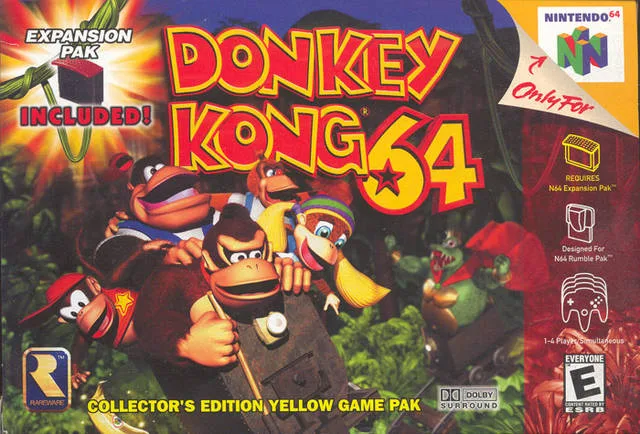
Learn how to master Donkey Kong 64's controls in Part 4 of our guide. We cover jumping, swimming, attacking, camera controls, and more!
Alright, let's dive into the nitty-gritty of how to actually *play* Donkey Kong 64. This section is all about getting comfortable with the controls, so you can move, attack, and explore like a pro. Think of this as your personal crash course!
Movement and Basic Actions
You'll be using the control stick for most of your movement on land. It's pretty standard for N64 games, letting you walk and run around. You can also hang onto ledges, which is super useful if you accidentally slip off. If you find yourself hanging, just push the control stick up to climb back up. If you want to drop off intentionally, hold the control stick down and press the Z button.
Swimming underwater works similarly with the control stick, but it's a bit trickier to be precise. Pushing the stick up makes Donkey go down in the water, and holding it down makes him go up. It takes a little getting used to!
The A Button: Jump and Swim
The A button is your go-to for jumping. A quick tap makes you hop a little, pressing it a bit longer gives you a higher jump, and holding it down lets you leap to your maximum height. It's your basic jump mechanic, essential for platforming.
When you're underwater, holding down the A button makes Donkey swim using his whole body. It's the fastest way to get around in the water, but if you're trying to grab specific items, you might want to use a slower method for better accuracy.
The B Button: Attack and Swim
The B button is your offensive tool and also plays a role in swimming. While standing still, pressing B performs a stationary swipe attack. Keep mashing it, and your Kong will string together a few attacks. However, this move limits your movement, so it's usually better to attack while on the move.
When you're moving and press B, your Kong will charge forward, damaging enemies. This is generally the best way to take out baddies because you can keep your momentum going. While underwater, holding the B button makes your Kong paddle his feet. This is a slow, deliberate swim, perfect for when you need to carefully grab items, but not ideal for covering distance.
The Z Button: Dive, Break, and Crouch
In the water, pressing the Z button makes Donkey dive. If you're swimming and hold Z, your Kong will stay still in the water, which can be really handy. On land, holding Z makes DK crouch. This is mainly used to set up other moves, which we'll get to later.
The C Buttons: Camera Control
The C buttons are all about managing your camera. While camera controls can sometimes be frustrating in games, Donkey Kong 64's system is pretty decent. The left C button rotates the camera to the left, and holding it will keep it spinning. The right C button does the same but to the right.
Pressing the up C button switches to a first-person
100% Human-Written. AI Fact-Checked. Community Verified. Learn how AntMag verifies content