Master the HUD/UI elements in SLAPSHOT Rebound. Understand vital real-time data on your screen for split-second decisions and peak gameplay.
Welcome to the ice, future SLAPSHOT Rebound superstar! Before you start racking up those goals and epic saves, it's crucial to understand the information constantly displayed on your screen. Your Head-Up Display (HUD) and User Interface (UI) are your best friends, providing vital real-time data to help you make split-second decisions. Mastering these elements will elevate your game from a casual puck-chaser to a strategic playmaker.
The Core HUD: Always in View
These elements are your constant companions throughout every match. Pay close attention to them!
- Scoreboard (Top Center): This is your primary indicator of who's winning!
- Team 1 Score (Left): Displays the current goals scored by your team (or the left-side team in spectator mode).
- Team 2 Score (Right): Shows the current goals scored by the opposing team (or the right-side team).
- Period Timer (Middle): This crucial countdown indicates how much time is left in the current period. Keep an eye on it to manage your offensive pushes and defensive stands!
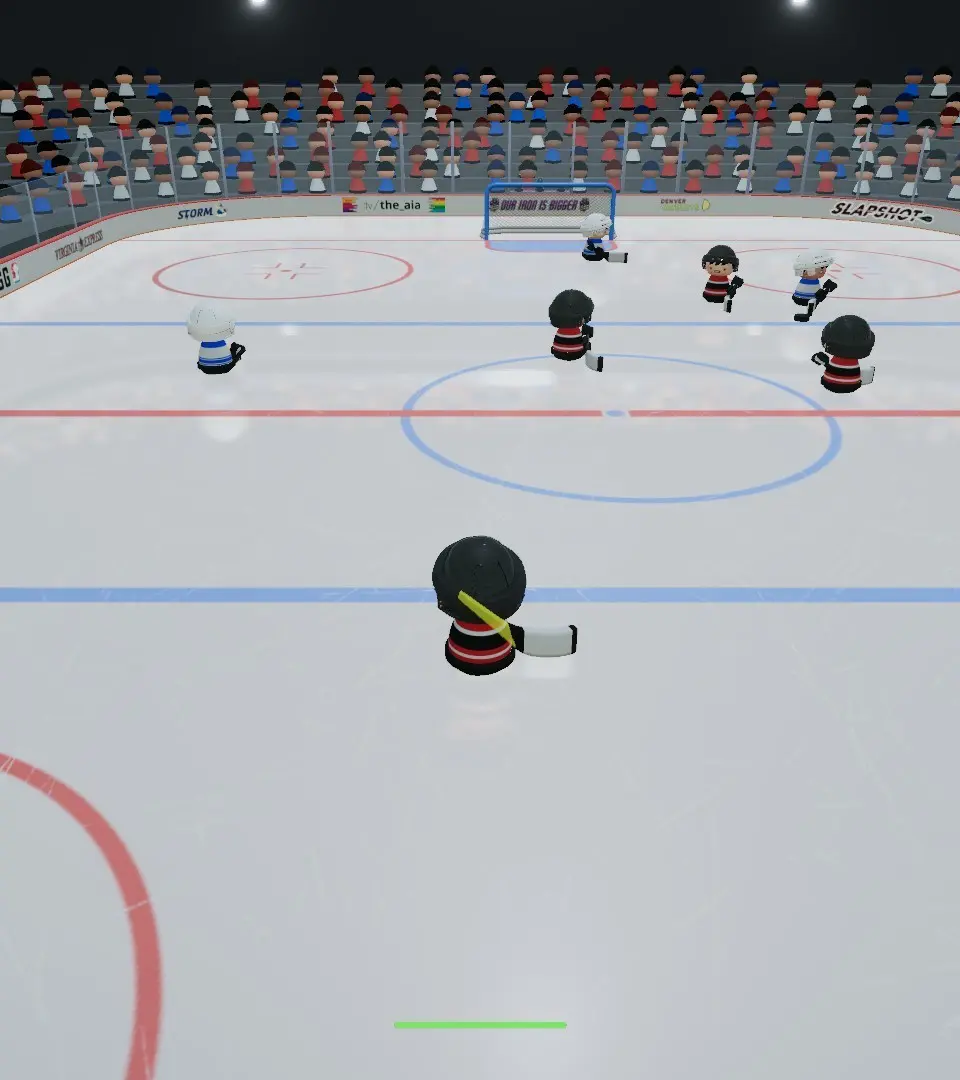
- Player Name & Stats (Bottom Center): When you're actively controlling a player, this section provides immediate feedback on your current character.
- Player Name: Your current character's name will be prominently displayed.
- Energy Bar (Green/Yellow/Red): This vital bar shows your player's current stamina.
- Green: Full energy, ready for anything!
- Yellow: Moderate energy, consider conserving or making a quick substitution if available.
- Red: Low energy, your player will be significantly slower and less effective. Time for a line change or a defensive retreat!
- Boost Meter (Blue Bar): Located just below the Energy Bar, this indicates your available boost for quick bursts of speed. It recharges over time, so use it strategically!
- Puck Indicator (Around Puck): A subtle but important visual cue. When the puck is near, a small, glowing circle or arrow will often appear around it, making it easier to track in chaotic situations.
Situational UI: Appearing When Needed
These elements pop up to give you specific information during key moments of the game.
- Goal Scored Notification (Mid-Screen, Temporary): When a goal is scored, a large, celebratory message will briefly appear, often indicating which team scored and sometimes You responsible. Get ready for the replay!
- Penalty Notification (Mid-Screen, Temporary): If a penalty is called, a clear message will inform you of the infraction (e.g., "Tripping," "Interference") and You involved. This is crucial for understanding power plays and penalty kills.
- Power Play/Penalty Kill Timer (Top Center, Below Scoreboard): During special teams situations, a separate timer will appear, counting down the remaining time on the power play or penalty kill. This is essential for strategic play.
- Line Change Prompts (Bottom Left/Right, Temporary): Depending on your game settings and team composition, prompts for line changes might appear, suggesting when to swap out tired players for fresh ones.
- Chat Window (Bottom Left, Optional): If you're playing online with chat enabled, this window will display messages from other players. Keep an eye on it for team communication or friendly banter!
Understanding Player Indicators
Knowing what the icons and highlights around players mean is key to effective teamwork and positioning.
- Active Player Indicator (Above Your Player): A distinct arrow or highlight will always be above You you are currently controlling. This helps you quickly identify your character in a crowded play.
- Teammate Indicators (Above Teammates): Your teammates will often have a smaller, less prominent indicator above their heads, usually in your team's color. This helps with passing and positioning.
- Opponent Indicators (Above Opponents): Opposing players will have their own indicators, typically in the opposing team's color, helping you differentiate them from your teammates.
- Puck Carrier Highlight (Around Puck Carrier): You currently in possession of the puck will often have a more pronounced highlight or glow around them, making it easy to spot who has the biscuit.
By internalizing these HUD and UI elements, you'll gain a significant advantage on the ice. Practice tracking the puck, monitoring your energy, and reacting to situational prompts. The more comfortable you become with this information, the faster your decision-making will be, and the more goals you'll score!
100% Human-Written. AI Fact-Checked. Community Verified. Learn how AntMag verifies content