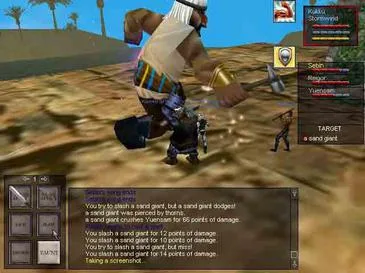
Customize your EverQuest character's look with transmogrification and appearance options. Showcase your unique style without sacrificing combat effectiveness.
In the vast world of Norrath, looking the part is almost as important as playing it. EverQuest offers a robust system for customizing your character's appearance, allowing you to showcase your unique style without sacrificing combat effectiveness. This guide will walk you through the various methods of transmogrification and appearance customization available to adventurers.
Illusion Potions and Spells
The simplest and most temporary way to alter your appearance is through the use of illusion potions or spells. These items and abilities can transform you into a wide array of creatures and races, offering a fun way to roleplay or simply surprise your friends.
- Illusion Potions: Many vendors throughout Norrath sell various illusion potions. For example, the Potion of Forest Giant Form can often be found in the Plane of Knowledge from general vendors. Keep an eye out for seasonal event vendors as well, as they frequently offer unique and temporary illusion potions.
- Bard Illusions: Bards are masters of illusion and can learn numerous spells to change their own or their group members' appearances. Notable spells include Illusion: Dark Elf, Illusion: Gnome, and more exotic forms learned at higher levels or through specific quest lines. Consult your Bard trainer in cities like Kelethin or Qeynos for a full list of available spells.
- Enchanter Illusions: Enchanters also possess a powerful suite of illusion spells, often more potent and long-lasting than those of Bards. Look for spells like Illusion: Iksar or Illusion: Guktan. Enchanter trainers in Freeport or Ak'Anon can guide you to these.
- Racial Illusions: Some races have innate abilities or items that grant illusions. For instance, Dark Elves can often find items that allow them to temporarily appear as other races to bypass faction checks.
Ornamentation System
The Ornamentation system is EverQuest's primary method for permanent cosmetic changes to your equipped gear. This allows you to maintain the stats of your powerful raid gear while displaying the aesthetics of your favorite classic armor sets or unique quest rewards.
How to Apply Ornamentations:
- Acquire an Ornamentation: Ornamentations are special items that can be applied to eligible armor pieces. They drop from various sources:
- Raid Bosses: Many high-tier raid bosses in zones like Plane of Time or The Serpent's Spine drop powerful and visually distinct ornamentations.
- Group Content: Certain challenging group dungeons and missions, particularly in newer expansions, offer ornamentations as rewards.
- Quests: Specific quest lines, such as those found in the Dragons of Norrath expansion, may reward unique ornamentations.
- Marketplace: The EverQuest Marketplace often features a rotating selection of cosmetic ornamentations for purchase with Station Cash.
- Tradeskills: Some rare ornamentations can be crafted by high-level artisans, requiring obscure components found throughout Norrath. Consult advanced tradeskill guides for specific recipes.
- Identify Eligible Gear: Not all armor pieces can be ornamented. Look for the "Ornamentation Slot" on the item's description. Most modern raid and group gear will have this slot.
- Open the Ornamentation Window: Right-click on the ornamentation item in your inventory. This will open a dedicated window.
- Place Gear and Ornamentation: Drag the eligible armor piece into the left slot of the ornamentation window and the ornamentation item into the right slot.
- Confirm Application: Click the "Apply" button. The ornamentation will be consumed, and your armor piece will now display the new appearance. The original stats of your armor remain unchanged.
Removing Ornamentations:
If you wish to change an ornamentation or revert to the original appearance of your armor, you will need a Remover of Ornamentation. These items can typically be purchased from general merchants in the Plane of Knowledge or from specific tradeskill vendors. Right-click the Remover of Ornamentation, place the ornamented item in the slot, and click "Remove." The ornamentation will be destroyed, and the item will revert to its default appearance.
Hero's Forge Armor
Hero's Forge is a unique appearance system that allows players to unlock and apply specific armor appearances to any equipped gear, regardless of its original look. This system provides a vast library of iconic EverQuest armor sets for customization.
Unlocking Hero's Forge Armor:
- Acquire Hero's Forge Armor Crates: These crates drop from various sources, including:
- Daily and Weekly Missions: Completing certain missions in newer expansions often rewards Hero's Forge crates.
- Raid Bosses: High-tier raid encounters can drop crates containing rare Hero's Forge pieces.
- EverQuest Marketplace: The Marketplace is a consistent source for Hero's Forge armor sets, often bundled or sold individually.
- Open the Crate: Right-click the Hero's Forge armor crate in your inventory. This will grant you a specific piece of Hero's Forge armor (e.g., Hero's Forge Plate Chest).
- Learn the Appearance: Once you have the Hero's Forge armor piece, right-click it to "learn" the appearance. This adds it to your character's permanent Hero's Forge collection, accessible through the Character Appearance window. The item itself is consumed upon learning.
Applying Hero's Forge Armor:
- Open the Character Appearance Window: Press 'Alt+J' or navigate through the EQ menu to "Character" -> "Appearance."
- Select Hero's Forge Tab: Within the Appearance window, click on the "Hero's Forge" tab.
- Choose Your Slot: Select the armor slot you wish to customize (e.g., "Chest," "Legs," "Helm").
- Browse and Select Appearance: A list of all learned Hero's Forge appearances for that slot will be displayed. Click on the desired appearance.
- Apply Changes: Click "Apply" to instantly change the visual of your equipped armor piece to the chosen Hero's Forge appearance. This does not consume any items and can be changed at any time.
Note: Hero's Forge appearances are character-bound once learned. They cannot be traded or transferred to other characters on your account.
Dyeing Armor
While not as transformative as ornamentations or Hero's Forge, dyeing allows for subtle yet impactful customization of your armor's color palette. Most armor pieces can be dyed, though the effect can vary depending on the armor's texture and material.
How to Dye Armor:
- Acquire Dyes: Dyes can be obtained from several sources:
- General Merchants: Basic dyes like Red Dye, Blue Dye, and Green Dye are readily available from general goods vendors in most major cities (e.g., Plane of Knowledge, Crescent Reach).
- Tradeskill Vendors: Some specialized dyes or dye components might be sold by tradeskill vendors.
- EverQuest Marketplace: The Marketplace often offers unique and vibrant dye colors not found elsewhere.
- Quests and Events: Rare or limited-edition dyes can sometimes be rewards from specific quests or seasonal events.
- Open the Dye Window: Right-click on the dye item in your inventory. This will open a small dyeing interface.
- Place Armor and Dye: Drag the armor piece you wish to dye into the left slot of the dye window and the dye item into the right slot.
- Preview and Apply: A preview of your armor with the new dye will often appear. Click "Apply" to consume the dye and change the color of your armor.
Tip: Experiment with different dyes on various armor types. Plate, chain, leather, and cloth armor react differently to dyes, offering a wide range of visual outcomes.
Cloak and Shield Appearance Slots
Beyond your main armor, EverQuest provides dedicated appearance slots for your cloak and shield, allowing you to display a preferred cosmetic item regardless of what you have equipped for stats.
Accessing Appearance Slots:
- Open the Inventory Window: Press 'I' or navigate through the EQ menu to "Character" -> "Inventory."
- Locate Appearance Slots: On the right side of your inventory window, below your main equipment slots, you will see two additional slots labeled "Appearance Cloak" and "Appearance Shield."
- Drag and Drop: Simply drag any cloak or shield item from your inventory into its respective appearance slot. The item will be consumed, and its appearance will be applied.
Note: Once an item is placed in an appearance slot, it is consumed. If you wish to change the appearance, you will need another cloak or shield item to place in the slot. The stats of your *equipped* cloak and shield remain active; these slots are purely cosmetic.
With these tools at your disposal, you can truly make your EverQuest adventurer stand out in the bustling cities and dangerous dungeons of Norrath. Happy customizing!
100% Human-Written. AI Fact-Checked. Community Verified. Learn how AntMag verifies content