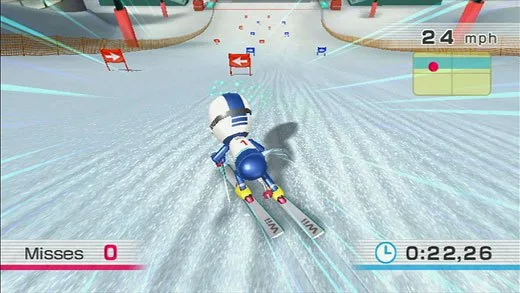
Your friendly guide to Wii Fit! Learn how to perform Body Tests, master Yoga, Strength Training, Aerobics, and Balance Games, and unlock new exercises.
Hey there! So you've just booted up Wii Fit and are wondering what all the fuss is about? Don't worry, I've got your back. This guide is here to walk you through everything, from your very first Body Test to mastering all the different training modes. Think of me as your personal coach, right here with you.
Wii Fit, with its unique Wii Balance Board, is all about getting you moving and aware of your body. It was released way back on May 21, 2008, and you absolutely need that Balance Board to play – no exceptions! Just a quick heads-up: the board can handle up to 330 lbs, but please, whatever you do, never jump on it. We're aiming for fitness, not broken equipment!
Let's get started by looking at the basics you'll need to play and navigate the game.
What You'll Need
To jump into all the fun, you'll need a few things:
- Two Wii Remotes (one if you're playing solo)
- One Nunchuck
- The Wii Balance Board
- Your Wii console and the Wii Fit game, of course!
The Wii Remote is your main tool for selecting options, navigating menus, and sometimes even participating in certain exercises. The Balance Board, though, is the star of the show for most activities, tracking your movements and weight distribution.
Getting Started: Your First Steps
When you first pop the Wii Fit disc in, your Wii might need to do a system update. Once the game loads, it's time to create your profile! You'll pick your Mii, and then the Balance Board will introduce itself. Follow the prompts to enter your age, height, and other details. After that, you'll dive straight into your first Body Test – we'll cover that in detail in a bit. You can also set up a password for your profile if you want to keep your progress private.
Navigating the Main Menu
The main menu is your central hub. You'll see your Miis lined up at the bottom, sometimes even doing little exercises themselves! Above them is your graph, which shows your Body Mass Index (BMI) and your Fit Credits.
Over to the left, you've got:
- Wii Menu: Takes you back to the main Wii system menu.
- New Profile: Lets you create profiles for up to eight different Miis.
And on the right:
- Settings: This is where you can install the handy Wii Fit Channel (so you can do a Body Test without the disc!), check your Balance Board's status, and view the credits.
- Trial: Allows you to use Guest Miis for a Body Test or some training.
Your Profile: Keeping Track
Once you select your Mii, you'll land on Your Profile page. Here, you'll find your calendar, which keeps a record of your activities.
To the right of the calendar, you'll see:
- Wii Fit Plaza: Returns you to the main menu.
- Graph: This is where you can really dive into your progress. Check your BMI, weight, Wii Fit Age, and Fit Credits.
On the left side, under User Settings, you can:
- Edit Profile: Change your Mii, height, birthday, or password.
- Change Design: Customize your calendar's color and stamp design.
- Change Trainer: Switch between the male and female trainers.
- Delete User Data: If you need to start fresh, this is where you go.
Below the graph, you'll find quick access to Body Test and Training.
100% Human-Written. AI Fact-Checked. Community Verified. Learn how AntMag verifies content