Master PC Building Simulator 2's Daily and Weekly Challenges for bonus cash, XP, and exclusive components to enhance your progression and expand your workshop.
Beyond the regular career mode, PC Building Simulator 2 offers a dynamic layer of engagement through its Daily and Weekly Challenges and Events. These timed activities provide excellent opportunities to earn bonus cash, experience points (XP), and exclusive cosmetic items or rare components. Mastering these challenges is crucial for rapid progression and expanding your workshop's capabilities.
Accessing Challenges and Events
You can access the current challenges and events directly from your workshop's main computer. Navigate to the "Challenges" tab, typically located near the "Jobs" and "Shop" sections. Here, you'll find a clear breakdown of active daily and weekly tasks, along with their associated rewards and remaining time.
Daily Challenges: Quick Gains, Consistent Rewards
Daily Challenges reset every 24 hours (real-world time) and are generally simpler, focusing on common tasks you'd encounter during regular gameplay. They are an excellent way to top up your daily earnings and XP.
- Typical Daily Challenge Types:
- "Install X Components": Requires you to install a specific number of a certain component type, e.g., "Install 5 GPUs" or "Install 10 sticks of RAM."
- "Achieve X 3DMark Score": Build a PC that reaches a minimum 3DMark benchmark score. Focus on high-end CPUs and GPUs for these.
- "Clean X PCs": Simply clean a specified number of PCs using the compressed air tool.
- "Repair X Faults": Successfully diagnose and fix a certain number of PC faults across various jobs.
- "Earn X Money from Jobs": Complete jobs until you've accumulated the target amount of cash.
- Strategy for Daily Challenges:
- Integrate with Jobs: Many daily challenges can be completed passively while working on client jobs. For example, if a daily challenge is "Install 5 GPUs," try to accept jobs that require GPU upgrades or new builds.
- Keep Stock Handy: For component installation challenges, having a small stock of common parts (e.g., cheap RAM, basic SSDs) can help you quickly complete these by installing and then immediately removing them from a test bench PC if you don't have a client job needing them.
- Prioritize High-Reward: If you're short on time, focus on challenges with higher cash or XP rewards, especially if they align with your current job queue.
- Rewards: Typically grant a moderate amount of cash (e.g., $500 - $1500) and XP (e.g., 100 - 300 XP) per completed challenge.
Weekly Challenges: Strategic Planning, Greater Rewards
Weekly Challenges are more involved and require a bit more planning, often spanning multiple days to complete. They reset once a week and offer significantly better rewards, including rare components or unique cosmetic items for your workshop.
- Typical Weekly Challenge Types:
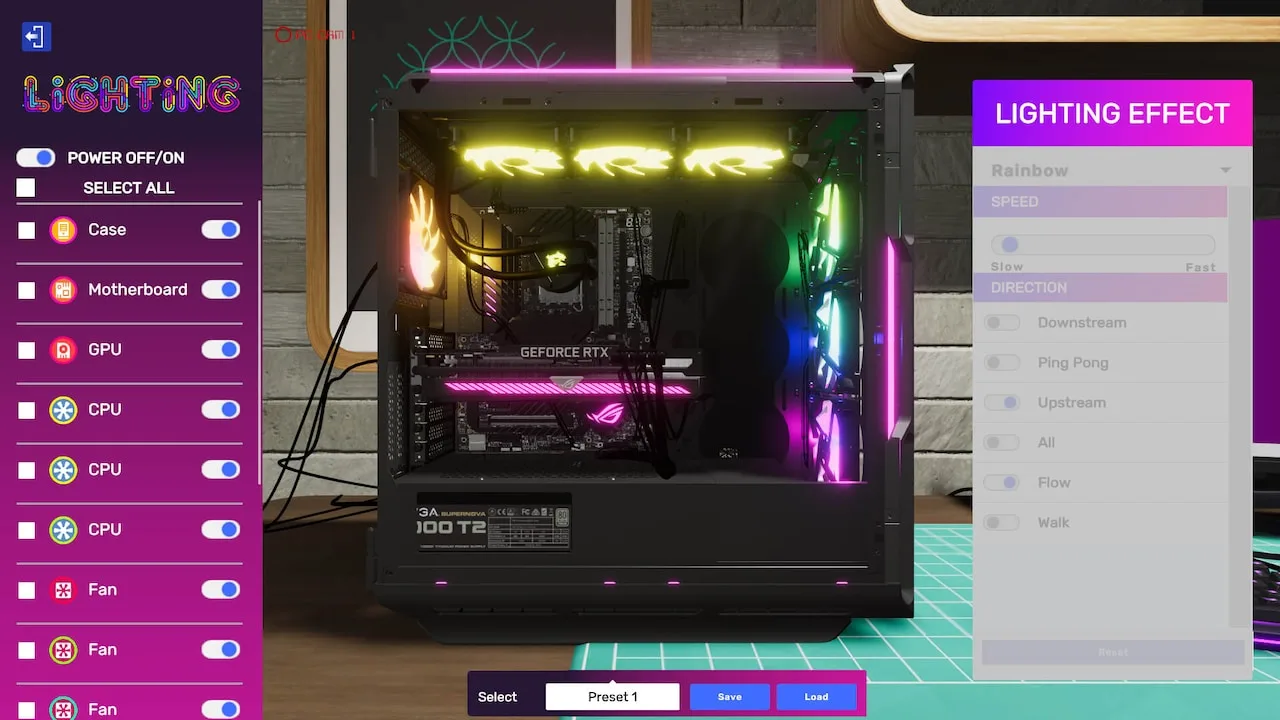
- "Build X Themed PCs": Construct PCs with specific aesthetic requirements, e.g., "Build 3 RGB-themed PCs" or "Build 2 Water-cooled PCs." This often requires careful component selection and cable management.
- "Overclock X CPUs/GPUs to Y GHz/MHz": Successfully overclock a certain number of components to a specified frequency. This will test your knowledge of cooling solutions and stability.
- "Achieve X Total 3DMark Score Across All Builds": This cumulative challenge requires you to build multiple high-performance PCs over the week.
- "Complete X Jobs with 5-Star Ratings": Focus on meticulous work, meeting all client requests, and achieving perfect cable management and aesthetics to earn those top ratings.
- "Diagnose and Fix X Complex Issues": These often involve more obscure faults or require specific diagnostic tools like the "Thermal Camera" or "Part Finder" software.
- Strategy for Weekly Challenges:
- Early Planning: Check the weekly challenges at the start of the week. If a challenge requires specific parts (e.g., custom water-cooling components, specific RGB fans), order them early to avoid delays.
- Resource Management: Some challenges might require significant capital investment (e.g., buying multiple high-end GPUs for overclocking). Ensure you have sufficient funds or plan to earn them through regular jobs.
- Dedicated Workshop Space: Consider dedicating a workbench or two specifically for weekly challenge builds, especially those involving complex water-cooling or aesthetic themes.
- use the "Part Finder": For diagnostic challenges, the "Part Finder" app on your tablet is invaluable for quickly identifying faulty components.
- Consult Guides: For complex overclocking or water-cooling challenges, don't hesitate to consult in-game tutorials or community guides for optimal settings and loop configurations.
- Rewards: Offer substantial cash (e.g., $2000 - $5000+), significant XP (e.g., 500 - 1000+ XP), and often unique rewards like rare component variants (e.g., a limited edition GPU), workshop decorations, or new tools.
Special Events: Limited-Time Opportunities
Occasionally, PC Building Simulator 2 will feature limited-time special events, often tied to real-world holidays or game updates. These events typically introduce unique job types, themed challenges, and exclusive rewards that are only available for the event duration.
- Event Characteristics:
- Themed Jobs: Clients might request PCs with specific holiday themes (e.g., "Halloween-themed build with orange and black RGB") or components from a newly released brand.
- Unique Mechanics: Some events might introduce temporary new mechanics or tools.
- Exclusive Rewards: The primary draw of special events is often the unique rewards, which can include rare cases, custom fan designs, workshop posters, or even special tools that offer minor gameplay benefits.
- Strategy for Special Events:
- Stay Informed: Keep an eye on in-game announcements or the game's official social media channels for news about upcoming events.
- Prioritize Event Tasks: Due to their limited-time nature and exclusive rewards, it's often beneficial to prioritize event-specific jobs and challenges over regular career mode tasks.
- Resource Hoarding: If an event is announced that requires specific types of components (e.g., high-end CPUs for a benchmarking competition), consider stocking up beforehand if possible.
- Rewards: Highly variable, but always exclusive and often cosmetic, making them highly sought after by collectors.
Engaging with Daily and Weekly Challenges and participating in Special Events is not just about earning extra cash; it's about pushing your PC building skills, experimenting with new components, and adding a layer of variety and excitement to your workshop experience. Make them a regular part of your routine to maximize your progression and unlock everything PC Building Simulator 2 has to offer!
100% Human-Written. AI Fact-Checked. Community Verified. Learn how AntMag verifies content