
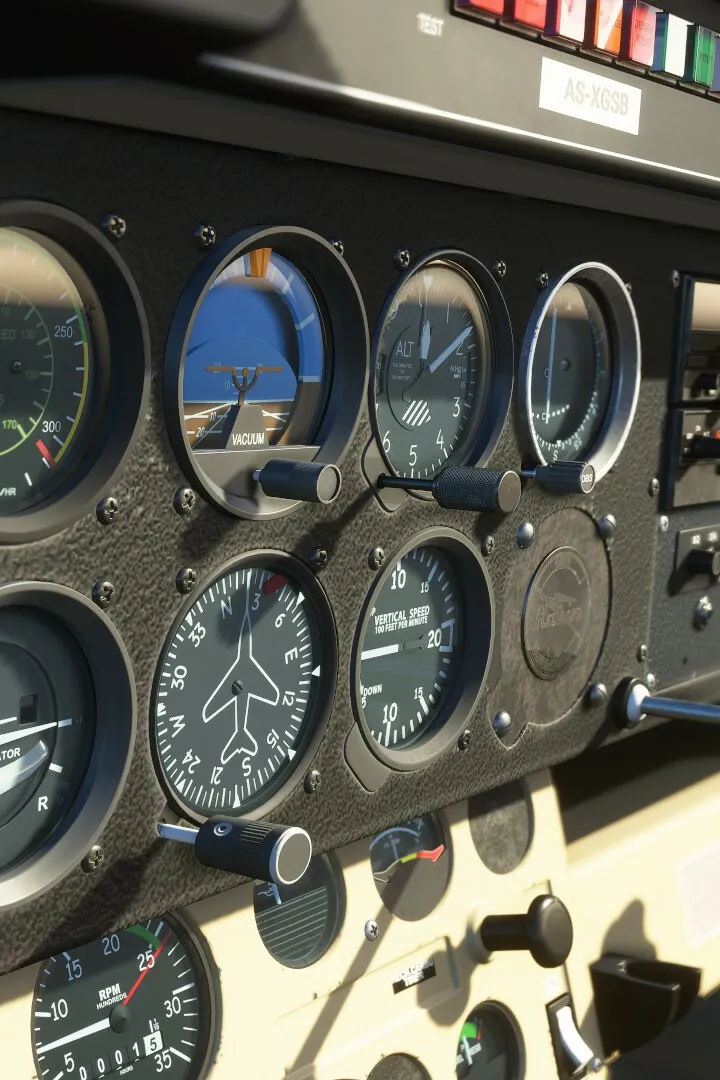
Master Visual Flight Rules (VFR) basics in Microsoft Flight Simulator. Fly by sight, using landmarks for navigation while exploring MSFS.
Welcome, aspiring aviator! This detailed guide will walk you through the fundamentals of Visual Flight Rules (VFR) in Microsoft Flight Simulator. VFR is all about flying by looking out the window, using landmarks, and maintaining visual contact with the ground and other aircraft. It's the most intuitive way to fly and perfect for exploring the vast world of MSFS.
Understanding VFR Conditions
Before you even think about taking off under VFR, you need to ensure the weather conditions are suitable. VFR requires good visibility and a high cloud ceiling. In Microsoft Flight Simulator, you can adjust these settings:
- From the main menu, navigate to the World Map.
- In the top right corner, click on the Weather and Time icon (represented by a cloud and sun).
- Under the "Weather Presets" dropdown, select options like "Clear Skies" or "Few Clouds" for optimal VFR flying. Avoid "Stormy Weather" or "Dense Fog" as these are strictly Instrument Flight Rules (IFR) conditions.
- Pay close attention to the "Visibility" and "Cloud Coverage" sliders. For true VFR, aim for high visibility (e.g., 10+ miles) and a cloud ceiling well above your intended cruising altitude.
Pre-Flight Planning for VFR
Even though you're flying by sight, a little planning goes a long way. This ensures a smooth and enjoyable flight.
- Route Selection:
- Open the World Map.
- Select your departure and destination airports.
- Instead of letting the simulator auto-generate an IFR route, manually click on various points along your desired path to create a series of waypoints. Aim to follow prominent geographical features like rivers, coastlines, major roads, or mountain ranges.
- Zoom in to identify distinctive landmarks such as large lakes, unique buildings, or specific towns that you can use for navigation.
- Aircraft Choice:
- For VFR, lighter, slower aircraft with excellent visibility are ideal. Consider options like the Cessna 152, Cessna 172 Skyhawk, or the CubCrafters X-Cub. These aircraft are forgiving and provide a great view.
- Avoid complex airliners like the Boeing 747-8 Intercontinental or the Airbus A320neo for VFR, as they are designed for IFR operations and offer limited outward visibility from the cockpit.
- Fuel Calculation:
- Before starting your flight, access the Fuel and Payload menu (usually accessible from the World Map or during the pre-flight setup).
- Ensure you have enough fuel for your planned route, plus a comfortable reserve. A good rule of thumb is to have enough fuel for your trip plus an additional 30-45 minutes of flight time.
In-Flight VFR Navigation Techniques
Once airborne, your primary tools for VFR navigation are your eyes and the world outside the cockpit.
Pilotage (Visual Reference)
This is the core of VFR. You'll be comparing what you see outside the window with your planned route on the map.
- Identify Landmarks: As you fly, constantly look for the landmarks you identified during your pre-flight planning. If you planned to follow a river, keep that river in sight.
- Map Comparison: Periodically refer to your in-game map (accessible via the toolbar at the top of the screen, usually the globe icon). Compare your current position and heading with the map to confirm you're on track.
- Course Corrections: If you drift off course, make small, gentle turns to realign yourself with your chosen visual reference.
Dead Reckoning (Estimated Position)
While less precise than pilotage, dead reckoning helps you estimate your position based on your last known location, heading, speed, and elapsed time.
- Maintain Heading and Speed: Try to maintain a constant heading and airspeed as much as possible, especially over areas with fewer distinct landmarks.
- Time Tracking: Note the time when you pass a known landmark. Based on your speed, you can estimate when you should reach the next one.
- Wind Correction: Be aware of wind effects. Even a slight crosswind can push you off course over time. You can check wind direction and speed in the weather settings or by observing ground features like smoke plumes.
Maintaining Situational Awareness
Staying aware of your surroundings is crucial for VFR safety.
- Lookout: Constantly scan the sky for other aircraft. While MSFS doesn't have a dense air traffic system by default, add-ons or multiplayer sessions can introduce other planes.
- Altitude and Airspeed: Regularly check your altimeter and airspeed indicator. Maintain a safe altitude above terrain and a comfortable cruising speed for your aircraft.
- Communication (Optional but Recommended): Even in VFR, it's good practice to tune into the appropriate Air Traffic Control (ATC) frequencies. While you won't receive complex instructions, you can announce your intentions (e.g., "Cessna 152, departing KSEA, VFR to KPDX") to simulate real-world procedures and enhance immersion. Use the ATC Window (usually accessible via the toolbar).
Landing VFR
Approaching your destination airport under VFR involves joining the traffic pattern.
- Identify the Airport: From a distance, locate your destination airport. Look for runways, hangars, and other airport infrastructure.
- Enter the Traffic Pattern:
- Typically, you'll approach the airport at a 45-degree angle to the downwind leg, at the recommended traffic pattern altitude (often 1000 feet above airport elevation, but check airport charts if available).
- Fly parallel to the runway in the opposite direction of landing (downwind leg).
- Turn onto the base leg, perpendicular to the runway.
- Finally, turn onto the final approach, aligning yourself with the runway centerline.
- Visual Approach: Use visual cues to guide your descent. Aim for a stable approach, adjusting power and pitch to control your glide path.
- Landing: Flare gently over the runway and touch down smoothly.
Mastering VFR in Microsoft Flight Simulator is a rewarding experience. It allows you to truly appreciate the stunning scenery and develop fundamental piloting skills. Practice these techniques, and you'll be navigating the virtual skies with confidence!
100% Human-Written. AI Fact-Checked. Community Verified. Learn how AntMag verifies content