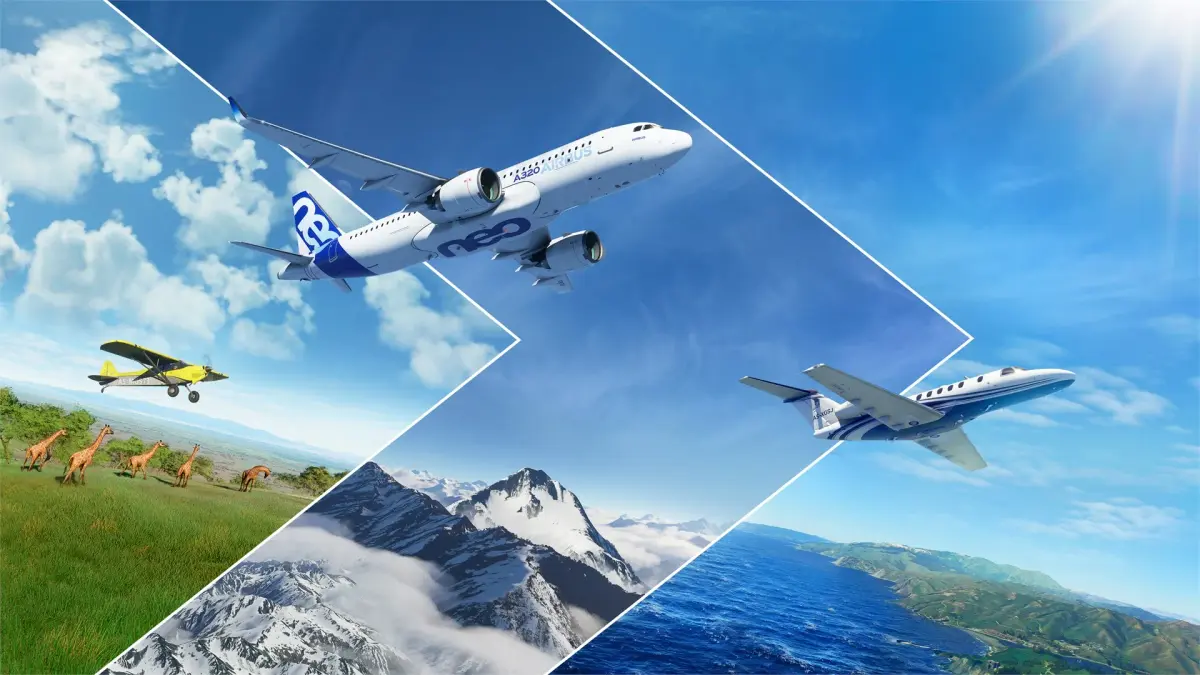
Navigate the detailed globe of Microsoft Flight Simulator. This guide shows you how to best experience the planet's diverse landscapes and iconic landmarks fro.
Discover the breathtaking beauty of our planet from the cockpit of your aircraft. Microsoft Flight Simulator's vast, detailed world offers endless opportunities for exploration. This guide highlights how to best experience the globe's diverse landscapes and iconic landmarks.
Microsoft Flight Simulator is renowned for its stunningly accurate and expansive representation of the entire Earth. This allows for unparalleled world exploration, enabling you to fly over virtually any location you can imagine. Whether you're a seasoned pilot or a new enthusiast, the world is your playground. This section will guide you on how to make the most of this incredible feature.
Leveraging the World Map
The 'World Map' is your primary tool for planning and initiating exploration flights. It's a fully interactive globe where you can:
- Zoom and Pan: Explore continents, countries, cities, and even individual landmarks with incredible detail.
- Select Airports: Choose from thousands of airports worldwide as your departure or arrival points.
- Set Waypoints: Create custom flight paths by adding waypoints, allowing you to fly over specific regions or landmarks.
- Discover Points of Interest: The map highlights famous landmarks, natural wonders, and significant geographical features.
Featured Exploration Activities
Microsoft Flight Simulator offers curated experiences designed to showcase the world's beauty:
- Discovery Flights: These are pre-set routes designed for scenic enjoyment, often featuring breathtaking landscapes and iconic landmarks. Examples include flights over the Swiss Alps, the Grand Canyon, or the fjords of Norway. They are perfect for new players to experience the simulator's visual fidelity.
- Bush Trips: These are multi-leg journeys that take you to remote and challenging locations, often with minimal navigation aids. They are designed to test your VFR navigation skills and immerse you in the local environment. Each leg has specific objectives and often includes historical or geographical context.
Exploring Iconic Landmarks and Cities
The simulator's photogrammetry technology brings many real-world locations to life with remarkable detail. You can fly over:
- Major Cities: Experience the skylines of New York, London, Tokyo, Paris, and countless others.
- Natural Wonders: Soar over the Amazon Rainforest, the Sahara Desert, Mount Everest, the Great Barrier Reef, and the Northern Lights.
- Historical Sites: Fly past the Pyramids of Giza, Machu Picchu, the Colosseum in Rome, or the Statue of Liberty.
Tip: Use the simulator's search function to find specific landmarks or cities. Once you've found your destination, you can set it as your arrival point and plan a route to fly over it.
Tips for World Exploration
- Choose the Right Aircraft: For exploring remote areas or flying low and slow over landscapes, a bush plane like the Cessna 172 or a helicopter is ideal. For covering vast distances quickly, a touring aircraft or business jet is more suitable.
- use Live Weather: Experience the world as it is in real-time. Flying over a city during a sunset with live weather can be an unforgettable experience.
- Adjust Graphics Settings: To maximize visual fidelity, ensure your graphics settings are optimized for your hardware. Higher settings will render more detailed terrain, buildings, and atmospheric effects.
- Use VR (if available): For the ultimate immersive exploration, consider using a Virtual Reality headset. It truly puts you in the cockpit.
- Fly at Different Altitudes: Experience the world from different perspectives. Low-level flying offers incredible detail of terrain and structures, while high-altitude flight provides a grand overview of continents and weather patterns.
- Record Your Flights: Use the simulator's replay feature or external recording software to capture your most memorable exploration flights.
Microsoft Flight Simulator offers an endless canvas for aviation enthusiasts. Whether you're charting a course to a familiar city or venturing into the unknown, the world is yours to explore. So, pick an aircraft, set a destination, and embark on your next great adventure!
100% Human-Written. AI Fact-Checked. Community Verified. Learn how AntMag verifies content