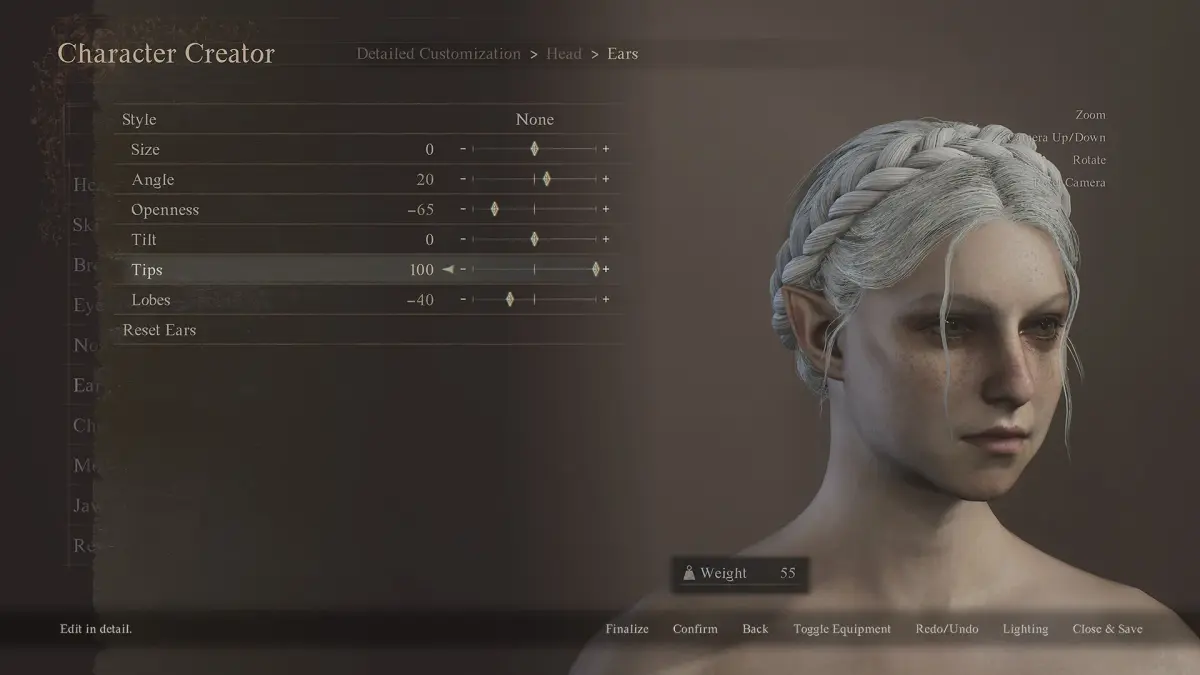
Explore the Dragon's Dogma 2 Character Creator & Storage guide. Learn about race, body, head, and appearance customization options to craft your unique Arisen and Pawn.
This guide covers the Character Creator for Dragon's Dogma 2 (DD2), detailing all customization options available for your Arisen and Pawn. Learn how to select race, adjust body and head features, modify facial details, and more.
Character Creator Options
| Character Creator Options | Can be Changed After Creation? |
|---|---|
| Race | ❌ |
| Base Body | ✔️ |
| Base Head | ✔️ |
| Body Adjustments | ✔️ |
| Facial Features | ✔️ |
| Hairstyles and Facial Hair | ✔️ |
| Facial Design and Patterns | ✔️ |
| Facial Design and Patterns | ✔️ |
Choose Your Race
You can choose between two races and two genders for each race: Male Human, Female Human, Male Beastren, and Female Beastren.
Choosing a Base Body
After selecting your race, choose a base body that varies in height and weight. The body type you choose may affect certain gameplay elements.
Choose Your Base Head to Work On
Select a base head and face to begin. Subsequent choices will be influenced by your initial selection, with some parts resembling your first choice. You can still pick your initial choice as it remains among the options.
Body Adjustments
Customize your character's body, head, upper and lower body, posture, and fur (for Beastren). This section also influences your character's height and mass. Numerous sliders are available for detailed customization.
Fur (Only Available on Beastrens)
| Customization Options | Details |
|---|---|
| Fur | 2 types of Fur. Sets the fur's thickness. |
| Pattern | 7 Pattern Options. Determines the fur's pattern. |
| Pattern Color Presets | 33 Pattern Color Options Available. |
| Color 1 - 4 | 148 Default Color Options. Sets the color of the fur patterns. |
| Color 1 - 4 Intensity | Slider with values ranging from 0 to 100. Determines the color intensity of the fur's color. |
Body
| Customization Options | Details |
|---|---|
| Height | Slider with values ranging from 160 to 215. Determines character's height and greatly affects weight. |
| Torso Length | Slider with values ranging from -100 to 100. Adjusts the torso's length. |
| Muscle Style | 40 Muscle Style options available. |
| Muscle Strength | Slider with values ranging from 0 to 100. |
| Traps Size | Slider with values ranging from -100 to 100. Adjusts the muscle size on the back of the neck. |
| Upper Body Muscle Mass | Slider with values ranging from -100 to 100. Adjusts the amount of muscles in the upper body. |
| Lower Body Muscle Mass | Slider with values ranging from -100 to 100. Adjusts the amount of muscles in the lower body. |
| Upper Body Size | Slider with values ranging from -100 to 100. Adjusts the size of the upper body and greatly affects weight. |
| Lower Body Size | Slider with values ranging from -100 to 100. Adjusts the size of the lower body and greatly affects weight. |
In Dragon's Dogma 1, height and mass were important. Taller characters moved faster, could keep lanterns lit in deep water, fit into monster holes, move between giant enemies' legs, and had a smaller hitbox. Shorter characters had similar advantages. Weight affected stamina consumption, regen rate, and encumbrance. Lighter characters were more agile with lower stamina costs and faster regen. Heavier characters could carry more items and move faster with heavy armor.
Head
| Customization Options | Details |
|---|---|
| Head Size | Slider with values ranging from -100 to 100. Determines the head size. |
| Head Length | Slider with values ranging from -100 to 100. Adjusts how long the head is. |
| Head Width | Slider with values ranging from -100 to 100. Adjusts the wideness of the head. |
| Head Depth | Slider with values ranging from -100 to 100. Adjusts the head's depth. |
| Neck Length | Slider with values ranging from -100 to 100. Adjusts how long the neck is. |
| Neck Thickness | Slider with values ranging from -100 to 100. Sets the thickness of the neck. |
Upper Body
| Customization Options | Details |
|---|---|
| Shoulder Width | Slider with values ranging from -100 to 100. Determines the distance between the shoulders. |
| Shoulder Size | Slider with values ranging from -100 to 100. Adjusts the largeness of the shoulders. |
| Chest Thickness | Slider with values ranging from -100 to 100. Determines the thickness of the chest area. |
| Chest Size | Slider with values ranging from -100 to 100. Adjusts the size of the bosoms. |
| Torso Width | Slider with values ranging from -100 to 100. Adjusts the width of the stomach area. |
| Torso Depth | Slider with values ranging from -100 to 100. Adjusts the depthness of the stomach area. |
| Arm Length | Slider with values ranging from -100 to 100. Determines how long or short your arms are. |
| Arm Size | Slider with values ranging from -100 to 100. Adjusts the thickness of the arms. |
| Upper Arm Thickness | Slider with values ranging from -100 to 100. Adjusts the thickness of the upper arm, above the elbow. |
| Forearm Thickness | Slider with values ranging from -100 to 100. Adjusts the thickness of the forearms, below the elbow. |
Lower Body
| Customization Options | Details |
|---|---|
| Waist Width | Slider with values ranging from -100 to 100. Adjusts the width of the waist. |
| Waist Size | Slider with values ranging from -100 to 100. Adjusts the size of the waist. |
| Hip Width | Slider with values ranging from -100 to 100. Adjusts the width of the hips. |
| Hip Size | Slider with values ranging from -100 to 100. Adjusts the size of the hips. |
| Leg Length | Slider with values ranging from -100 to 100. Adjusts the length of the legs. |
| Leg Thickness | Slider with values ranging from -100 to 100. Adjusts the thickness of the legs. |
| Upper Leg Thickness | Slider with values ranging from -100 to 100. Adjusts the thickness of the thighs. |
| Calf Thickness | Slider with values ranging from -100 to 100. Adjusts the thickness of the calves. |
Posture
| Customization Options | Details |
|---|---|
| Posture | Slider with values ranging from -100 to 100. Adjusts the character's posture. |
Facial Features
Customize various facial features, including eyes, eyebrows, nose, mouth, ears, and jawline. Each feature offers multiple sliders for fine-tuning.
Hairstyles and Facial Hair
Choose from a wide selection of hairstyles and facial hair options. You can also adjust the color and length of hair and facial hair.
Facial Design and Patterns
Apply various designs and patterns to your character's face, such as scars, tattoos, and makeup. You can customize the color, size, and placement of these designs.
100% Human-Written. AI Fact-Checked. Community Verified. Learn how AntMag verifies content