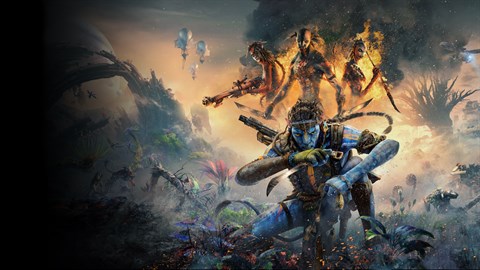

Optimize initial game settings for Avatar: Frontiers of Pandora - From the Ashes. Adjust resolution, shadows, and ray tracing for smooth PC performance.
To ensure the best possible experience in Avatar: Frontiers of Pandora - From the Ashes, optimizing your initial game settings is a crucial step, especially for PC players. Upon launching the game for the first time, you will likely be presented with a series of graphics and gameplay options. For PC, prioritize adjusting the resolution to match your monitor's native resolution for the sharpest image. Frame rate is paramount in a shooter; therefore, consider lowering certain graphical settings to achieve a stable and high frame rate. Settings like shadow quality, texture detail, and anti-aliasing can have a significant impact on performance. Experiment with these settings, starting with medium presets and gradually increasing them if your system can handle it without sacrificing frame rate. Pay close attention to the in-game performance metrics if available, such as an FPS counter, to gauge the impact of your changes. Aim for a consistent frame rate that feels smooth and responsive, typically above 60 FPS for optimal play.
Beyond graphics, several gameplay settings can enhance your experience. For instance, consider adjusting the field of view (FOV). A wider FOV can provide a greater sense of immersion and awareness of your surroundings, which is particularly beneficial in a shooter where situational awareness is key. However, a very wide FOV can sometimes lead to performance dips or visual distortion. Experiment to find a balance that suits your preference. Input sensitivity for both mouse and controller should also be fine-tuned. For mouse users, finding the right DPI and in-game sensitivity is critical for accurate aiming. For controller users, adjusting stick sensitivity can help with both aiming and movement. Take time in a safe area, perhaps near the overlook south of Frayed Rapids or within the Resistance Safehouse in Waterway Valley, to test these adjustments before engaging in combat.
Accessibility options are also vital for a comfortable gaming experience. Avatar: Frontiers of Pandora - From the Ashes may offer features such as subtitle customization, colorblind modes, and control remapping. Review these options to ensure they meet your needs. For example, if you find it difficult to distinguish certain colors on Pandora, utilizing a colorblind mode can make a significant difference. Similarly, remapping controls to a layout that feels more intuitive can improve your reaction times and overall comfort during extended play sessions. Don't overlook audio settings either; adjusting master volume, music, dialogue, and sound effects can help you better discern important audio cues, such as enemy footsteps or incoming fire, which are critical for survival in the challenging environments of Pandora.
100% Human-Written. AI Fact-Checked. Community Verified. Learn how AntMag verifies content