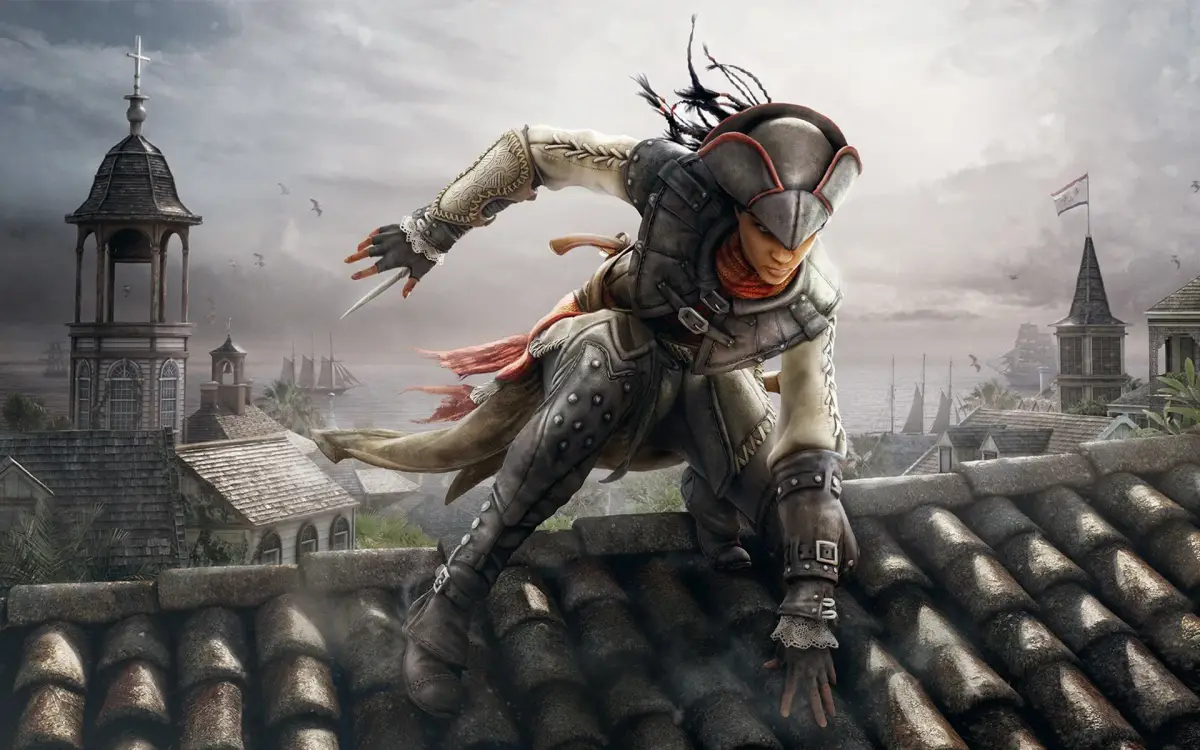
Step into the shoes of an Assassin in Assassin's Creed Liberation HD, an action-adventure title where you'll fight for freedom. This extensive guide offers 46 sections, covering everything from getting started and the main walkthrough to mastering side quests and discovering secrets. Find strategies for challenging boss fights, optimize your character builds, and locate all collectibles to fully experience the game.
i. About This Guide
Assassin's Creed Liberation HD walkthrough covering story mode, side memories, multiplayer, and naval trade. Spoiler-free instructions provided.
This guide details the main sequences in story mode, all side memories, multiplayer mode, and the naval trade feature of Assassin's Creed Liberation HD for the PlayStation 3, Xbox 360, and PC. The walkthrough is kept as spoiler-free as possible; certain story elements possibly containing spoilers have been inevitably exposed in favor of providing clear and concise instructions and strategies.
- Refer to this guide for clear and concise instructions and strategies for all aspects of Assassin's Creed Liberation HD.
- While efforts have been made to remain spoiler-free, some story elements may be revealed to ensure clarity.
ii. Controls
Master Assassin's Creed Liberation HD with our comprehensive controls guide. Learn all standard, combat, and canoe controls for PlayStation 3 and Xbox 360.
Should you need a crash course on the controls or simply forget how to perform certain actions, refer to this part of the guide. In the tables below, the first column shows the variety of basic actions you can perform. The second column provides the required input to perform the action. Standard controls are available at any time while you are playing.
| Action | PlayStation 3 Input | Xbox 360 Input |
|---|---|---|
| Open pause menu | Start button | Start button |
| Open map | Select button | Back button |
| Open weapon wheel | R2 button (hold) | Right bumper (hold) |
| Quick selection | Directional buttons | Directional buttons |
| Set quick selection shortcut | D-pad (when weapon highlighted) | D-pad (when weapon highlighted) |
| Move | Left analog stick | Left stick |
| Look around | Right analog stick | Right stick |
| Switch shoulder | R3 button | Right stick button |
| Toggle eagle vision | L3 button | Left stick button |
| Gentle push | Move + Circle button | Move + B button |
| Walk faster | Move + X button (hold) | Move + A button (hold) |
| Free run | Move + R1 button (hold) | Move + Right trigger (hold) |
| Jump | R1 (hold) + X button | Right trigger (hold) + A button |
| Climb | X button (when near a scalable object or wall) | A button (when near scalable object or wall) |
| Drop | Circle button (when climbing) | B button (when climbing) |
| Perform leap of faith | Move + R1 button (hold) + X button (hold) | Move + right trigger (hold) + A button (hold) |
| Fast swim | R1 button (hold) + X button (hold) | Right trigger (hold) + A button (hold) |
| Dive | X button (while swimming) | A button (while swimming) |
| Rise | X button (hold) (while underwater) | A button (hold) (while underwater) |
| Toggle precision mode | L1 button | Left trigger |
| Swing-jump | R1 button (hold) + X button (hold) -> Run | Right trigger (hold) + A button (hold) -> Run |
| Ready weapon | Square button | X button |
| Sheathe weapon | Circle button (when weapon is ready) | B button (when weapon is ready) |
| Interact | Circle button (on interactive object) | B button (on interactive object) |
| Whistle (in hiding) | Circle button | B button |
| Loot | Circle button (on lootable object) | B button (on lootable object) |
| Tackle | Run + Circle button | Run + B button |
| Shoot/reload/draw in | Triangle button (hold to focus) | Y button (hold to focus) |
Combat controls are used only in circumstances where you are engaged with one or more enemies.
| Action | PlayStation 3 Input | Xbox 360 Input |
|---|---|---|
| Attack | Square button (when weapon is ready) | X button (when weapon is ready) |
| Use tool | Triangle button | Y button |
| Break defense | X button | A button |
| Block | Circle button (hold) | B button (hold) |
| Counterattack | Circle button -> Square button (weapon) OR Triangle button (tool) | B button -> X button (weapon) OR Y button (tool) |
| Disarm | Circle button -> X button | B button -> A button |
| Throw | Circle button -> Circle button | B button -> B button |
| Activate chain-kill | L2 button | Left bumper |
| Enter high profile | R1 button (hold) | Right trigger (hold) |
| Pick up / drop enemy weapon | Circle button | B button |
Use the controls below for operating a canoe.
| Action | PlayStation 3 Input | Xbox 360 Input |
|---|---|---|
| Embark/disembark canoe | Circle button | B button |
| Move forward | R1 button | Right trigger |
| Move backward | L1 button | Left trigger |
| Steer | Left analog stick | Left stick |
iii. Game Mechanics
Explore the core game mechanics of Assassin's Creed Liberation HD. Learn about combat, stealth, weapons, disguises, and unique Vita features that define Aveline's journey.
Assassin's Creed Liberation HD shares many gameplay elements with Assassin's Creed III, utilizing the same game engine. Players can expect similar mechanics for climbing and combat, including features like double-counters and combo kills. Aveline can also freerun through trees, a staple of the series. The game introduced several new features, including a variety of weapons such as cleavers, hatchets, axes, pistols, a blowpipe, and a whip. A notable mechanic is the chain-kill, which allows Aveline to take down multiple enemies sequentially, often utilizing the PlayStation Vita's touchscreen. Other touchscreen interactions include faster or slower rowing in canoes. A unique feature is the ability to change outfits in disguise shops, with each costume offering distinct advantages and disadvantages.
The game also featured a multiplayer mode tailored for the Vita experience. Cross-game content between Liberation and Assassin's Creed III on PS3 allowed players to unlock Connor's tomahawk and play a mission from his perspective in New York. Pre-order bonuses included a "Mysteries of the Bayou" pack with an exclusive hat, an Animus Avatar, a dagger, and ammunition upgrades. An exclusive edition bundled the game with a Crystal White PS Vita.
Personas
Learn how to use Aveline's three personas—Assassin, Lady, and Slave—to your advantage in Assassin's Creed Liberation HD. Master combat, stealth, and social manipulation.
In Assassin's Creed Liberation HD, Aveline can switch between three distinct personas, each with unique abilities and drawbacks. You can change your persona at any dressing chamber found throughout the game world. Choosing the right persona for the situation is key to overcoming challenges and completing your missions efficiently.
The Assassin
This is your go-to persona for direct confrontation. As the Assassin, Aveline is a powerhouse, capable of wielding any weapon or tool in her arsenal. The chain-kill ability is a lifesaver in combat, letting you take down multiple enemies quickly. The main downside? You'll always have a notoriety level of 1, meaning guards will be more suspicious of you right from the start.
TIP
Stick with the Assassin persona when you know a fight is coming or when you need to deal with tough enemies head-on.
The Lady
The Lady persona offers a more subtle approach. While you can't climb or sprint in this guise, you gain access to unique social abilities. You can bribe guards to look the other way or charm certain NPCs to lead them away from prying eyes. Eventually, you'll even get a parasol gun that can fire poison darts, and you can use it discreetly, even in public, without raising suspicion.
- Bribing: If a guard is jingling coins, they can be bribed. Throw them some coin to pass through guarded areas unnoticed.
- Charming: NPCs with a heart icon above their heads can be charmed. Lure them away to continue your investigation without risk. The heart icon shrinks as the charm effect fades, giving you a visual cue of how much time you have left.
TIP
The Lady persona is perfect for stealth missions, especially in crowded areas or places where you need to blend in with high-society individuals.
The Slave
The Slave persona is all about stealth and blending in with the working class. Like the Assassin, you can climb, but you won't have the same combat prowess. However, this persona excels at disappearing into crowds of other slaves, concealing your identity by carrying crates, and even inciting riots to create distractions.
TIP
Use the Slave persona when you need to be sneaky, move around quickly in specific environments, and utilize the element of surprise.
Similar guides you might like





100% Human-Written. AI Fact-Checked. Community Verified. Learn how AntMag verifies content