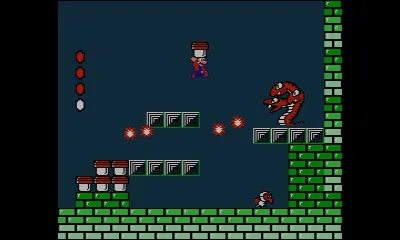
Welcome to the dreamlike world of Super Mario Bros. 2! In this unique platformer, you'll navigate the strange lands of Subcon, a world born from the dreams of Mario and friends. Instead of stomping Goombas, you'll be plucking vegetables, tossing enemies like Shy Guys and Bob-ombs, and using each character's distinct abilities—Mario's jump, Luigi's flutter, Toad's speed, and Princess Peach's float—to overcome obstacles and solve puzzles. It's a vibrant, sometimes bizarre, adventure that challenges you to think differently about platforming.
This guide is your key to mastering every corner of Subcon. We'll walk you through every level, offer strategies for defeating tricky bosses like Mouser and Fryguy, and help you uncover all the secrets, including those elusive cherries for maximizing your score. Whether you're aiming for a high score or just trying to escape Wart's clutches, we've got the tips and tricks you need to conquer this classic Nintendo challenge.
New
Super Mario Bros. 2 is the third installment in the NSMB series, focusing on coin collection with Raccoon Mario and the Koopalings.
Walkthrough Updates:
- Version 1.0 (8/23/12): The walkthrough is now 100% complete. All worlds and Star/Moon Coins are covered.
- Version 0.7 (8/22/12): Walkthrough is complete through World 6-3.
- Version 0.4 (8/21/12): The first version. The walkthrough is complete through the end of World 4.
About Super Mario Bros. 2:
Super Mario Bros. 2 is the third installment in the NSMB series, and the first on the Nintendo 3DS. It is a standard Mario platformer with many of the familiar friends, foes, and abilities, including the return of Raccoon Mario and the Koopalings. There is a greater focus on collecting many coins, and some of the new items and gameplay elements emphasize this point. The stages are simple as you would expect, but nonetheless quite a bit of fun. If you are trying to 100% this game, there will be plenty of moments that will make you think, but when has a Mario platformer ever gone wrong?
Controls
Master Super Mario Bros. 2 controls: learn jump, dash, ground pound, wall jump, and special ability functions.
Controls:
Circle Pad or Control Pad: Use to move Mario and the cursor on menu screens.
- Down: Use to go down pipes and slide (press while running or going down a hill).
- Up: Use to climb vines, ropes, and fences, and to enter doors.
Start: Use to pause the game and view menu screens.
A Button: Use to jump. Press Down while in the air to ground pound. Press again when landing and while dashing to perform double or triple jumps. Perform a wall jump by pressing the Control Pad in the direction of the wall you are sliding on, then jump. Use to confirm selections on menu screens.
B Button: Functions the same as the A button for Mario's actions. Use to cancel selections on menu screens.
X/Y Buttons: Use to dash (hold while moving to go faster). Hold to pick up an item in front of you and carry it. Use to activate your current special ability. Use to punch through fences.
L/R Buttons: Use to scroll the map screen to the left and right.
Main Menu Screen
Navigate the Super Mario Bros. 2 Main Menu: Solo Play, Co-op Play, Coin Rush, and Options for controls and SpotPass.
Solo Play
This option allows you to enter the single-player adventure. You can choose one of three save files to play, or you can copy or erase existing data.
Co-op Play
Connect to another player with a 3DS in the same room to play together. The camera follows one player, and if the other gets stuck, stomping on their head transfers camera control.
Coin Rush
In this mode, three stages are randomly selected. The objective is to collect as many coins as possible within a time limit. Less time is available than in normal play, requiring you to act fast.
Options
Here you can change the control scheme and activate SpotPass.
World Map
Navigate the Super Mario Bros. 2 world map with this guide. Learn about level indicators, secret routes, and the touch screen map.
The map view in Super Mario Bros. 2 is similar to that found in Super Mario Bros. 3 or Super Mario World. It shows individual levels that you can access by walking along the map using the Circle or Control Pad. Each world contains many levels, and not all are accessed conventionally, requiring extra exploring to find secret routes to hidden stages.
On the touch screen, a dotted map of the current world is displayed. This map shows your current position, the world's tower and castle, and all accessible stages, which appear as white dots, whether they are secret or not.
The top screen shows a graphical version of the world map that you can move around on. The next course you must beat is indicated by a red circle, completed courses are blue, and courses you cannot reach yet are black.
- Explore thoroughly to find all secret stages.
- Pay attention to the color coding on the top screen map to understand level accessibility.
- Use the touch screen map to orient yourself and locate important landmarks like towers and castles.
Similar guides you might like






100% Human-Written. AI Fact-Checked. Community Verified. Learn how AntMag verifies content