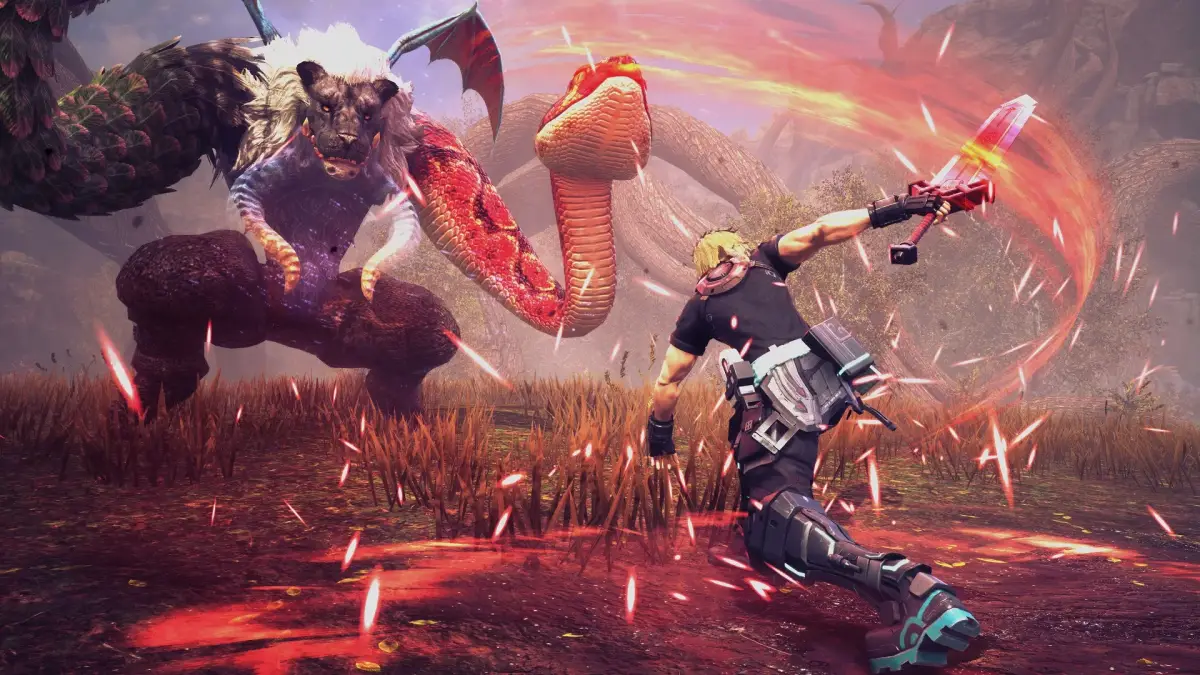
Master combat in Star Ocean: The Divine Force with this guide on battle actions, Chain Combos, AP, and more.
Enemies are visible on the field and appear in fixed encounters. You can avoid battles by bypassing enemy groups. Contact with an enemy initiates battle.
Battle Actions
- Move: Freely move around the battlefield.
- Attack: Press the controller button for a skill to attack. You will auto-step into attack range as you approach your target.
- Vanguard Assault (VA Attack): Press a button to activate D.U.M.A.'s Vanguard Assault, rising into the air. Release the button to execute a charging attack that deals heavier damage than a normal attack. You can follow up with Skills or Chain Combos.
- D.U.M.A. Shield: Hold a button to raise a shield around the player-controlled character. This provides greater defense but reduces the VA Gauge (the gauge that tracks D.U.M.A.'s energy). The Gauge reduction depends on the strength of blocked attacks. If the VA Gauge reaches 0, attacks will penetrate the shield.
- Evade: Press a button to dodge an enemy attack. You can control the dodge direction with the analog stick. You are temporarily invincible at the start of a dodge. This invincibility can be extended with equipment that has special Factors. Press the button just before an enemy attack lands to perform a Well-Timed Dodge, avoiding damage and increasing the VA Gauge.
- Escape: Move far enough from the center of the battlefield to escape. If you re-enter the battle area, the battle resumes. Some battles cannot be escaped.
Chain Combos
In the Character Edit screen of the Camp Menu (the main menu), you assign skills to controller buttons. You can assign Combat Skills, Active Skills, or Items to three face buttons (e.g., , , or ). You can assign up to three actions to a single controller button to form a Chain Combo. In battle, repeatedly pressing the button executes the assigned skills in succession. You can link combos across multiple buttons if you have enough AP. You can also assign an action to each of the three combo buttons that activates when the button is held, rather than pressed as part of a combo. These are useful for high AP cost skills or items. If an item is assigned to an AI-controlled character's combo button, they will use it on another party member if needed, not themselves. Items used via Chain Combos activate faster than normal.
Action Points (AP)
Skills consume Action Points (AP). You start each battle with a maximum of 5 AP. Your AP decreases as you take actions. If you lack sufficient AP, a skill will not activate. AP recovers over time. You can temporarily increase your maximum AP to 15 by performing actions like executing a Blindside attack, guarding with D.U.M.A. shield (this also reduces the VA Gauge), or controlling Nina and using a recovery or support skill affecting multiple allies. This increased maximum AP applies only to the character you control; others are limited to 5 AP. However, the increased maximum AP transfers to another character if you switch control. If you have increased maximum AP at the end of a battle, it carries over to the next.
Changing Targets
Your character automatically targets the nearest enemy at the start of battle. Your target may change as you and enemies move. Press a button to lock onto your current target and prevent it from changing. Press the button again to release the target lock. You can manually switch targets using a specific button. When you manually switch targets, you will automatically lock onto that new enemy.
Changing Characters
Press a button to change the character you are controlling. If your controlled character becomes incapacitated, switch to another character to continue fighting or to revive them.
Surprise Attacks
Attacking an enemy before it notices you results in a Surprise Attack, granting a bonus. The surprised enemy and nearby enemies are temporarily stunned, allowing you to deal extra damage. You also earn bonus EXP and Fol (in-game currency). Defeating more enemies while they are stunned increases the bonus. Stringing together consecutive battles with successful Surprise Attacks increases the Surprise Attack bonus.
Blindside Attacks
A Blindside Attack occurs when you suddenly disappear from an enemy's line of sight. To perform one, charge at an enemy with a VA Attack and use a button to change directions before making contact. A Blindsided enemy is temporarily disoriented, similar to a Surprise Attack, but takes even more damage. You may be able to Blindside multiple enemies. The symbols "?!" appear above Blindsided enemies, changing color to indicate how long they will remain stunned. The stun duration depends on the VA Gauge level; a fuller Gauge means a longer stun. Blindsiding consumes part of the VA Gauge, which can be replenished by attacking enemies. Enemies without eyes or with many eyes cannot be Blindsided.
100% Human-Written. AI Fact-Checked. Community Verified. Learn how AntMag verifies content