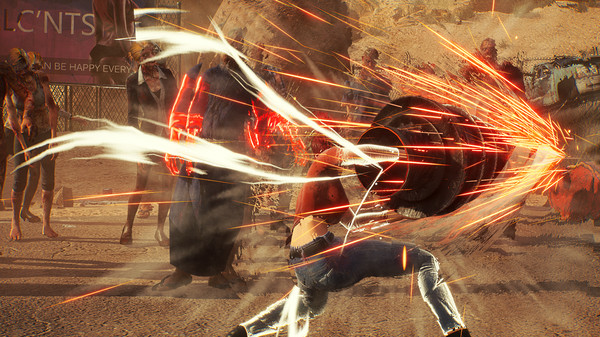
Boost your Showa American Story frame rate by optimizing settings and understanding your system's capabilities for smoother gameplay with our performance guide.
Achieving a smooth frame rate in Showa American Story is essential for enjoying its fast-paced, brutal combat and exploring the detailed post-apocalyptic "Showa America." The game's blend of retro aesthetics and modern graphical effects can be demanding. To maximize performance on your PC, begin by ensuring your system meets or exceeds the recommended specifications. Beyond that, several in-game settings can significantly impact your frame rate. Lowering the "Texture Quality" from Ultra to High can provide a noticeable boost without a drastic visual downgrade, especially if you have less than 8GB of VRAM. Similarly, reducing "View Distance" can help alleviate performance dips in open areas or during large-scale encounters.
The "Shadow Quality" setting is notoriously performance-intensive. Setting this to Medium or even Low can yield substantial frame rate improvements, particularly in environments with complex lighting, such as the neon-lit streets of the ruined Los Angeles or the dimly lit interiors of abandoned factories. "Anti-Aliasing" also consumes significant resources. While turning it off completely can make edges appear jagged, using a less demanding method like FXAA instead of MSAA or TAA can offer a good balance between visual smoothness and performance. If you're still struggling, consider disabling "Ambient Occlusion" and "Screen Space Reflections," as these advanced lighting effects can heavily tax your GPU.
For players with NVIDIA graphics cards, utilizing the "GeForce Experience" software can help optimize settings automatically based on your hardware. Similarly, AMD users can leverage "Radeon Software" for similar optimizations. Beyond graphics settings, closing unnecessary background applications before launching Showa American Story is a simple yet effective way to free up system resources. Ensure your Windows operating system and graphics drivers are fully updated, as these updates often include performance enhancements and bug fixes relevant to gaming. If you're experiencing consistent frame drops in specific areas, like the zombie-infested remnants of Las Vegas, it might be worth experimenting with different combinations of the aforementioned settings to find the sweet spot for your particular hardware configuration.
100% Human-Written. AI Fact-Checked. Community Verified. Learn how AntMag verifies content