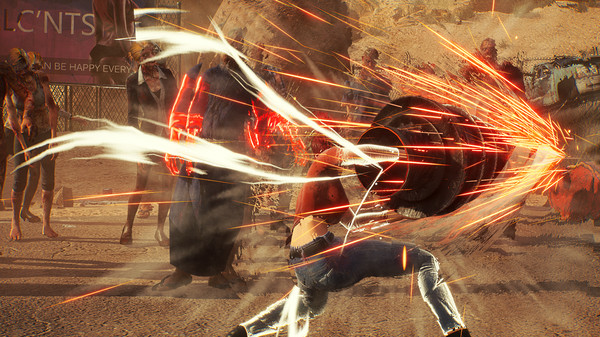

Troubleshoot common bugs in Showa American Story. Find accepted workarounds for glitches and unexpected issues to maintain your progress.
As with any new PC release, Showa American Story may present players with occasional technical hiccups. While NEKCOM Games is expected to provide post-launch support, understanding common issues and their potential workarounds can save you valuable time and frustration. One frequently reported problem involves performance drops during intense combat sequences, particularly when facing large groups of zombies or during boss encounters in areas like the ravaged downtown district of Neo-Kyoto. If you experience sudden frame rate stutters, ensure your graphics drivers are up-to-date. Outdated drivers are a primary culprit for such issues. For persistent stutters, try lowering the "Shadow Quality" and "Anti-Aliasing" settings in the game's graphics menu, as these are often the most demanding on your hardware.
Another potential bug might involve quest progression, where an NPC, such as the enigmatic scavenger "Kaito," fails to trigger the next dialogue option or event. If you find yourself stuck and unable to advance a quest, a common fix is to reload your last save file. Sometimes, simply exiting the game entirely and relaunching it can resolve minor script errors. If a specific item required for a quest, like the "Showa-era Circuit Board," appears to be missing from its expected location, double-check your inventory thoroughly. In rare cases, items might clip through the environment; attempting to interact with the general vicinity where the item should be can sometimes retrieve it. For more persistent issues, such as corrupted save files or game crashes, verifying the integrity of game files through Steam is a crucial step. This process checks for any missing or damaged files and redownloads them, often resolving deeper installation problems.
Players have also reported occasional issues with audio desynchronization, where sound effects or dialogue don't match the on-screen action. This can be particularly jarring during the fast-paced combat, making it harder to react to enemy attacks. If this occurs, try switching audio output devices or restarting your audio drivers. Adjusting the in-game audio settings, such as lowering the "Master Volume" or specific categories like "SFX Volume," might also help stabilize the audio. Remember to consult the official Showa American Story forums or community pages for the latest patch notes and known issues, as developers frequently address these problems with updates.
100% Human-Written. AI Fact-Checked. Community Verified. Learn how AntMag verifies content