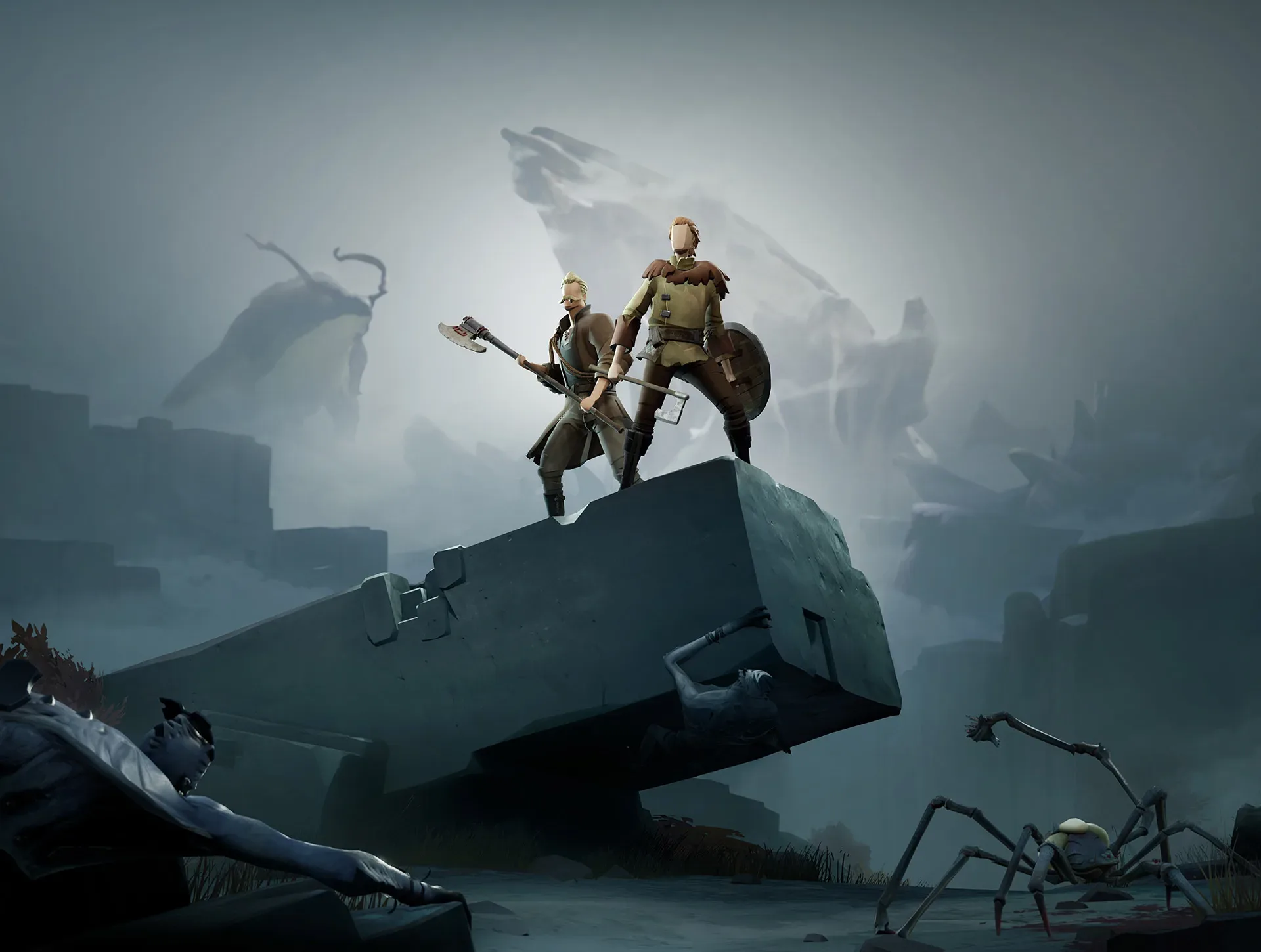
Welcome to Ashen, a challenging action RPG where you'll explore a world shrouded in darkness, fighting to protect the light from those who thrive in the shadows. You'll venture through treacherous lands, master deliberate combat, and manage vital upgrades and weapon strategies. This is a journey for players who enjoy a tough but rewarding experience, featuring both single-player and cooperative online play.
This guide will help you navigate every step of your adventure, from your first moments with the Broken Bone Hatchet and Plank Shield to facing formidable foes like Sissna. We'll cover finding essential items like White Sapote and Bataran's Hammer, locating all the Ashen Feathers, and provide strategies for overcoming difficult encounters and completing all Side Journeys to achieve 100% completion.
Story
Explore the rich lore of Ashen, from the golden age of Dransik to the dark times of the Rune Warriors and the eventual Time of Ash, and the dawn of a new era.
Long ago, before the thinking races had tamed the horse or built the first cities, the rune-guardians of Dransik mastered the magic of the runes, learned to control animals and plants and perhaps even weather... and then vanished.
Centuries later, the peace they had fashioned still endured. Food was plentiful, customs were calm, and people had no ancient hatreds to blind them. The thinking races humans, night elves, orcs, and other folk did not wage war upon one another. Wise rule, hard work, and brisk trade ensured prosperity. Knowledge was shared, dangerous beasts kept outside the frontiers, and all the land was a single nation. It was a golden age.
But golden ages do not last forever.
No one knows where they came from, the dark warriors. Suddenly they were everywhere, speaking languages not known to the people of Dransik, seizing knowledge of the runes wherever they could find it. They used the runes to create items of terror weapons, armor, implements of torture, objects that wrenched mind and soul. These runic devices corrupted the spirits of all who used them.
As the armies of Rune Warriors grew, so grew the resolve of the people of Dransik to destroy them. The desire for peace, even the very concept of peace, was abandoned.
Lotor, a nobleman of Krythan and later king of that region (once Dransik was sundered into warring nations) was the first great defender against the Rune Warriors. He built armies of his own, made peace among nations that had been founded upon strife, outmaneuvered his enemies, and gave hope to a world that had all but lost it.
And even though the war grew long and Lotor grew old, he found a warrior to succeed him as the hope of Dransik. Talazar, the Sword of Krythan, a noble fighter no Rune Warrior could stand against, led Lotor’s armies to victory again and again. He was a hero for all the world.
But such heroes do not last forever.
In time, the armies of Krythan defeated the Rune Warriors and assembled all their runic artifacts. King Lotor summoned his twelve greatest warriors, Talazar among them, and commanded them to take the artifacts far away to hide them where the eyes of the thinking races would never find them. The twelve accepted their duty and rode from the capital with these items of evil.
But none ever reached his intended destination.
Each warrior some after mere days of travel, some after months succumbed to the corrupting influence of the rune artifacts. One by one their thoughts turned to personal gain, power, lust, revenge. One by one they abandoned paths of humility and self-sacrifice to prey upon the people of Dransik.
Some became bandit-kings, leading armies of raiders into more civilized lands. Some became solitary riders, thundering through the night on missions sane folk would never understand, their names invoked only in whispers, only to frighten children. Some died, only to have their heirs accept their rune artifacts and continue their legacies of pain.
Some disappeared. This was the fate of Talazar, once the greatest of heroes. Those who saw him in the time before his disappearance say he was no longer a man, no longer quite human.
Centuries passed, centuries in which the land did not heal, the nations did not reunite, knowledge did not prosper. Beasts crept into once-civilized lands. Kings fought kings even when the rune artifacts had no part to play in their squabbles. This was a time of slow, inescapable suffering.
But even times such as this do not last forever.
In recent years, prophecies have hinted that a new era was dawning, a time of change and instability, a time when the ugly balance of the Time of Ash could be lost... for better or for worse.
Sixteen summers ago, in the nation of Krythan, a boy-child of Lotor’s line was born and given the name Lotor. He survived to reach his age of majority and this summer not long ago received the crown of Krythan, taking the royal name of Lotor II.
Not long after, military forces claiming to belong to Talazar began laying waste to towns and cities in the western regions. They claimed not to follow some descendant of the original Talazar, but the corrupted warrior himself, and tales filtering from those distant places say that he is now a demon, a thing of inhuman places and unknowable intent.
Heroes, men and women skilled in fighting, have become more numerous in recent summers, some flocking to the side of Lotor II, some joining the forces of Talazar, others seeking their own way in this increasingly turbulent land.
And you are one of them. Your skills and courage are enough to make you the master of any little village, the champion of any petty nobleman... but that is not enough. The challenge this new era poses calls to you. You can tip the balance of power toward Lotor, toward Talazar, toward some fate no one can predict.
This chance waits before you, but you must act soon. For such opportunities do not last forever...
Controls
Navigate Ashen with ease! This guide breaks down all the essential controls, from movement and combat to using items and interacting with NPCs. Master your gameplay.
Alright, let's get you up to speed on how to actually play Ashen Empires. It's pretty straightforward once you know the buttons, and thankfully, you can even bring up a full list in-game by hitting F1. Think of this as your quick-start cheat sheet so you're not fumbling around when things get hectic.
First off, moving around is simple. You've got your standard Arrow Keys for walking your character in any direction. If you prefer using your mouse for movement, just hold down the right mouse button and guide your character where you want them to go.
When it comes to combat, here's the drill: hit the A key to get into attack mode. Then, LEFT CLICK on a monster to target it. Once you're close enough, your character will start wailing on it automatically. After you've taken down a foe, you'll want to grab their loot. Just press the SPACE BAR (or double-click if you prefer) while you're next to them, then drag the treasure over to your character's inventory.
Using items like food, opening doors, or chatting with NPCs (those are your non-player characters, like shopkeepers) is done with a DOUBLE CLICK on the object or person. If you just used something and want to use it again quickly, hit the U key – it's a handy shortcut.
| Key | Action |
| A | Toggle attack mode on/off. |
| C | Bring up control menu (for followers). |
| G | Bring up guild menu (guild leaders only). |
| S | Brings up list of skills. |
| Enter | Talk to other players (chat). |
| U | Re-use the object you just used. |
| Tab | Toggles chat whispering mode on/off. |
| PageUp | Gets previous line of chat text. |
| PageDown | Gets next line of chat text. |
| ESC | Brings up options menu. |
| SPACE | Opens any dead body you are next to. |
| ALT-X | Quits the game. |
| ARROWS | Moves your character in the designated direction. |
| F4 | Toggles target protection mode on/off. |
| F5 | Toggles the language filter on/off. |
| F9 | Takes a Screenshot (file goes in your /Shots folder). |
| ALT + ENTER | Toggles windowed/full screen mode on/off. |
There are a few more handy shortcuts to keep in mind:
- CTRL + Left Click: Use this to get a closer look at an object.
- Double Left Click: This is your go-to for using an item or talking to an NPC.
- Right Mouse Button: Hold this down to move your character around.
- CTRL + Right Click: Perfect for setting a path for your character to follow.
- Left Mouse Drag: Use this to pick up and move objects.
- Shift + Left Mouse Drag: Handy for splitting stacks of items, like gold.
Creating a Character
Learn how to create your perfect character in Ashen Empires! Choose your race, profession, and balance attributes to start your adventure.
Alright, so you've just logged into Ashen Empires and it's time to make your mark on the world! Creating your character is the very first step, and it's pretty straightforward. Let's walk through it together.
Step 1: Naming Your Legend
First up, you'll need to give your character a name. While many players go for a classic medieval vibe, the choice is really yours! Just remember to keep it clean and respectful – no offensive names allowed. Get creative! You could go for something classic like 'Robin Hood' for a Human, 'Frodo' for a Dark Elf, or even something fun like 'Shrek' for an Ogre!
Step 2: Choosing Your Race
Right now, you've got three races to pick from. Based on what I've seen and heard, there aren't any huge gameplay differences between them at the moment. It's worth noting that there used to be more races, like the Tundarian (a blue snow creature), High Elf (basically a Dark Elf with different skin), and Brimlock.
Here's a breakdown of what some players have observed about the current races:
- Night Elf: You might have slightly less HP per level (around 2 less), but you start with 10 armor. Plus, Night Elves have night vision, which is super handy underground as you won't need a torch or lamp! Just a heads-up, this night vision can sometimes be a bit buggy.
- Human: These are your standard, balanced characters. Alignment might increase a little faster, but it's not a massive difference.
- Orc: Orcs have a slower alignment increase, but you get immunity to poison attacks, which can be a lifesaver in certain areas.
Big thanks to Chameleon and mooman for sharing these insights on the Q&A board!
Step 3: Selecting Your Profession
Don't stress too much about your profession choice, because you're not locked into it! Ashen Empires lets you dabble in other professions later on. When you pick one, you'll get some starting gear, but you can always visit a weapon shop, grab a different weapon type, and start training a new skill whenever you feel like it.
You'll choose from three main profession types:
- Warrior: If you like getting up close and personal or raining down arrows, this is for you.
- Archer: Specialize in bow and arrow attacks.
- Axeman: Master single and double-bladed axes.
- Crossbowman: Wield deadly bolts from crossbows.
- Footman: Focus on heavy, blunt weapons.
- Knife Fighter: Excel with short blades.
- Spearman: Use staves, spears, and polearms.
- Swordsman: Specialize in long blades.
- Craftsman: For those who prefer to build, repair, and sustain.
- Blacksmith: Forge and fix metal tools, weapons, and armor.
- Carpenter: Craft wooden tools, weapons, and armor.
- Cook: Prepare delicious meals from meat, fish, and baked goods.
- Farmer: Cultivate crops and gather raw materials.
- Fisherman: Catch fish for selling or cooking.
- Leathercrafter: Create and repair leather gear and armor.
- Healer: Mend wounds, cure poison, and treat diseases.
- Mage: If you're drawn to the arcane arts, this is your path.
- Body Mage: Cast spells focused on the body and physical effects.
- Mind Mage: Wield spells that affect the mind and mental states.
- Nature Mage: Command spells related to nature and the natural world.
- Soul Mage: Utilize spells that deal with the soul and spiritual energies.
Step 4: Balancing Your Attributes
The final touch is balancing your character's attributes. You start with 7 attribute orbs to distribute. To get more orbs, you'll need to hunt monsters and level up – each level grants you 2 more orbs. The four core attributes are Strength, Intelligence, Dexterity, and Constitution. Generally, focusing on Strength is a solid bet for most builds. If you're aiming to be a pure Mage, then Intelligence is definitely the way to go.
The Beginning
Learn the basics of Ashen Empires, including starting towns, character stats, inventory management, skills, magic, and communication options. Your essential guide to beginning your adventure.
Like I said, there is no "BIG" quest in the game like saving a princess or something to the like of it. However, there are little quests that involves running from one town to another with an NPC (non-player character) and a Guild Master quest which you are better off doing this when you reach a safe higher level as welkl as some experience quests.
First of all, familiarize yourself with the town you started out in. If you pick a race, you will start out in the village of the same race. For example, if you pick human, you will start in Silvest. You will start in Whisperdale if you choose to be an elf and Krog if you are an Orc. Each of those town are on their own land, like how Silvest is in Krythan, Whisperdale is in West Mainland and Krog is in East Mainland. And yes, there are three areas in the game and you can get to each one by going through a portal.
Lets take a look at what's on your screen. You are the person right in the middle of the screen without your ID at the top of your head. In the upper left corner of the screen you will see "FPS: ##". I'm pretty sure this is abbreviated for Framerate Per Second and I have no idea what it really means but I have seen those words or the abbreviation of it around. At the bottom right of the screen you will see several icons and from left to right they are:
- Body
Click on it and it will bring up a screen of your body. This is to show what clothing(s) you have on and what kind of weapon you have equipped. There are 6 different parts on your body that you can equip and they are Head, Hands, Legs, Upper Body, Shield and Weapon. On the left side of the screen is your character's stats and from top to bottom they are Strength, Dexterity, Intelligence, and Constitution. The last thing on that list is Armor and the number will raise and lower depends on what armor you put on. Try not to put too much armor on if you are a new player because if you do, you will put on more weight on yourself and your stamina meter will go down quicker. - Backpack
All of the items you have picked up after killing enemies on the way after from town to another town will be put here. Having a lot of items in your backpack can raise your weight up a little bit and your stamina will go quicker as well. - Skills
Like I said, if you picked a profession you want to work on, you still can participate in another skill. Clicking this icon will bring a screen of the skills you have practiced. If you participate in a NPC quest and if you successfully completed it, the experience points you are given will be put in the at the bottom of the skill list. You can add whatever how many experience points you have into one of the skills you have practiced to raise it so that you can get better in that skill. For the better, you should add them onto one of the many tradeskills. - Magic
This is only for wizardry stuff. A warrior can be a mage but you'll have to find a mage staff or whatever stave you can find. You can buy a staff in the Magic Shop if it has one. Once you find the wand or a type of mage staff, click on it and then click on the wand to enchant it. This will activate the wand and bring up the interface of the wand you are holding. - Automap
This is your map of the land you are exploring on. You can enlarge the map by double clicking on it. If you do double-clicked on the map to enlarge it, the black area are the area that you haven't exploreD yet. - Chat
Sure, you can chat to other players online if they are on your screen. You'll find them in the bank in the town chatting away, rarely you'll run into one running out across the land. To talk to them, press the T key on your keyboard and start typing away until you hit enter.
There are three ways to chat and they are Normal, Whisper, and Guild. Players can read what you typed in under normal chat. Stand next to a player and switch to Whisper by hitting the Tab key after you press the T key to talk. While whispering, no one can read what you said if another player isn't one tile around you except for the person next to you. The guild chat is only for the people who are in a guild and again, those who aren't in the same guild or are not in a guild cannot read the guild chat. - Followers
This is a pretty neat feature in the game but it isn't really important. Find a stray dog/wolf or whatever animal that can be tamed and click on the Follower Icon and mess around with your new pet. - Guild Deed
A guild leader are the one who have access to this icon and they can do whatever they want to their guild from adding to removing members. There isn't much you can do on the Guild screen. You have to be a very skilled character to be in a guild and you can't just join right away. Some guilds have a set limited character level or strength or whatever. If you want to start a guild, look for the guild master quest in the The Beginning section of this FAQ. - Ship Deed
This icon is there but has not yet been activated. It looks like you can use a ship to travel across water but not one has been invented as of the moment so the icon stays unactive until ship comes in. - Game Options
Here are some of the background options you can mess around with such as turning the music on or off, control click to identify (item name will appear if checked). You can control the music and sound volume by using the slider.
Those are all of the icons at the bottom section of the statistic area at the lower right of the screen. The upper section has all those colored bars numbers and I will explain what they are:
- Time
This is located at the very top where you see the sun or moon going from left to right. The Dransik time is also on there and the time is a lot faster than the time you are breathing through right now. I do no
Similar guides you might like
100% Human-Written. AI Fact-Checked. Community Verified. Learn how AntMag verifies content