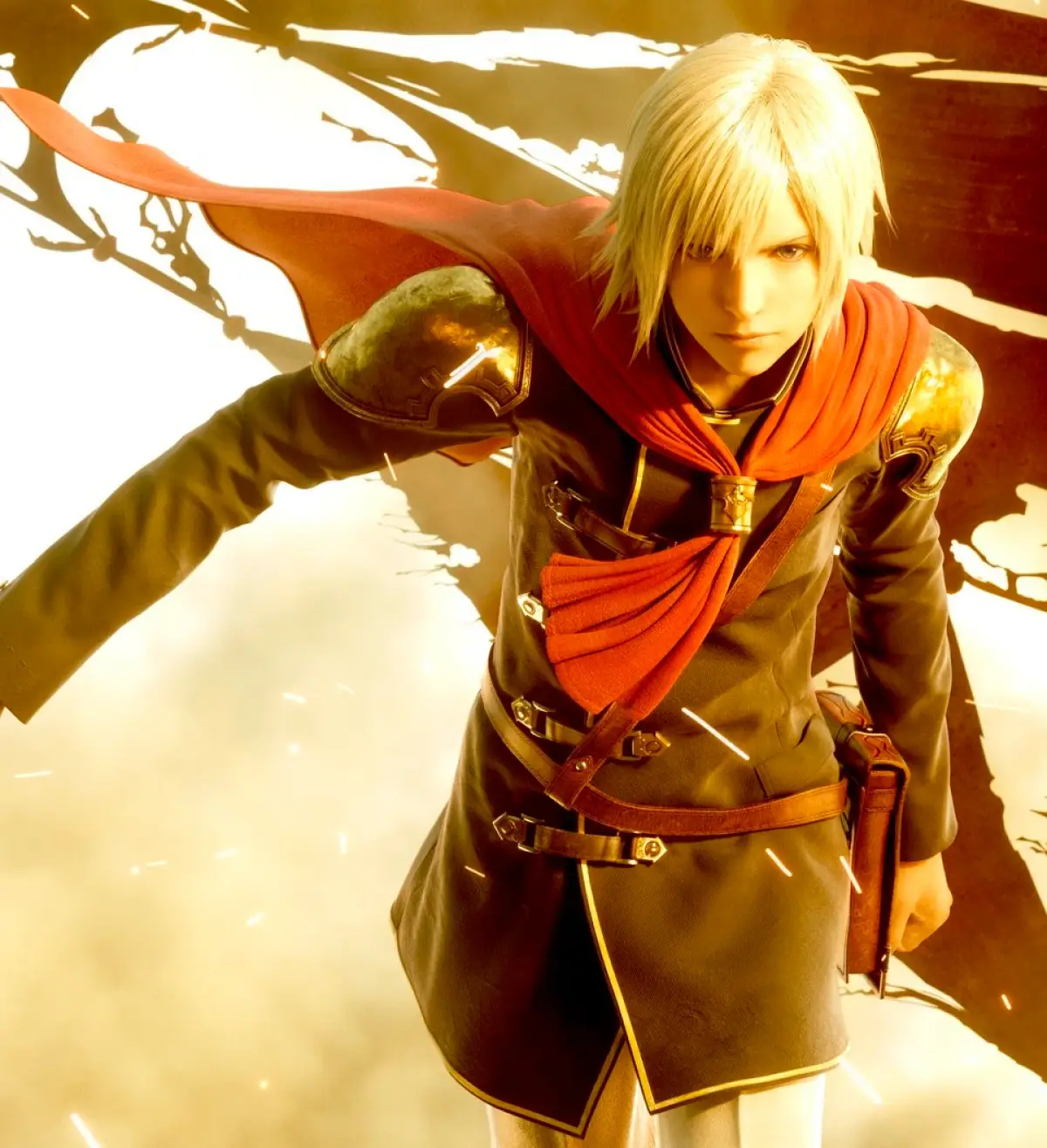
Welcome to Final Fantasy Type-0 HD, a fast-paced action RPG where you command Class Zero, a group of 14 students from a prestigious military academy. You'll navigate treacherous missions across the Dominion of Eug, mastering each character's unique abilities and fighting for survival in a world consumed by war. It's a story-rich experience with a fantastic soundtrack, perfect for players who enjoy deep combat and a compelling narrative.
This guide is here to help you conquer every challenge Type-0 HD throws your way. We'll cover navigating the game's missions, mastering the diverse character abilities, and achieving the coveted Gold Medals in combat. Whether you're aiming for all the Steam Achievements or just trying to survive the brutal onslaught of bosses like the Ultima Dragon, this guide will equip you with the knowledge to succeed.
Intro
Welcome to Final Fantasy Type-0 HD! This guide covers essential controls, combat basics, and menu navigation to get you started on your journey through Class Zero.
Hey there! So you're diving into Final Fantasy Type-0 HD? Awesome! This guide is here to make sure you're not completely lost when you first boot up the game. Think of me as your friendly guide, helping you get the hang of things before you jump into the thick of it with Class Zero.
This game originally came out on the PSP, and this HD version is a fantastic way to experience it. Since it didn't get an official English release back in the day, finding info could be a pain. But don't worry, I've played through it and gathered everything you need right here, using the official HD version's terms so you're all set.
We'll cover the controls first – they're pretty important, obviously! You'll see a breakdown of what each button does, both when you're out exploring and when you're in the heat of combat or navigating menus. Pay close attention to the field and combat controls; getting these down will make your life a lot easier.
Controls Overview:
Here's a quick look at what your buttons do:
| Button | Field and Combat Control | Menu Control |
| L | Cancels Charged Attack | Tabs Left |
| R | Resets Camera View | Tabs Right |
| D-pad | Moves Camera | Highlights Sub Menu |
| Circle | Command 1, Talks / Inspects | Selects |
| Triangle | Normal Attack | Shows Extra Info |
| Square | Command 2 | - |
| X | Defense Command | Returns to the previous menu |
| Select | Uses Equipped Item | - |
| Analog | Moves Character | - |
| Analog + X | Dodge Roll | - |
| L + R | Sheathe / Unsheathe | - |
| Hold L | Shows Sub command | - |
| Hold L + Up D-pad | Calls Back Up | - |
| Hold L + Left / Right D-pad | Switches Character | - |
| Hold L + Down D-pad | Views S.O. (Special Order) | - |
| Hold R | Lock-On | - |
| Hold R + D-pad | Changes Lock-On Target | - |
| Hold R + Circle/Triangle/Square | Absorbs Phantoma | - |
| Circle + Triangle | (Unlocks in Chapter 3) | - |
| Square + X | (Unlocks in Chapter 2) | - |
| Start | Opens Menu | Closes Menu |
Necessary control adjustment:
Now, listen up – this is a pro tip! The default 'Hold R' to lock-on can feel a bit clunky. I *highly* recommend changing this to 'Press R'. It makes targeting so much smoother in combat. Here's how the 'Press R' settings work:
| Setting | Action |
| Activates Lock-On | Hold the R button for about 1 second |
| Switches between targets | While activating Lock-On press the left or right d-pad |
| Switches to the closest enemy | While activating Lock-On press the up d-pad |
| Switches to the closest item / dead enemy | While activating Lock-On press the down d-pad |
| Deactivates Lock-On | While activating Lock-On press the R button |
Trust me, making this small change early on will save you a lot of frustration. Getting used to these controls is the first step to mastering Class Zero. Let's get you ready for Chapter 1!
Guide and Walkthrough (PSP) by ZeoKnight
Comprehensive walkthroughs for all missions in Final Fantasy Type-0 HD, including special objectives like S Rank and Agito Difficulty.
- 1The Akademeia Liberation
- 2The Cadets' First Deployment
- 3Operation Reconquista
- 4The Capture of Togoreth Stronghold
- 5Operation Breakthrough
- 6The Keziah Diversion
- 7United Front
- 8The Infiltration of Iscah
- 9Expelling the Empire
- 10The Clash in the Caverns
- 11Operation MA Demolition
- 12A Fog-Laden Foray
- 13Escaping the Imperial Capital
- 14Mission Under Ceasefire
- 15Covering the Cadets
- 16Covering the Cadets <S Rank>
- 17The Reclamation of Eibon
- 18A Charge on the Border
- 19The Battle on the Beach
- 20Colonel Faith's Revolt
- 21Colonel Faith's Revolt <Agito Difficulty>
- 22The Battle of Judecca
- 23Operation Vulturnus
- 24The Clash on Big Bridge
- 25The Last Line of Defense
- 26The Retreat from Roshana
- 27Operation Sticky Fingers
- 28Secret Agents Zero
- 29Operation Dragon Slayer
- 30Thwarting the Royal Ambush
- 31Wyverns In The Woods
- 32The Kingdom's Final Hours
- 33The Climactic Clash at Azurr
- 34Operation Homecoming
- 35Protecting the Defector
- 36The Amiter Resistance
- 37Dominating the Dragon's Nest
- 38Colonel Faith's Last Stand
- 39Capturing the Imperial Capital
- 40Machina's Struggle
- 41Invasion of the Rursus
- 42Defeat Nox Suzaku
- 43Defeat 8 Armed Gilgamesh
- Pay close attention to mission-specific objectives, especially those required for achieving an S Rank.
- For missions marked with <Agito Difficulty>, be prepared for significantly increased enemy strength and complexity.
- Refer to specific mission sections for detailed strategies on enemy encounters and objective completion.
Intro (2)
Learn the essential controls for Final Fantasy Type-0 HD, including field, combat, menu navigation, and recommended lock-on adjustments for optimal gameplay.
This guide covers the controls for Final Fantasy Type-0 HD. It details button mappings for both field and combat actions, as well as menu navigation. It also provides a recommended adjustment for the lock-on system to enhance gameplay.
Field and Combat Controls:
| Button | Field and Combat Control |
|---|---|
| L | Cancels Charged Attack |
| R | Resets Camera View |
| D-pad | Moves Camera |
| Circle | Command 1, Talks / Inspects |
| Triangle | Normal Attack |
| Square | Command 2 |
| X | Defense Command |
| Select | Uses Equipped Item |
| Analog | Moves Character |
| Analog + X | Dodge Roll |
| L + R | Sheathe / Unsheathe |
| Hold L | Shows Sub command |
| Hold L + Up D-pad | Calls Back Up |
| Hold L + Left / Right D-pad | Switches Character |
| Hold L + Down D-pad | Views S.O. (Special Order) |
| Hold R | Lock-On |
| Hold R + D-pad | Changes Lock-On Target |
| Hold R + Circle/Triangle/Square | Absorbs Phantoma |
| Circle + Triangle | (Unlocks in Chapter 3) |
| Square + X | (Unlocks in Chapter 2) |
| Start | Opens Menu |
Menu Controls:
| Button | Menu Control |
|---|---|
| L | Tabs Left |
| R | Tabs Right |
| D-pad | Highlights Sub Menu |
| Circle | Selects |
| Triangle | Shows Extra Info |
| X | Returns to the previous menu |
| Start | Closes Menu |
Necessary Control Adjustment:
It's recommended to change the Lock-On setup from "Hold R" to "Press R". This allows you to lock-on without continuously holding the R button.
Hold R Settings:
| Activates Lock-On | Hold the R button |
| Switches between targets | Hold the R button and press the left or right d-pad |
| Switches to the closest enemy | Hold the R button and press the up d-pad |
| Switches to the closest item / dead enemy | Hold the R button and press the down d-pad |
| Deactivates Lock-On | Release the R button |
Press R Settings:
| Activates Lock-On | Hold the R button for about 1 second |
| Switches between targets | While activating Lock-On press the left or right d-pad |
| Switches to the closest enemy | While activating Lock-On press the up d-pad |
| Switches to the closest item / dead enemy | While activating Lock-On press the down d-pad |
| Deactivates Lock-On | While activating Lock-On press the R button |
Note: The HD version has slightly different button controls, so adapt to those instead of the ones listed here.
Guide and Walkthrough (PSP) by ZeoKnight (2)
Navigate Final Fantasy Type-0 HD with this comprehensive table of contents, covering new game, second playthrough, missions, and optional dungeons.
- 1Intro
- 2New Game
- Chapter 1
- 3Chapter 2 Free Time 1
- 4Chapter 2 Free Time 2
- 5Chapter 2 Free Time 3
- 6Chapter 3 Free Time 1
- 7Chapter 3 Free Time 2
- 8Chapter 4 Free Time 1
- 9Chapter 4 Free Time 2
- 10Chapter 5 Free Time 1
- 11Chapter 5 Free Time 2
- 12Chapter 6
- 13Chapter 7 Free Time 1
- 14Chapter 7 Free Time 2
- 15Chapter 8
- 16Second Playthrough
- Chapter 1 SP
- 17Chapter 2 Free Time 1 SP
- 18Chapter 2 Free Time 2 SP
- 19Chapter 2 Free Time 3 SP
- 20Chapter 3 Free Time 1 SP
- 21Chapter 3 Free Time 2 SP
- 22Chapter 4 Free Time 1 SP
- 23Chapter 4 Free Time 2 SP
- 24Chapter 5 Free Time 1 SP
- 25Chapter 5 Free Time 2 SP
- 26Chapter 6 SP
- 27Chapter 7 Free Time 1 SP
- 28Chapter 7 Free Time 2 SP
- 29Chapter 8 SP
- 30What to do before the next playthrough
- The Training Process
- 31Complete Optional Objectives and Rubicus Entries
- 32What to do in the next playthrough
- 33Missions
- The Akademeia Liberation
- 34The Cadets' First Deployment
- 35Operation Reconquista
- 36The Capture of Togoreth Stronghold
- 37Operation Breakthrough
- 38The Keziah Diversion
- 39United Front
- 40The Infiltration of Iscah
- 41Expelling the Empire
- 42The Clash in the Caverns
- 43Operation MA Demolition
- 44A Fog-Laden Foray
- 45Escaping the Imperial Capital
- 46Mission Under Ceasefire
- 47Covering the Cadets
- 48Covering the Cadets <S Rank>
- 49The Reclamation of Eibon
- 50A Charge on the Border
- 51The Battle on the Beach
- 52Colonel Faith's Revolt
- 53Colonel Faith's Revolt <Agito Difficulty>
- 54The Battle of Judecca
- 55Operation Vulturnus
- 56The Clash on Big Bridge
- 57The Last Line of Defense
- 58The Retreat from Roshana
- 59Operation Sticky Fingers
- 60Secret Agents Zero
- 61Operation Dragon Slayer
- 62Thwarting the Royal Ambush
- 63Wyverns In The Woods
- 64The Kingdom's Final Hours
- 65The Climactic Clash at Azurr
- 66Operation Homecoming
- 67Protecting the Defector
- 68The Amiter Resistance
- 69Dominating the Dragon's Nest
- 70Colonel Faith's Last Stand
- 71Capturing the Imperial Capital
- 72Machina's Struggle
- 73Invasion of the Rursus
- 74Defeat Nox Suzaku
- 75Defeat 8 Armed Gilgamesh
- 76Optional Dungeons
- Corsi Cave
- 77Northern Corridor
- 78Innsmouth Coast
- 79Bethnel Caverns
- 80Silent Key
- 81Mount Jubanla
- 82Black Tortoise Crevasse
- 83Ultima Ground Zero
- 84Valley of Monsters
- 85Tower of Agito
- 86Rubicus
- 87Altocrystarium
- 88Differences with HD Version
- 89Closing
Similar guides you might like


100% Human-Written. AI Fact-Checked. Community Verified. Learn how AntMag verifies content