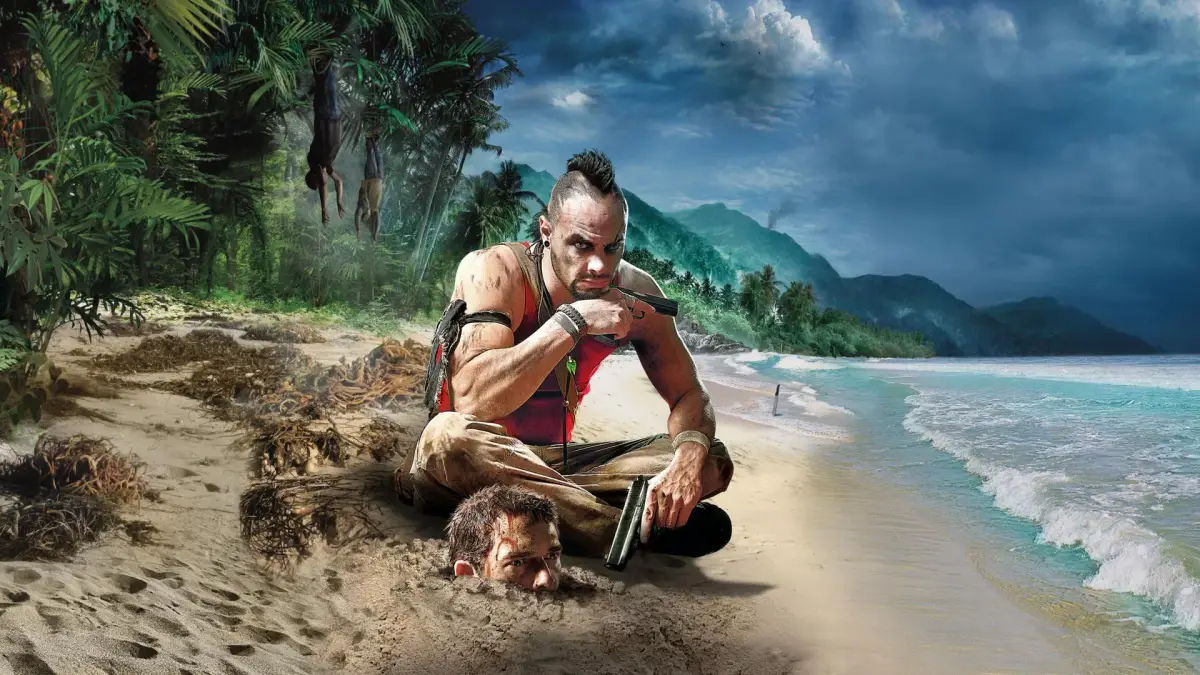
Welcome to the Rook Islands, a tropical paradise turned nightmare by pirates and the charismatic, terrifying Vaas Montenegro. In Far Cry 3, you play as Jason Brody, a tourist who must learn to fight, craft, and hunt to survive and rescue his friends. This open-world RPG blends intense first-person combat with deep skill progression and a gripping story, making for a truly memorable experience.
This guide is your essential companion for navigating the dangers of Far Cry 3. We'll walk you through critical missions like "The Doctor Is Out," provide strategies for liberating outposts, and help you develop effective skill builds for Jason. Whether you're aiming to collect all the Memory Cards and Relics, tackle the Wanted Dead quests, or master the Hunting and Trials of the Rakyat missions, this guide covers it all, ensuring you can conquer every challenge the island throws at you.
Controls: Introduction
Get a grip on Far Cry 3's controls! This guide breaks down every button prompt for PC, PS3, and Xbox 360, ensuring you master movement, combat, and more on the island.
Controls: Introduction
Get a grip on Far Cry 3's controls! This guide breaks down every button prompt for PC, PS3, and Xbox 360, ensuring you master movement, combat, and more on the island.

Controls: Basics 2
Get a grip on Far Cry 3's controls! This guide breaks down movement, combat, and item usage for PC, PS3, and Xbox 360, so you can survive the island.
Controls: Basics 2
Get a grip on Far Cry 3's controls! This guide breaks down movement, combat, and item usage for PC, PS3, and Xbox 360, so you can survive the island.
Controls: Basics
Get a grip on Far Cry 3! This guide breaks down all the essential controls for PC, PS3, and Xbox 360, so you can move, shoot, and survive the island like a pro.
Alright, so you've landed on this gorgeous but seriously dangerous island. Before you start running around like a headless chicken, let's get you familiar with how to actually *do* things in Far Cry 3. Knowing your way around the controller (or keyboard!) is super important, whether you're sneaking through the jungle or just trying to survive a firefight. Think of this as your cheat sheet so you don't accidentally throw a rock when you meant to reload.
Here's a breakdown of the basic actions and what buttons you'll be mashing, no matter which platform you're playing on:
| Action | PS3 | X360 | PC |
| Movement | L Stick | L Stick | W/A/S/D |
| Sprint | L3 | Push L Stick in | Shift |
| Camera Control | R Stick | R Stick | Z |
| Melee | R3 | Push R Stick in | F |
| Jump | X | A | Space Bar |
| Duck | Circle | B | C |
| Reload (hold to Interact) | Square | X | R (E to Interact) |
| Previous Weapon (hold to Heal) | Triangle | Y | X (Q to Heal) |
| Hotkeyed Item A | Left D-Pad | Left D-Pad | 7 |
| Hotkeyed Item B | Down D-Pad | Down D-Pad | 8 |
| Toss Stone | Right D-Pad | Right D-Pad | T |
| Aim | L1 | Left Trigger | R Mouse Button |
| Switch Weapon (hold) | L2 | Left Bumper | 1 (hold) |
| Shoot | R1 | Right Trigger | R Mouse Button |
| Throw Grenade | R2 | Right Bumper | Mouse Wheel |
| Map | Select | Back | M |
| Menu | Start | Start | Esc |
So, to recap: use the left stick or WASD to move, the right stick or Z to look around. Need to run faster? Hold down the stick (L3/Push L Stick in) or hit Shift. If you're in a tight spot and need to get out of the way, hit Circle or B (or C on PC) to duck. And remember, that Square/X/R button is your best friend for reloading, but if you hold it down, you'll interact with things like doors or ladders. Same goes for Triangle/Y/X – tap it to switch weapons, but hold it to heal yourself, which is a lifesaver when you're low on health!
Don't forget about your hotkeys (7 and 8 on PC, D-Pad for console) for quick access to items like medkits or grenades. And if you need to cause a distraction or just want to annoy some wildlife, the Right D-Pad or T key will toss a stone. When things get serious, L1/Left Trigger or the Right Mouse Button is your aim, and R1/Right Trigger or the Left Mouse Button is your trigger finger. Grenades are R2/Right Bumper or the Mouse Wheel. Finally, hit Select/Back or Esc to bring up your menu or map.
Mastering these basics will make your journey through Far Cry 3 a whole lot smoother. Now get out there and survive!
Exploration: Gameplay 2
Discover the secrets of the Rook Islands in Far Cry 3. Learn how to reveal your map by activating Radio Towers and explore the vast open world.
Exploration: Gameplay 2
Discover the secrets of the Rook Islands in Far Cry 3. Learn how to reveal your map by activating Radio Towers and explore the vast open world.
Similar guides you might like





100% Human-Written. AI Fact-Checked. Community Verified. Learn how AntMag verifies content