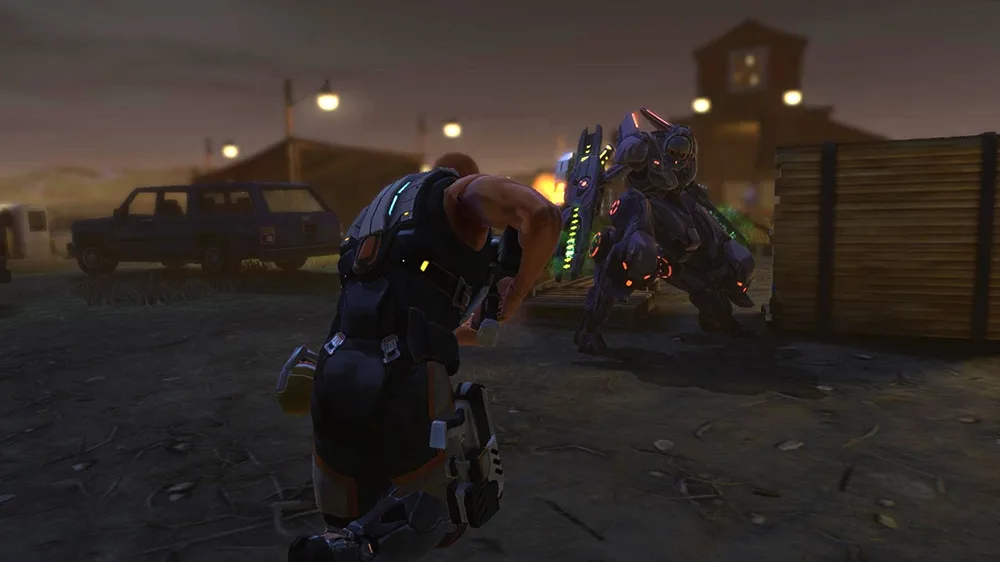
Learn how cover, flanking, and shooting mechanics work in XCOM: Enemy Within, including Overwatch and grenade usage.
Walkthrough
- 1To gain a cover bonus, your soldier must be adjacent to a piece of cover. Intervening objects that are not directly next to your soldier do not provide any defensive benefit.
- 2If a soldier is in cover and still has actions remaining, you can use the 'hunker down' ability. This ends the soldier's turn, reduces their sight range, but doubles their cover bonus and grants immunity to critical hits.
- 3When positioning your soldier, if the cursor is moved to a piece of cover not facing the enemy, the shield icon will turn red, indicating that moving there will cause the soldier to be 'flanked'.
- 4A flanking bonus is awarded to an attacker when they have a direct firing solution to their target, meaning the line of sight between them does not pass through the cover the target is using.
- 5When a soldier shoots from high cover, they briefly move, so consider the attacker's position to the left and right when determining if they are flanked.
- 6Height is not a factor in whether cover is considered 'flanked'; aliens can still be in cover even if your soldier is positioned above them.
- 7When enemies are in sight, alien heads appear on the bottom right of the HUD (Heads-Up Display). Red heads indicate aliens in cover, and yellow heads indicate aliens that have been flanked. Clicking these heads moves the camera to that alien.
- 8For snipers, additional icons like a crosshair may appear around the alien head.
- 9To shoot, select the shooting icon (or press button 1). The screen will show the percent chance to hit and the chance for a critical hit.
- 10The chance to hit is influenced by range (most guns get bonuses at close range, except sniper rifles) and the attacker's Aim statistic.
- 11Pressing the 'more info' button reveals a breakdown of factors affecting the shot and the target's stats if their class has been autopsied.
- 12You can change targets by pressing the arrow keys or clicking other alien heads.
- 13To fire, click the fire button (or press 1 again). To cancel, press Escape or click the cancel button.
- 14Using offensive abilities or accessories like grenades is generally straightforward. Throwing a grenade, using Flush, or firing a rocket typically ends the unit's actions for the turn, unless the ability states otherwise.
- 15For area-of-effect (AoE) abilities like grenades, click the icon and select the target area. The game shows affected areas and objects with a red filter, with the ability's effect represented as a bubble.
- 16The height of the AoE bubble can be adjusted using the middle mouse button, useful for firing over obstacles or at flying enemies.
- 17If friendly fire is detected (though sometimes not), the bubble turns yellow, and you will be prompted to confirm the attack if an ally or critical object is in the area of effect.
- 18Some AoE abilities, like restorative mist or death-blossom, activate around the unit using the ability, with the game displaying the radius beforehand.
- 19Overwatch is an ability available to all classes. Select the unit and confirm the Overwatch command.
- 20When a unit is in Overwatch, they can fire at enemies attempting to move within their line of sight.
- 21Overwatch typically occurs only once per turn per unit. If a unit fires at one enemy, it cannot fire at any more for the rest of that turn.
- 22Overwatch has no inherent priorities; it fires at the first enemy that moves into line of sight.
- 23There is an aim penalty for shooting enemies using Overwatch.
- 24Enemies targeted by Overwatch fire are considered to be in half cover, gaining an additional 20 defense.
- 25Enemies that do not move but can shoot may do so without triggering Overwatch, unless they are affected by specific abilities that cause them to take Overwatch fire when shooting.
Tips
- Positioning your soldier directly next to cover is crucial for receiving its defensive bonus.
- Use the 'hunker down' ability when your soldier is in cover and has remaining actions for a significant defensive boost and immunity to critical hits.
- Always check the shield icon on the HUD to ensure your soldier is not being 'flanked' before moving them into cover.
- When considering flanking, visualize a straight line from the attacker to the target; if it bypasses the target's cover, they are flanked.
- Be mindful of the line-of-sight limitations; aliens can shoot through multiple walls if they have line of sight to your soldier in the open.
- When shooting, pay attention to the hit and critical hit percentages displayed.
- Use the 'more info' button to understand all factors influencing a shot before committing.
- Adjust the height of AoE ability bubbles using the middle mouse button to optimize targeting and avoid friendly fire.
- Be aware that Overwatch fires at the first enemy that moves, which might not be the most immediate threat.
- Overwatch provides a defensive advantage but comes with an aim penalty and limited firing opportunities per turn.
100% Human-Written. AI Fact-Checked. Community Verified. Learn how AntMag verifies content