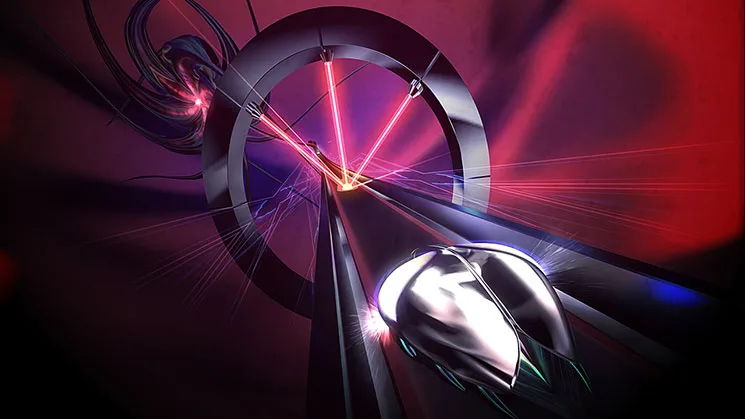

Avoid common Thumper pitfalls. This guide offers strategies to maintain momentum and achieve S-Ranks, addressing mistimed 'Thumps' on turns.
Even seasoned rhythm game veterans can find themselves stumbling in the psychedelic depths of Thumper. This section outlines common pitfalls and provides actionable strategies to help you maintain your momentum and achieve those coveted S-Ranks.
1. Mistiming the "Thump" on Turns
One of the most frequent errors players make is hitting the "Thump" button (X on PlayStation, A on Xbox, B on Switch) too early or too late when transitioning into a turn. This often results in a missed beat, a loss of momentum, and a broken combo.
- The Mistake: Pressing the Thump button as soon as the turn indicator appears, or waiting until the last possible second.
- How to Avoid It:
- Anticipation is Key: Thumper is less about reaction and more about anticipation. Listen for the distinct audio cue that precedes a turn. It's a subtle, rising tone that signals the upcoming change in direction.
- Visual Cues: Pay close attention to the track itself. The track will visibly begin to curve slightly before the actual turn point. Aim to press the Thump button just as your beetle-like vessel visually enters the curve, not when it's already halfway through.
- Practice the "Pre-Thump": In later levels, particularly from Level 4 onwards, turns become more complex, often chaining together. Practice pressing the Thump button a fraction of a second *before* you feel you need to. This slight lead-time can make all the difference.
- Rhythm Focus: Remember that the Thump on a turn is still a beat. Try to internalize the rhythm of the track and integrate the turn Thump seamlessly into that rhythm, rather than treating it as a separate action.
2. Neglecting the "Boost" Mechanic
Many players, especially in the early levels, underestimate the strategic importance of the Boost (Square on PlayStation, X on Xbox, Y on Switch). While it's tempting to save it for emergencies, intelligent boosting can significantly improve your score and survivability.
- The Mistake: Only using Boost when about to hit an obstacle or when your health is critically low.
- How to Avoid It:
- Score Multiplier: Boosting through obstacles (like the Spiked Walls or Laser Gates) not only grants you points but also contributes to your score multiplier. Actively seek opportunities to boost through these hazards, especially when your multiplier is high.
- Health Regeneration: Successfully boosting through an obstacle often restores a small portion of your health. This makes it a proactive defensive maneuver, rather than a last-ditch effort.
- Maintaining Momentum: In sections with rapid successions of obstacles, a well-timed Boost can help you maintain your speed and rhythm, preventing you from getting bogged down.
- Boss Fights: During boss encounters, particularly against the larger, multi-segmented bosses in Levels 3 and 7, boosting through their projectiles or body segments is crucial for dealing damage and maintaining your offensive. Don't be afraid to use it liberally during these phases.
- Energy Management: Your Boost meter refills over time and by successfully hitting beats. Don't let it sit full for too long; use it strategically to keep your score climbing and your health topped off.
3. Panicking During "Pound" Sequences
The "Pound" mechanic (holding Thump and then releasing) can be intimidating, especially when multiple Pound targets appear in quick succession or are integrated into complex turns. Panicking often leads to missed Pounds or accidental Thumps.
- The Mistake: Mashing the Thump button or releasing it too early/late during a Pound sequence.
- How to Avoid It:
- Listen for the Charge: There's a distinct audio cue that builds as you hold the Thump button for a Pound. Listen for this charge sound. The optimal release point is often synchronized with a subtle beat or visual flash.
- Visual Confirmation: The Pound target itself will glow or pulsate when it's ready for a successful release. Wait for this visual confirmation before letting go of the Thump button.
- Rhythm is Paramount: Treat the Pound as an extended beat. The hold and release are part of a larger rhythmic phrase. Don't rush it; let the rhythm guide your finger.
- Practice "Pound Chains": In later levels, you'll encounter sequences where you need to Pound multiple targets in a row. Focus on the individual timing for each Pound, rather than trying to anticipate the entire chain. Each Pound has its own distinct timing window.
- Don't Be Afraid to Fail: In practice, sometimes it's better to miss a Pound cleanly than to mess up the subsequent beats by panicking. Learn from your mistakes and adjust your timing for the next attempt.
4. Ignoring the "Perfect" Timing Window
Thumper rewards precision. While simply hitting the notes will get you through, aiming for "Perfect" timing is essential for high scores and S-Ranks. Many players settle for "Good" or "OK" hits, missing out on valuable points.
- The Mistake: Consistently hitting beats slightly off-center, resulting in "Good" or "OK" ratings instead of "Perfect."
- How to Avoid It:
- Audio-Visual Sync: Thumper's audio and visual cues are meticulously synchronized. If you're consistently getting "Good" hits, try adjusting your focus. Are you reacting purely to the visual, or are you letting the audio guide your timing? Often, focusing on the beat's sound can lead to more precise inputs.
- Controller Feedback: Pay attention to the subtle vibrations or haptic feedback from your controller. These can often provide an additional layer of timing information that your eyes or ears might miss.
- Practice Sections: If you're struggling with a particular section, use the level select to replay that specific segment. Focus solely on achieving "Perfect" hits on every beat, even if it means slowing down your mental processing.
- Calibration: If you suspect input lag, check your system's audio/video calibration settings. While Thumper is generally well-optimized, external factors like TV processing or wireless controller latency can sometimes affect timing.
- Relax Your Grip: A tense grip can lead to over-eager or delayed presses. Try to relax your hands and fingers, allowing for more fluid and precise movements.
100% Human-Written. AI Fact-Checked. Community Verified. Learn how AntMag verifies content